45
3
EN
Erasing
E r a s i n g
Erasing files
A selected file can be erased from a folder.
Also, all files in a folder can be erased
simultaneously.
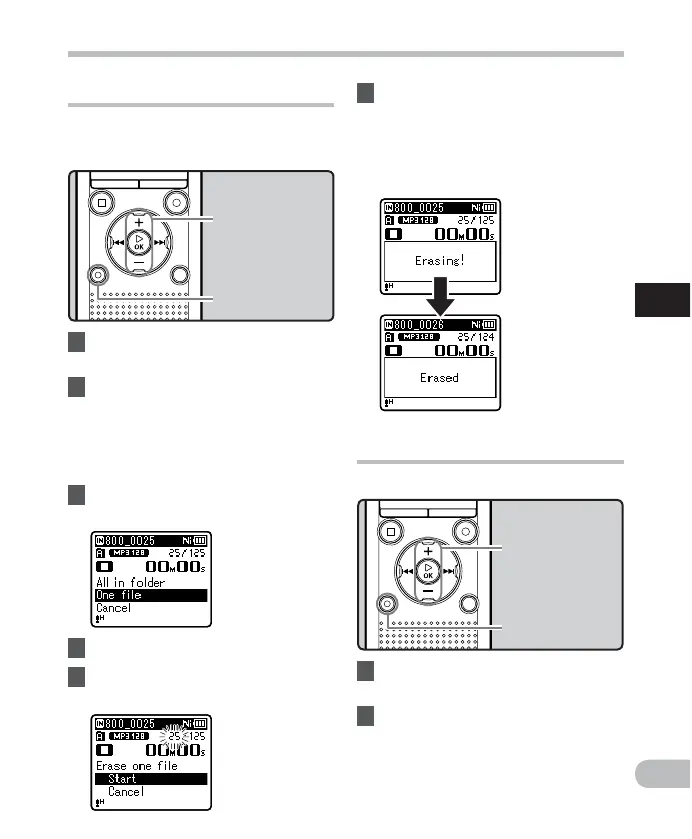
1 Select the file you want to erase
( ☞ P.28).
2 While the recorder is in stop
mode in the file display, press the
ERASE
button.
• If an action is not selected within 8
seconds, the recorder returns to stop
mode.
3 Press the
+
or
−
button to select
[
All in folder
] or [
One file
] .
6 Press the `
OK
button.
• The display changes to [ E r a s i n g ! ] and
erasing starts.
• [ E r a s e d ] is displayed when the file is
erased. File numbers are reassigned
automatically.
Erasing a folder
You can erase files by deleting folders.
1 Select the folder you want to
erase ( ☞ P.28).
2 While the recorder is in stop
mode in the folder list display,
press the
ERASE
button.
• If an action is not selected within 8
seconds, the recorder returns to stop
mode.
4 Press the `
OK
button.
5 Press the
+
button to select
[
S t a r t
].
+
−
button
`
OK
button
ERASE
button
+
button
`
OK
button
ERASE
button



 To Next Page