48
4
EN
Settings relating to FM radio
[ A u t o - p r e s e t ]
( ☞ P.49)
Automatically adds
receivable stations to the
preset stations.
[ Scan Level ]
( ☞ P.67)
Allows you to set the scan
sensitivity for auto preset.
[ O u t p u t ]
( ☞ P.67)
Allows you to set the audio
output of the FM radio.
FM radio mode operations
• To stop FM radio reception, press
the LIST button to go to the [ H o m e ]
display. From the [ H o m e ] display, you
can change to a different mode.
2 Presetting radio stations.
Presetting radio stations
automatically:
Automatically preset stations to
make it easy to tune. For details,
see “ Registering radio stations
automatically [ Auto-preset ]”
( ☞ P.49).
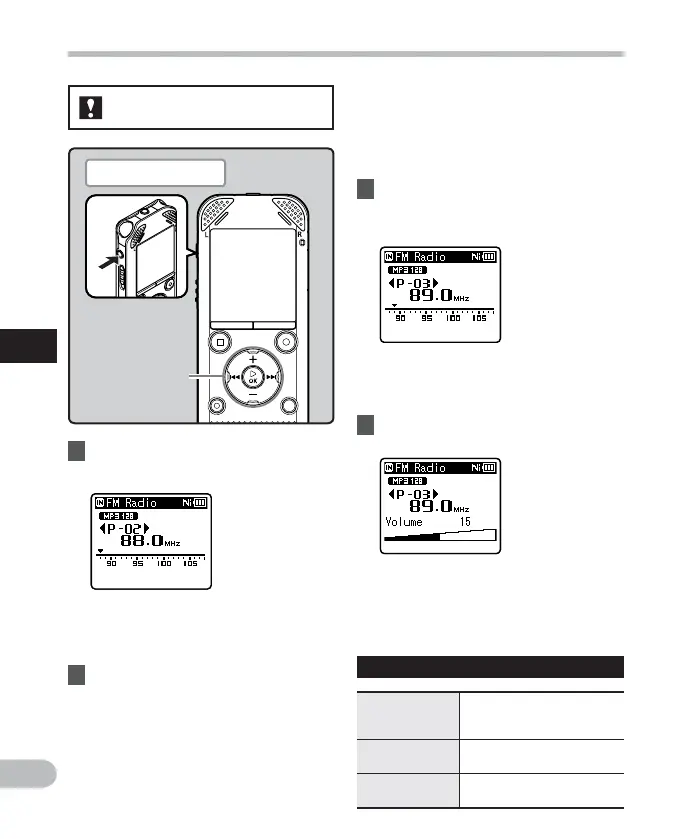
FM radio mode operations
1 Set to [
FM Radio
] mode ( ☞ P.25).
• Change the mode to [ FM Radio ] .
• The volume can be adjusted within
the range of [ 0 0 ] to [ 3 0 ] .
• You can also select a station which
has not been preset. For details, see
“ Changing the reception mode ”
( ☞ P.50).
4 Press the
+
or
−
button to adjust
the volume.
For WS-813:
Adding a radio station to the preset
stations:
Change the reception mode to
manual reception, and adjust the
frequency. The station you are tuned
to can then be added ( ☞ P.50, P.51).
3 Press the 9 or 0 button to
select a station.
• You can select a preset station.
+
−
button
9 0 button
Plug in the earphones



 To Next Page