73
5
EN
Menu setting method
Menu setting method
Changing the USB class
[ USB Settings ]
Besides selecting [ P C ] (Connect to PC to
transfer files) or [ AC Adapter ] (Connect to
AC adapter to recharge the battery), you can
switch the USB class to suit your usage.
[ USB Connection ] :
Setting for connecting to a PC.
[ USB Class ] :
Setting for USB class.
1 Select [
USB Settings
] from the
menu on the [
Device Menu
].
• For details on how to enter the menu
settings, see “ Menu setting method ”
( ☞ P.53).
2 Press the + or − button to select
[
USB Connection
] or [
USB Class
].
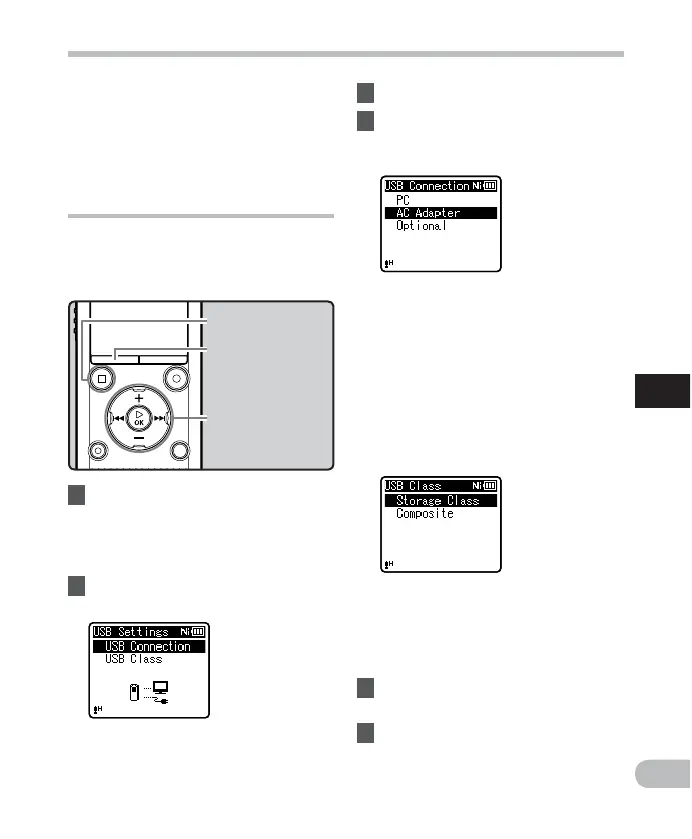
[ P C ]: Setting for when the recorder
is connected to a PC and used as a
storage device or composite device.
Connected as storage or composite.
[ AC Adapter ]: Setting for when the
recorder is connected to a PC for
charging or to the AC Adapter (A514)
(optional).
[ O p t i o n a l ]: Setting to confirm the
connection method each time a USB
connection is made.
When [
USB Class
] is selected:
+
−
button
9 0 button
`
OK
button
• If a file has an extremely short recording
time, it may not be divided even if it is an
MP3 file or PCM file.
• Do not remove the battery while dividing
a file. Doing so may damage the data.
3 Press the `
OK
button.
4 Press the + or − button to change
the setting.
When [
USB Connection
] is selected:
STOP
( 4 ) button
MENU
button
[ Storage Class ]: Recognized by a PC as
an external memory device.
[ C o m p o s i t e ]: Setting when connected
to a PC and used as an external
memory device, USB speaker or
microphone.
5 Press the `
OK
button to
complete the setting.
6 Press the
STOP
( 4 ) button to
close the menu screen.



 To Next Page