22
Section 2 Installation
RFID System
Operation Manual
Section 2
Installation and Wiring
Installation
Observe the following precautions when installing the V600-CA5D01 or V600-CA5D02 ID Controller to enable
proper performance of all functions.
Installation Environment
Do not install the ID Controller in the following locations.
• Locations where the ambient operating temperature is not between 10 and 55C or locations where
condensation may occur as the result of rapid variations in temperature
• Locations where the ambient operating humidity is not between 35% and 85%
• Locations subject to corrosive gases, inflammable gases, dust, dirt, metal powder, or salt
• Locations subject to direct vibration or shock
• Locations subject to direct sunlight
• Locations subject to contact with water, oil, or chemicals
• Location over 2,000 m above sea level
Mounting Position in a Control Panel
The operating temperature range of the ID Controller is from 10 to 55C. When installing the ID
Controller in a control panel, pay attention to the following points:
• Provide enough space around the Controller for ventilation.
• Do not install the ID Controller in the vicinity of equipment generating heat (such as heaters,
transformers, and large resistors).
Installation Methods
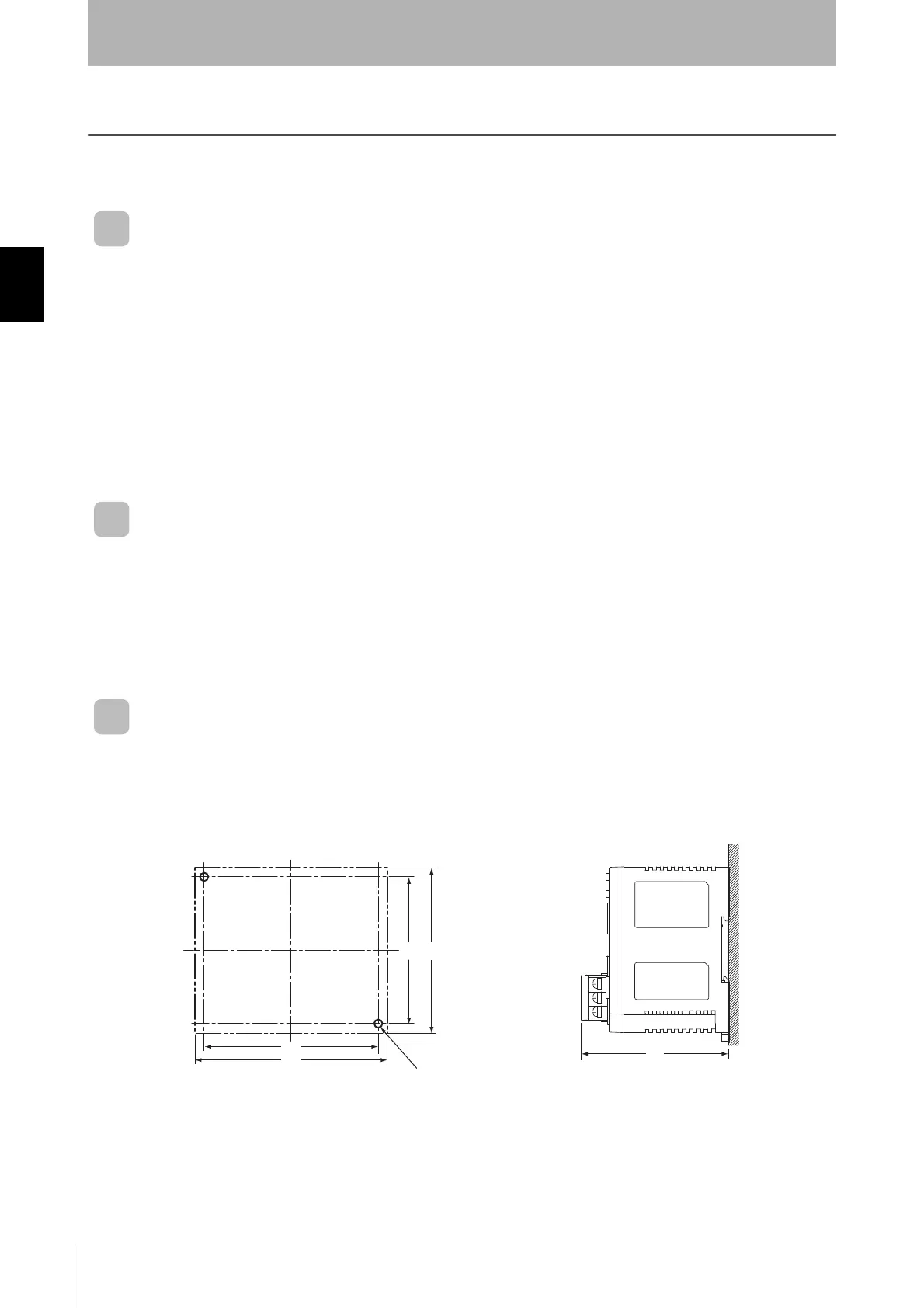
■ Mounted in a Panel
When mounting directly to a control panel, always use flat washers and M4 screws.
Recommended tightening torque: 1.2 N·m



 To Next Page
 Loading...