Installation
23
4.3 Wiring
Three cables need to be connected to wire the system properly:
• Tool data cable between the tool(s) and the Compute Box
• Ethernet communication cable between the robot controller and the Compute Box
• Power supply of the Compute Box
4.3.1 Tool data cable
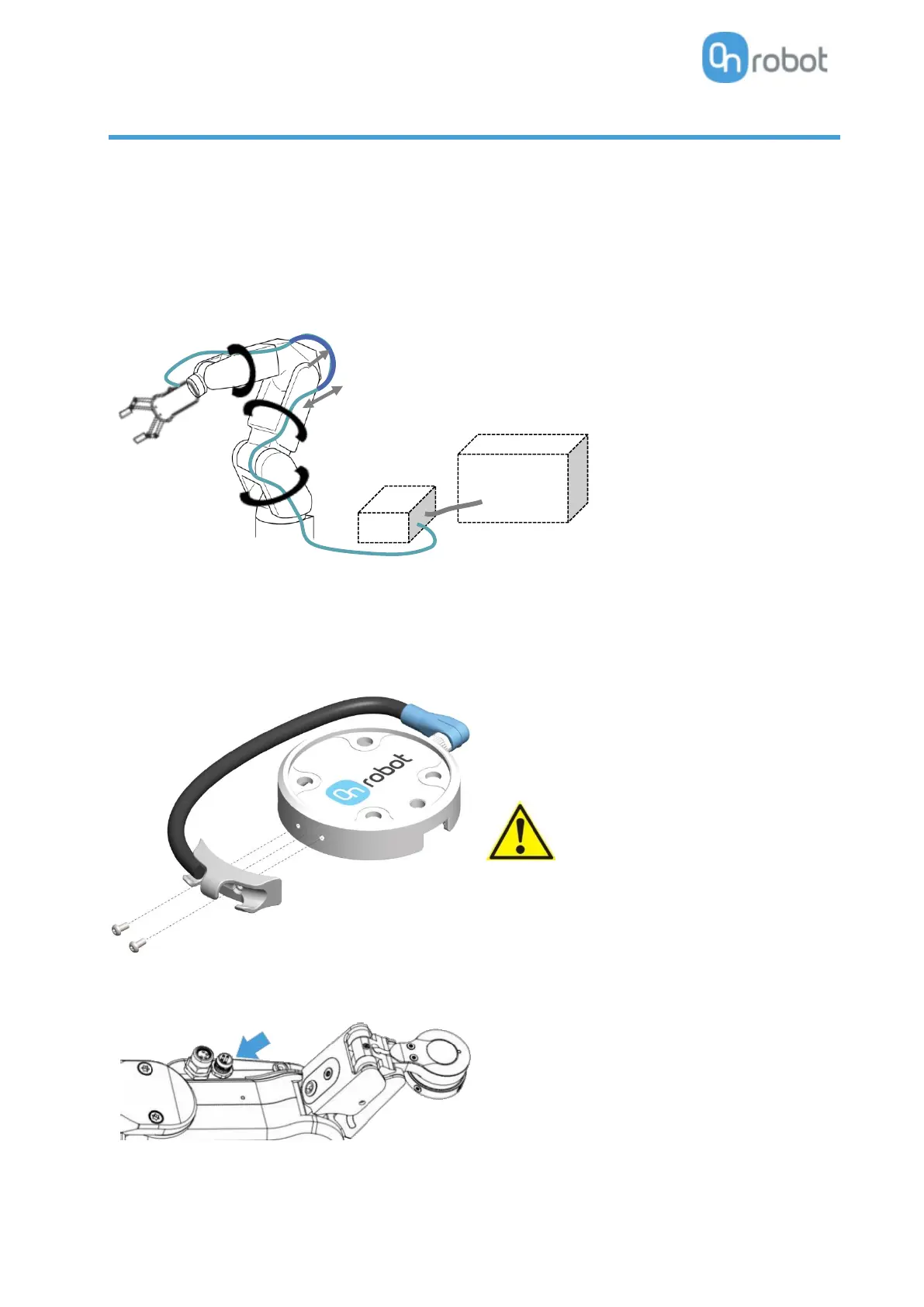
First connect the data cable to the tool.
For Single or Dual RG2, RG6, VG10, VGC10 or Gecko Gripper
Use the M8-8pin connector on the Quick Changer
or on the Dual Quick Changer.
Use the cable holder as illustrated on the left.
Make sure to use the supplied cable
holder to prevent any excessive
strain on the 90-degree M8
connector caused by the rotation of
the cable.



 To Next Page