Operation
71
7.4.2 Program Editor
This tab shows the currently edited WebLogic program.
WebLogic programs contains 1 or more "rows".
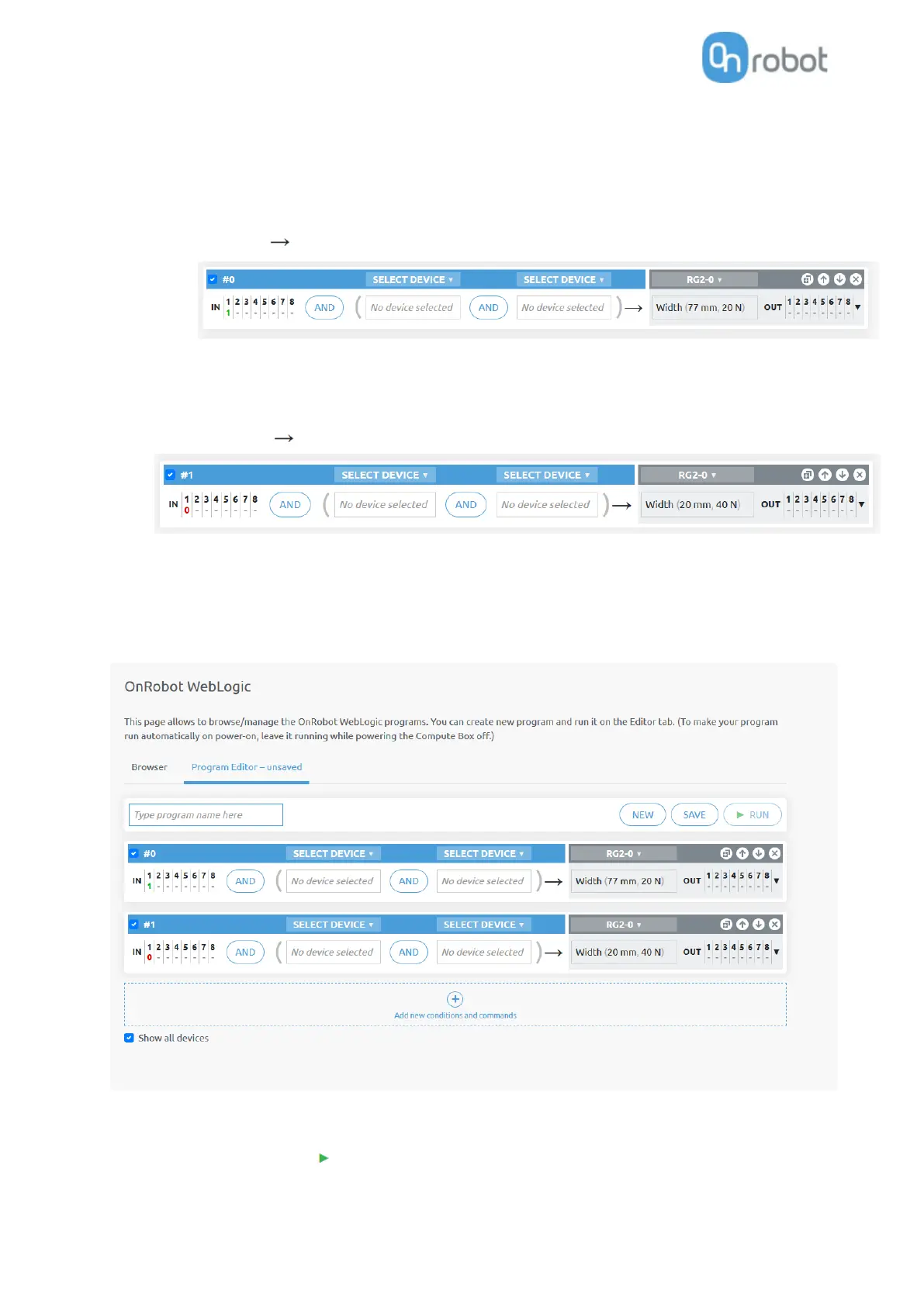
A row contains conditions (blue part) and commands (gray part) like this:
(If) DI1=1 (Then) RG2-Width=77 (force=20N)
(If the robot sets the Digital Input 1 (DI1) of the Compute Box to high, then open the RG2 gripper
to 77 mm.)
Another row in a program can be like this:
(If) DI1=0 (Then) RG2-Width=20 (force=40N)
(If the robot sets the Digital Input 1 (DI1) of the Compute Box to low, then close the RG2 gripper to
20 mm.)
With the above two rows in a program an RG2/6 gripper could be operated (opened and closed) with a
single Digital output of a robot, while the opening and closing width and force can be programmed to any
value.
To execute a WebLogic program first make sure to enter a program name and click on the Save button to
store it and then click on the Run button.



 To Next Page