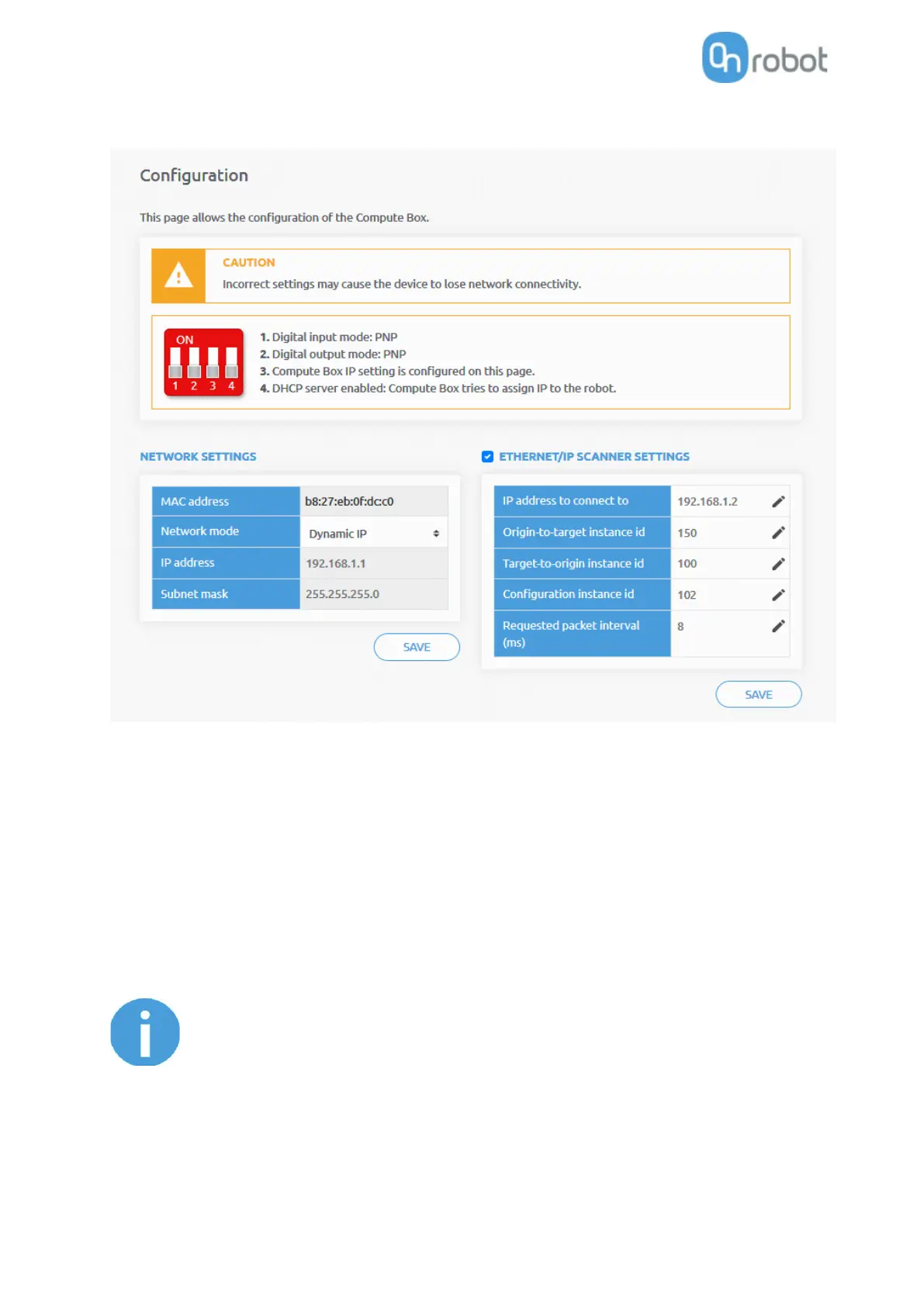
Enable the EtherNet/IP scanner settings checkbox and set the values as shown above:
• IP address to connect to: Robot IP address (if default values are used enter 192.168.1.2)
• Origin-to-target instance id: 150
• Target-to-origin instance id: 100
• Configuration instance id: 102
• Requested packet interval (ms): 8
Finally, click the Save button to store the new settings.



 To Next Page