16 OPAL-RT Technologies OP4200 User Manual
OP4200 Hardware
Initial Setup
Changing the IP Address
The OP4200 pre-configured with an IP address (an identifying label will be attached to the unit), but it
may conflict with your network insfrastructure; you may need to change the IP address for your OP4200.
The best way to do this is to directly connect your OP4200 to your host computer (laptop, etc.). (Be sure
to contact your IT department to obtain a valid IP address from them).
Before you begin, make sure your computer has a serial terminal program installed; you will need it to
access the “OP4200 Recovery” application. If there is no serial terminal installed, you must install one
(such as MobaXterm) to access the OP4200 configuration application.
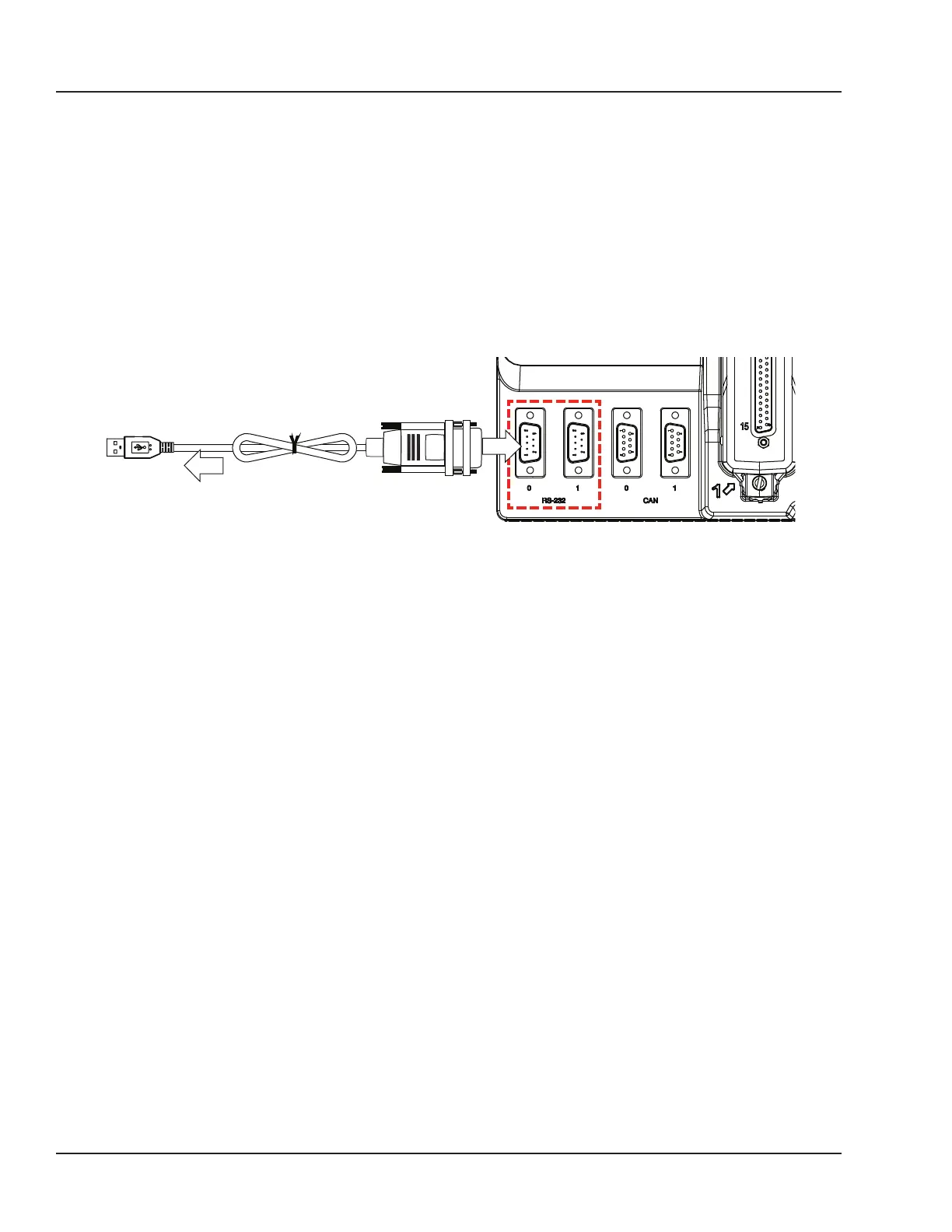
The RS232 cable enables users to connect the OP4200 to a PC to access the IP address modification
interface. It also allows users to perform various troubleshooting or reflashing activities.
OP4200
TO PC (USB)
RS232
TO OP4200
Figure 7: Connecting the RS232 to USB cable
4. Connect the USB connector to a computer or laptop. Wait for the computer to discover the new
connection.
5. Connect the RS232 connector end to the RS-232 (port 0) connector on the OP4200
6. Install the serial terminal application (MobaXterm) on your computer:
- Using an internet browser go to MobaTek’s mobaXtem website: http://mobaxterm.mobatek.net/.
- Click on the ”Download” section.
- Select the “Home Edition” version of MobaXterm and click on “Download Now”
- Select the “Portable edition” of “MobaXterm Home edition”
- Save the file in a known location in your computer.
- Extract the contents of the zip file and double click on the extracted executable of MobaXterm
i.e.: “MobaXterm_Personal_9.4.exe” the program will start (Note that there is no need to install
anything in your computer).
7. In MobaXterm:
a. Click the Sessions button to start a new session
b. In the Session Settings window, click on the Serial Button



 To Next Page