OP4200 User Manual OPAL-RT Technologies 17
OP4200 Hardware
Initial Setup
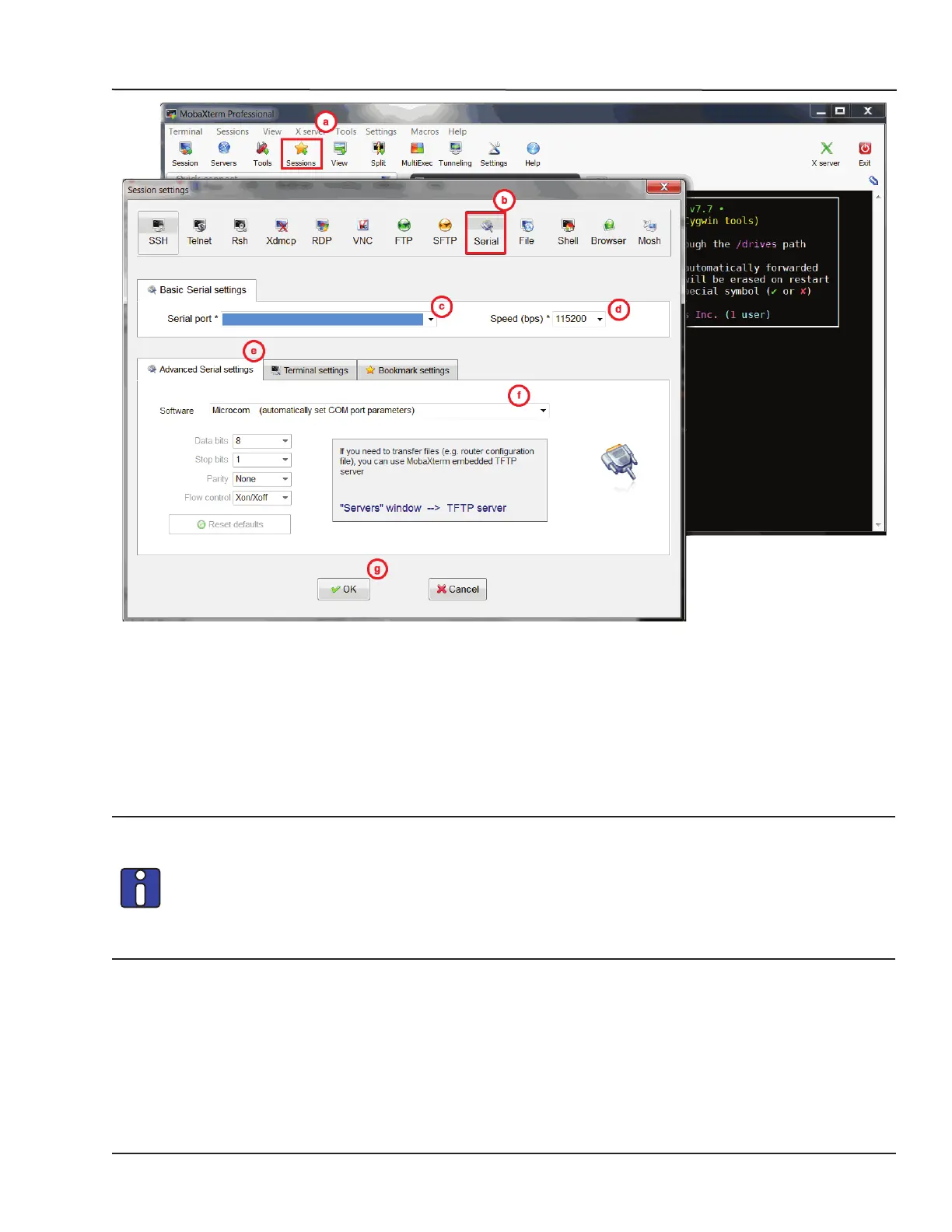
Figure 8: Starting a serial session in MobaXterm
c. Select the serial (COM) port to which the OP4200 is connected (it should appear automatically
in the list)
d. Set the Speed to 115200
e. Click on the “Advanced settings” tab
f. For the “Serial engine” field, select “Microcom” to have the rest of the parameters selected
automatically
g. Click OK to start the session.
If the OP4200 was already switched on before starting this process, clicking OK does not
open the OP4200 System Configuration screen. The user must press Enter (or use the
“config” command once logged into the system) to open the OP4200 System Configuration
screen.
If the OP4200 is switched off during this process, the boot console appears when the
OP4200 is switched on and then the configuration screen pops up.



 To Next Page