18 OPAL-RT Technologies OP4200 User Manual
OP4200 Hardware
Initial Setup
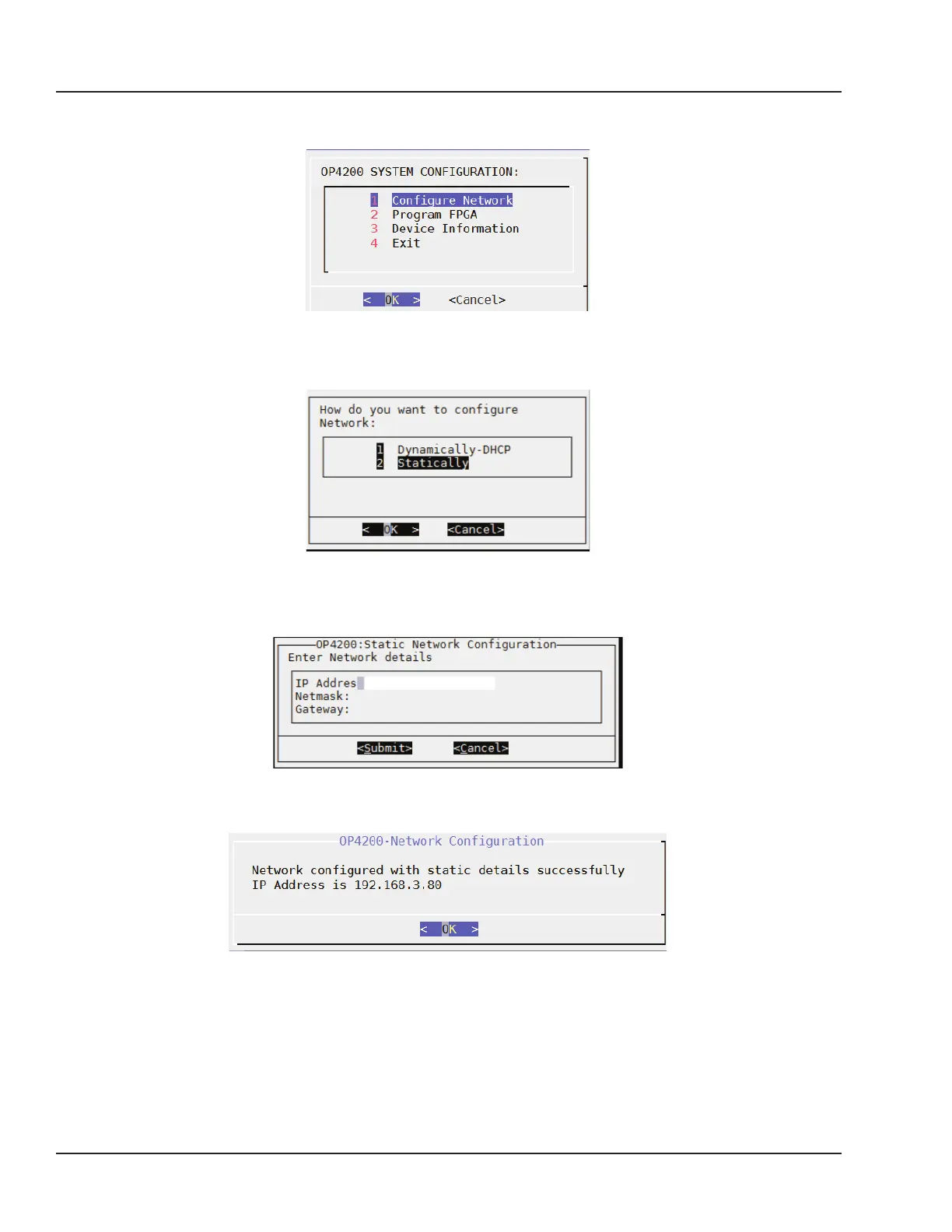
8. In the OP4200 System Configuration screen (Figure 9). Select Configure Network and click OK
(Figure 9).
Figure 9: OP4200 System Configuration screen
In the next screen (Figure 10), select “2 Statically” and click OK.
Figure 10: Network Configuration screen
- Type the following information in the next screen (Figure 11): IP address, Netmask and Gateway
(your IT department should provide you with the information).
Figure 11: IP address modification screen
- Click Submit. A confirmation screen appears (Figure 12).
Figure 12: IP address change confirmation screen
Click OK to return to the main menu. Click 4 Exit and close MobaXterm.
Your OP4200 is now ready to use and can be connected to your network. Once it is connected to the
network, you should test communication by pinging the OP4200 from your computer



 To Next Page