26 Keys, doors and windows
Passive locking
On vehicles with electronic key
system, this feature locks the vehicle
automatically after several seconds if
an electronic key has been
recognised previously inside the
vehicle, all doors have then been
closed and the electronic key does
not remain within the vehicle.
If the electronic key remains in the
vehicle or the vehicle is not off,
passive locking will not be permitted.
If there have been two or more
electronic keys in the vehicle and the
vehicle was on once, the feature locks
the vehicle if just one electronic key is
taken out of the vehicle.
To prevent passive locking of the
vehicle e.g. when passengers remain
in the vehicle, the system must be
disabled.
To disable the system, press the
central locking button ( for a few
seconds while one door is open. The
function remains disabled until the
central locking button ) is pressed or
the vehicle is switched on.
Activation or deactivation of passive
locking can be set in the menu
Settings, I Vehicle in the Info display.
Info display 3 86.
Vehicle personalisation 3 92.
The setting can be saved for the
electronic key being used 3 20.
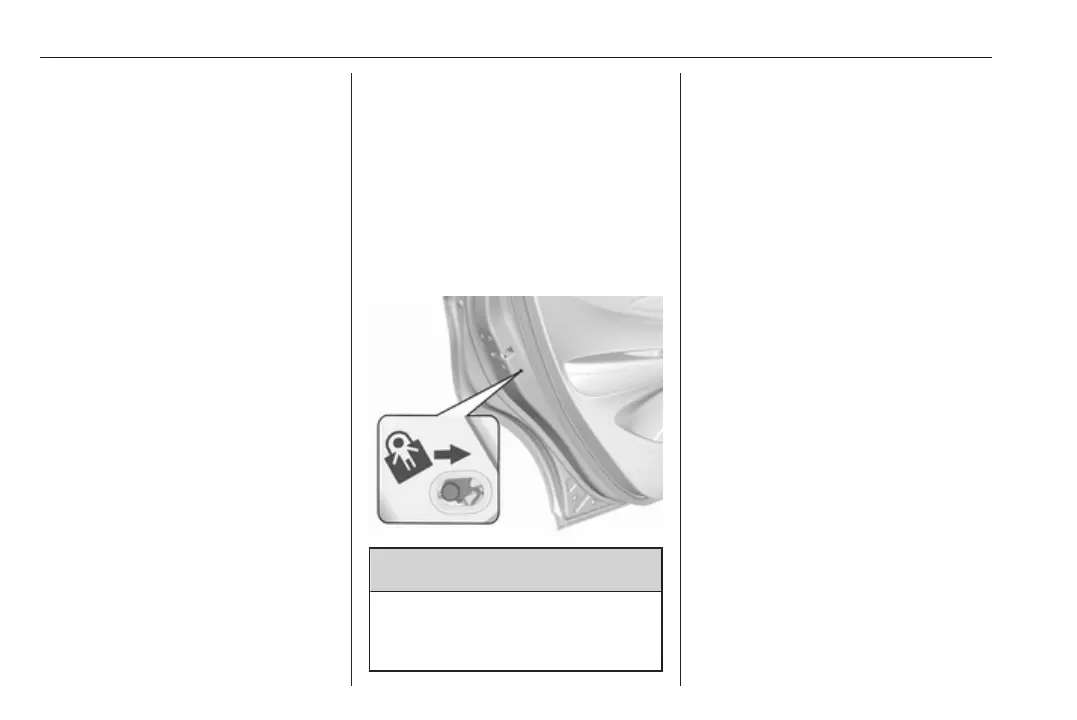
Child locks
9 Warning
Use the child locks whenever
children are occupying the rear
seats.
Move the pin in the rear door to the
front position. The door cannot be
opened from the inside.
To deactivate, move the pin to the
rear position.
Smartphone remote
function
This feature allows a smartphone to
be connected to the vehicle and
remote vehicle functions to be
requested. Features vary depending
on availability.
Features include:
● Remote commands: Use to lock/
unlock the vehicle, remote start
for the cabin climate, or sound or
cancel the horn and flash the
lights.
● Vehicle status: View the vehicle’s
range and high voltage battery
level, charging status, and tyre
pressure.



 To Next Page