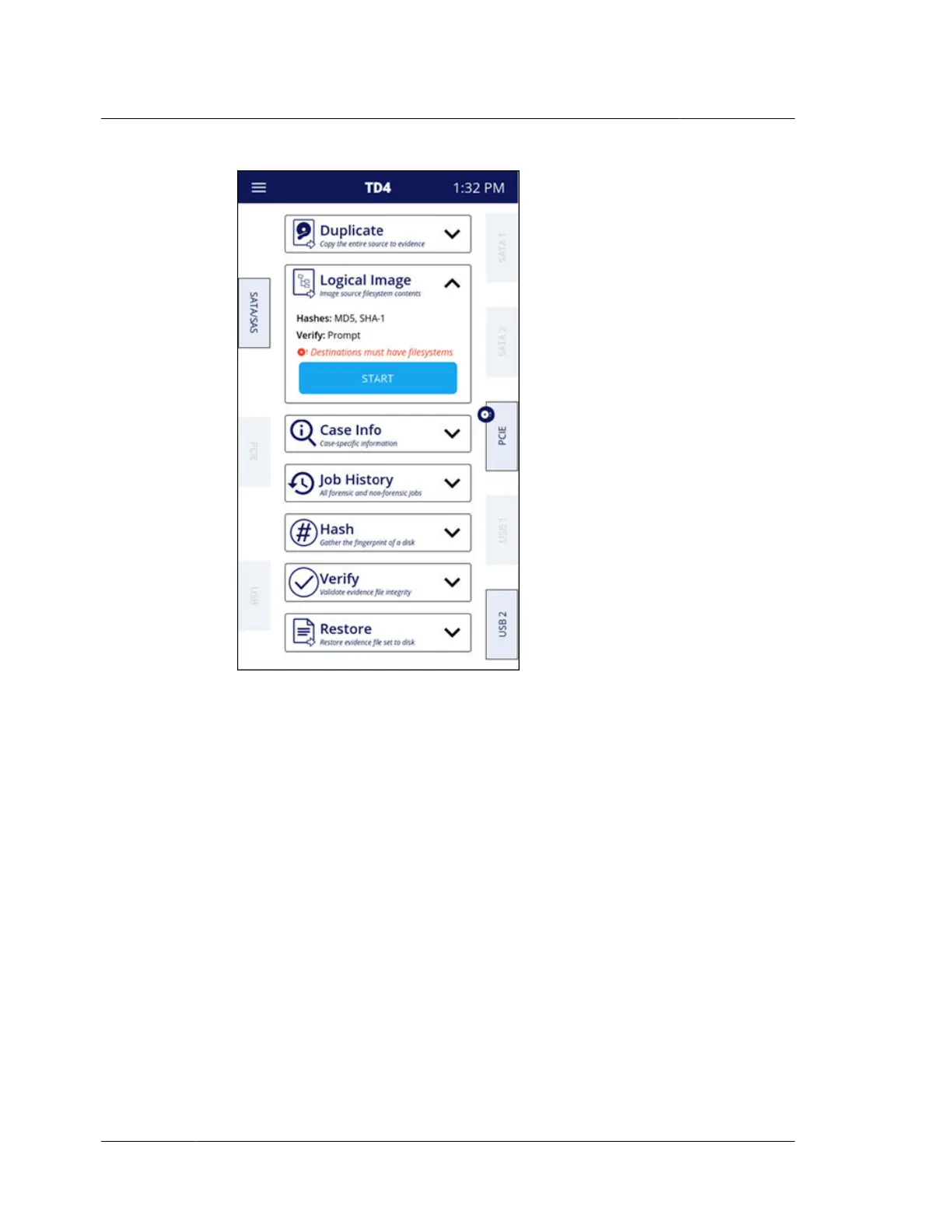
If any of the job settings are set to Prompt, an advanced settings screen will
appear which will allow selection of the specific settings desired for the
impending job. The Prompt option is available for the following system settings
related to Logical Imaging: Hashes and Readback Verification.
If there are any issues with the Logical Image job setup/configuration that TD4
considers to be blocking or of forensic significance, an advanced settings screen
will appear and provide information about the issue and the ability to rectify it,
if possible. An example of a blocking configuration issue is if SHA-256 is selected
in system settings. LX01 does not support SHA-256 hashing.
The screenshot below is an example of the advanced settings screen for a Logical
Image job with a Prompt setting (Readback Verification) and an issue of forensic
significance (SHA-256 selected). Note that the items that directly caused the
advanced settings screen to be displayed are shown as expanded but that other,
potentially related setting items will also appear in that screen unexpanded.
Chapter 4 Using TD4
62
OpenText™ Tableau™ Forensic TD4 Duplicator
ISTD230100-UGD-EN-1



 To Next Page