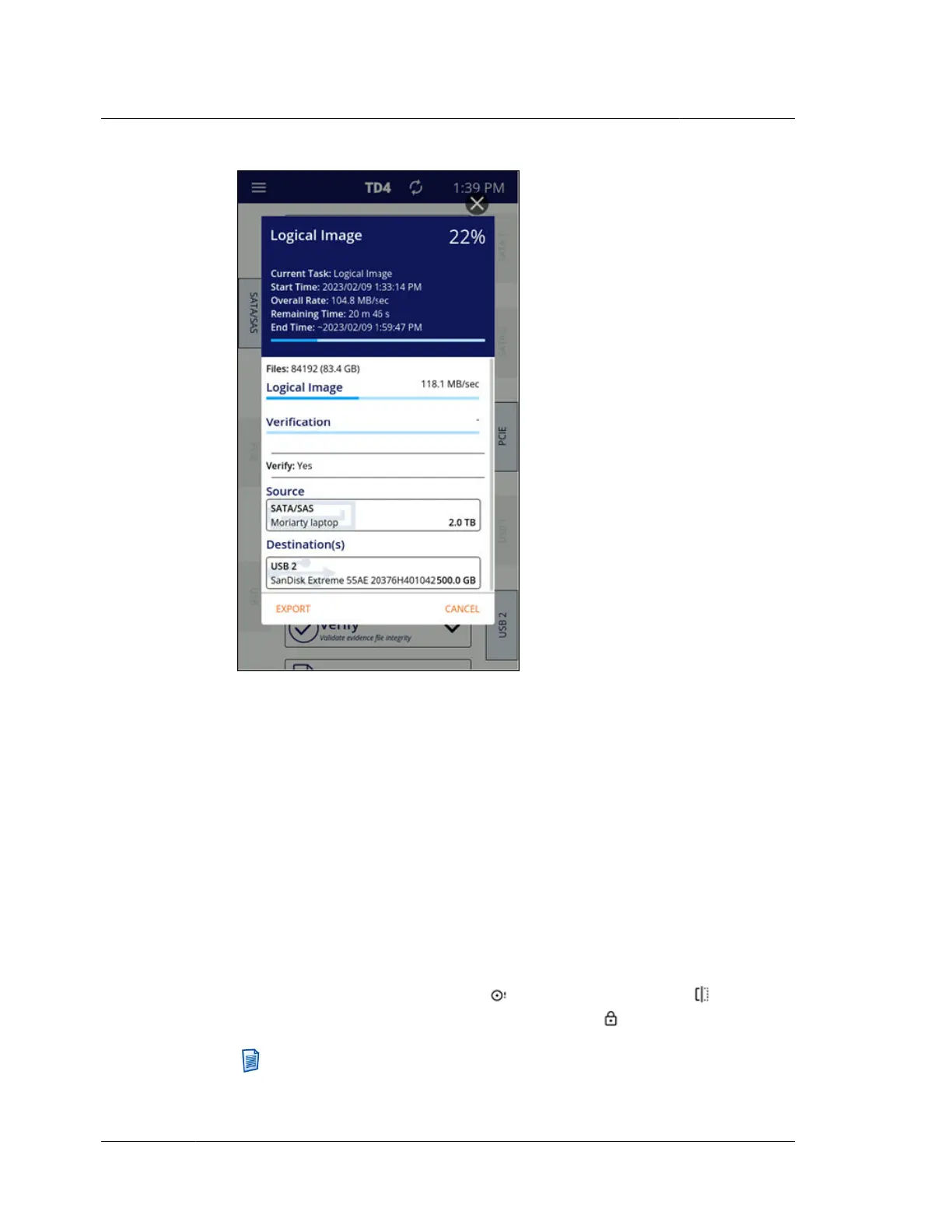
The number of files found on the source filesystem along with the total size of
those files is shown just under the header section of the job status screen, above
the Logical Image progress bar. Note that TD4 logical imaging acquires all files/
folders on the source filesystem with no opportunity to down select or target
specific files/folders as is possible on TX1.
You may cancel an active Logical Image job by tapping Cancel in the bottom-
right corner of the job status screen. You may also Export the job log from this
screen (even for an in-progress job, if desired) by tapping the Export button in
the bottom-left corner and then selecting the desired destination or accessory
drive/filesystem.
The source and destination drives used in a Logical Image job are shown near
the bottom of the job status screen. These drive cards provide basic drive
information, such as the connected port name, the overall size of the drive, and
either the Evidence ID (if entered) or the drive’s make/model/serial number.
Icons will appear on these drive cards to provide at-a-glance indication of things
like no detectable filesystem present , HPA/DCO/AMA in place , or the
presence of Tableau encryption (locked or unlocked) .
Note: The drive cards in the job status screen can be tapped to show
detailed drive information. However, when drive details are viewed from
Chapter 4 Using TD4
64
OpenText™ Tableau™ Forensic TD4 Duplicator
ISTD230100-UGD-EN-1



 To Next Page