CONFIGURATION WITH THE APPLIANCE
This operation must be performed before switching the appliance on (cold) and only the rst time to congure the hand-held
radio command with the appliance circuit board.
Operate as follows to congure the hand-held radio control with the appliance:
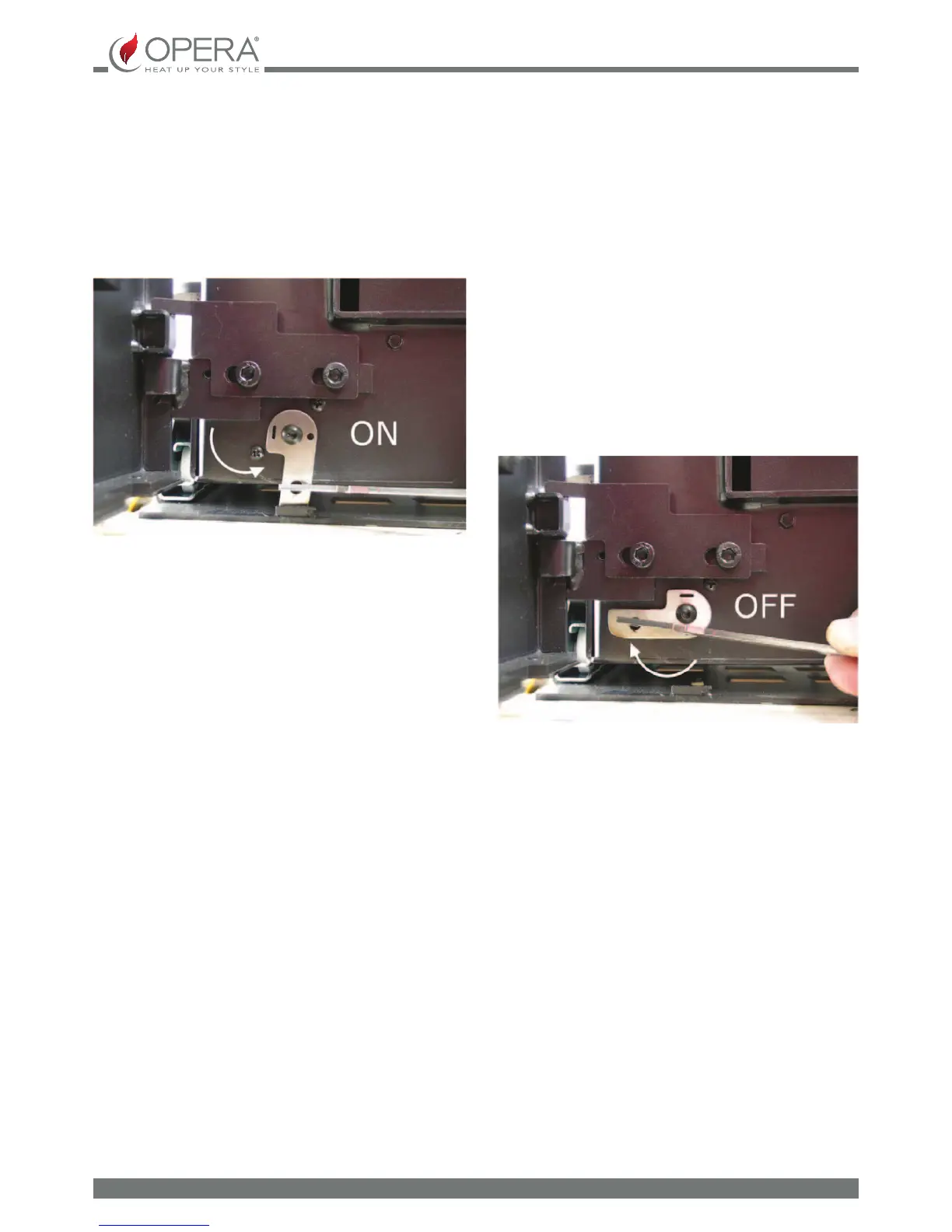
1. Power the appliance by connecting it to an electric socket and, if it is an insert, by also turning the latch as illustrated
below. Activation is conrmed by an acoustic signal.
2. Only if it must be congured with a stove, otherwise pass directly to the next point: activate the appliance
positioning the switch on the back at ON. Activation is conrmed by an acoustic signal.
3. Press any button on the radio command repeatedly until "Opera" appears on the display (if congured with a stove,
the same wording of the appliance command panel will appear). Whenever the appliance is not congured, "No signal"
will appear on the display. Before performing any operation with the radio command, make sure that at least one of the
three reception signal indicators is active (see screen in the top right). If there is no reception signal, move the hand-
held radio command towards the appliance.
Make sure that the hand-held radio control batteries are suciently charged with at least one of the battery charge indicators
active (see screen in the top left). If this is not the case, re-charge the batteries of the hand-held radio command by positioning
it on the charging base.
To save energy, the display lighting automatically deactivates after a few minutes (SCREENSAVER function). It is sucient to
press any button to reactivate the display lighting.
In the main screen, the display shows the current date and time, the room temperature, the operating status and the appliance
operating mode.


 To Next Page