EXIT submenu: exit from the PRELOADING to go back to the user menu screen
MANUAL submenu: access to the preloading function in MANUAL mode. Operate on the [+] key and hold it down until the
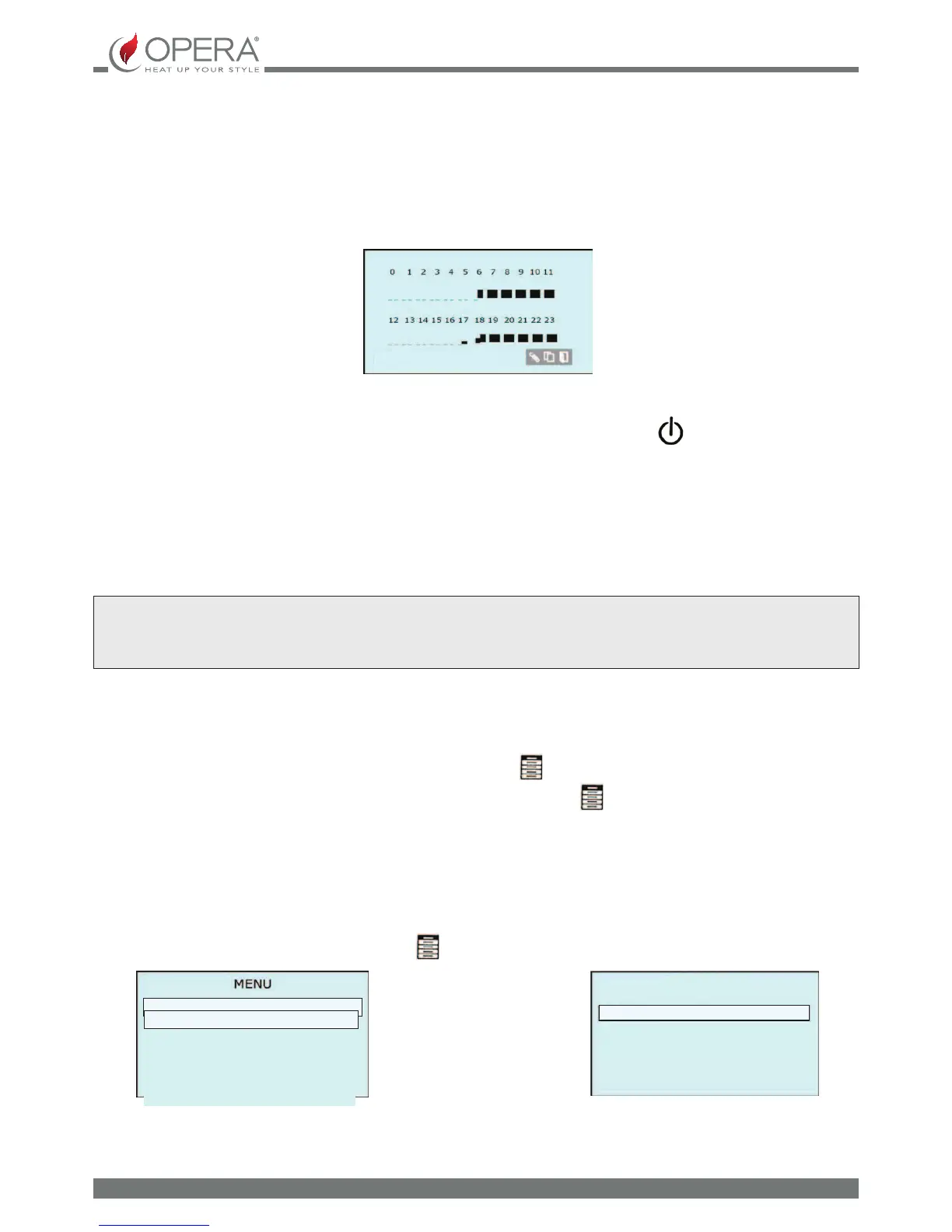
In the example given in the gure at the end of the page:
at 06.30 the stove/insert is activated at level 3 (comfort)
at 12.00 the stove/insert switches o and remains o until 17.30
at 17.30 the stove/insert is activated at level 1 (economy)
at 18.00 the stove/insert changes level and goes to level 2 (normal)
at 18.30 the stove/insert changes level and goes to level 3 (comfort)
at 00.00 the stove/insert switches o and remains o until 06.30
SWITCHING THE APPLIANCE OFF
The appliance can be switched o at any time by pressing the ON/OFF key for a few seconds
. Once shutdown is initiated,
the green LED ashes until the stove/insert is not completely o; the [o] symbol is present for the hand-held command.
Moreover, there are 3 operating status:
Cleaning s. : the smoke extractor goes to maximum speed to clean the burner from any residues of the previous combustion,
Shutdown: the smoke extractor and the room air fan continue to operate until the appliance has cooled down completely,
O: with the appliance at a complete standstill, the green LED is o and the the [o] symbol on the radio command
disappears.
ATTENTION
As it could be dangerous, never switch the appliance of by deactivating the electric connection: problems could be created
with the structure and successive ring may be dicult.
SUNDAY
USER MENU
To access the user menu, operate on the main screen, by pressing the
key for more than three seconds.
Press the [+] and [-] keys to scroll the menu. To conrm the desired choice, press
EXIT exits the menu and goes back to the
main screen.
PRELOADING
SYSTEM STATUS
PELLET SETTING
VENTILATION SETTING
GENERAL SETTINGS
EXIT
PRELOADING
(Can be accessed with stove/insert o only): accesses the preloading function which allows to activate the auger. It can be
MANUAL or AUTOMATIC by operating on the [+] key. This operation is necessary on commissioning. Press the [+] and [-] keys to
scroll the menu. To conrm the desired choice, press
.
EXIT
MANUAL
AUTOMATIC
PRELOADING


 To Next Page