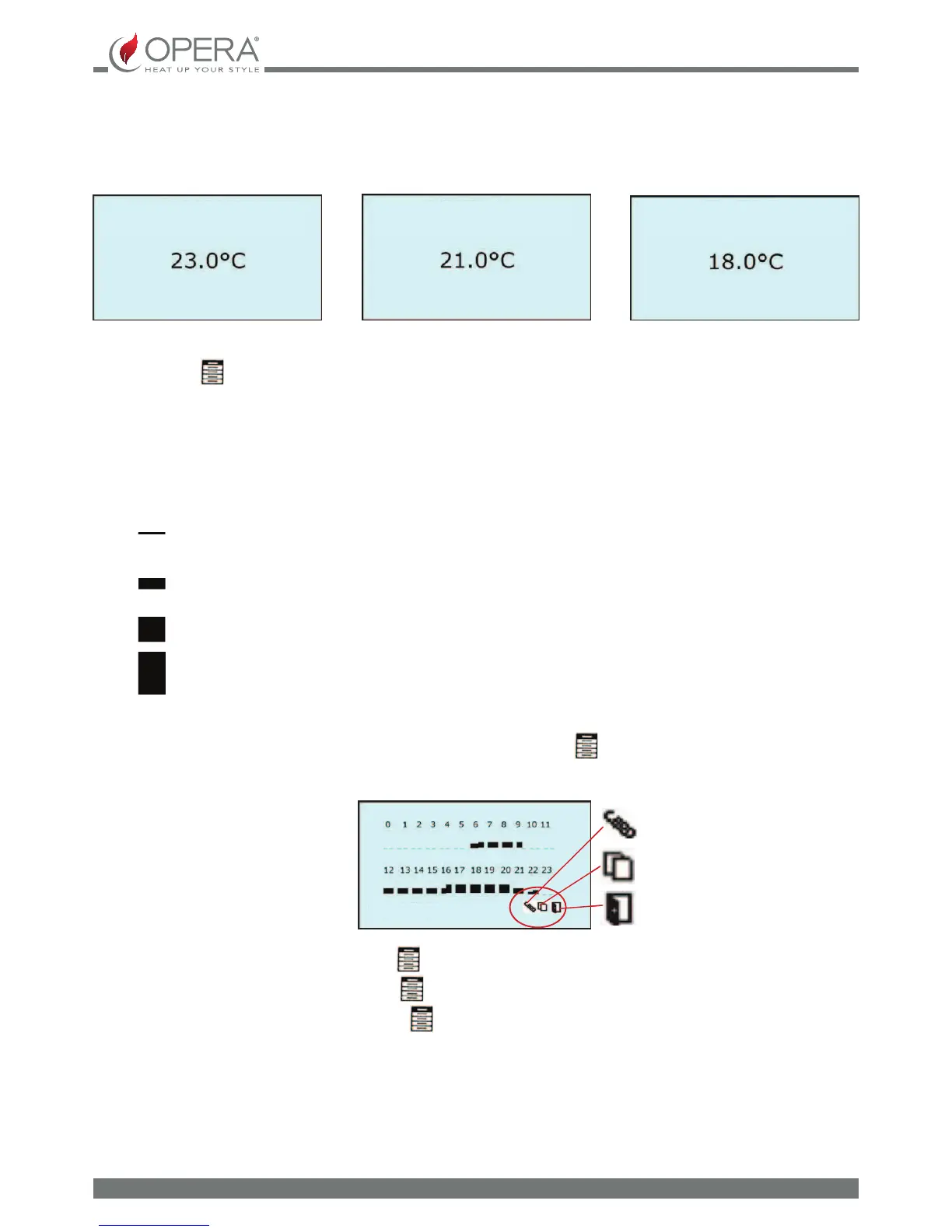
In CHRONO mode it is possible to set 3 dierent working temperatures: COMFORT, NORMAL and ECONOMY
COMFORT SETTING submenu
NORMAL SETTING submenu
ECONOMY SETTING submenu
COMFORT SETTING
TEMPERTURE
NORMAL SETTING
TEMPERTURE
ECONOMY SETTING
TEMPERTURE
To increase or decrease the temperature set, operate on the [+] and [-] buttons respectively. To exit and go back to the previous
screen, press the
button for more than 3 seconds.
TIME SLOTS submenu: allows programming of the time slots and the days of the week of the chronothermostat for
operation in CHRONO MODE. The weekly chronothermostat allows to select one of the 3 working temperatures available
(COMFORT-NORMAL_ECONOMY) or to shutdown the appliance with the OFF function within the 24 hours of the day, divided
into half hour time slots and also allows to individually program every day of the week.
The display shows the function [OFF] and the three temperatures available with the following symbols:
OFF = Appliance o
ECONOMY = Appliance on at economy temperature
NORMAL = Appliance on at normal temperature
COMFORT = Appliance on at comfort temperature
To move to the time slot to be programmed, press the [+] and [-] buttons and then press the button several times until the
desired temperature is reached or return to the OFF function.
To move onto the day of the week, press the [+] and [-] buttons and press the
button until the day to be programmed is
displayed.
By moving to the COPY function and pressing the
button, it is possible to copy the programming of the day displayed.
By moving to the PASTE function and pressing the
button, it is possible to paste the programming of the day displayed.
By moving onto the EXIT function and pressing the
button, the submenu is exited and you return to the previous screen,
saving the modications made.
After each modication made, the programming becomes operational only on entering the time slot following immediately,
therefore at a maximum after 30 minutes.
SUNDAY
- copy
- paste
- exit


 To Next Page