18
Model 72 User Manual - OPEX Corporation
Operating Instructions
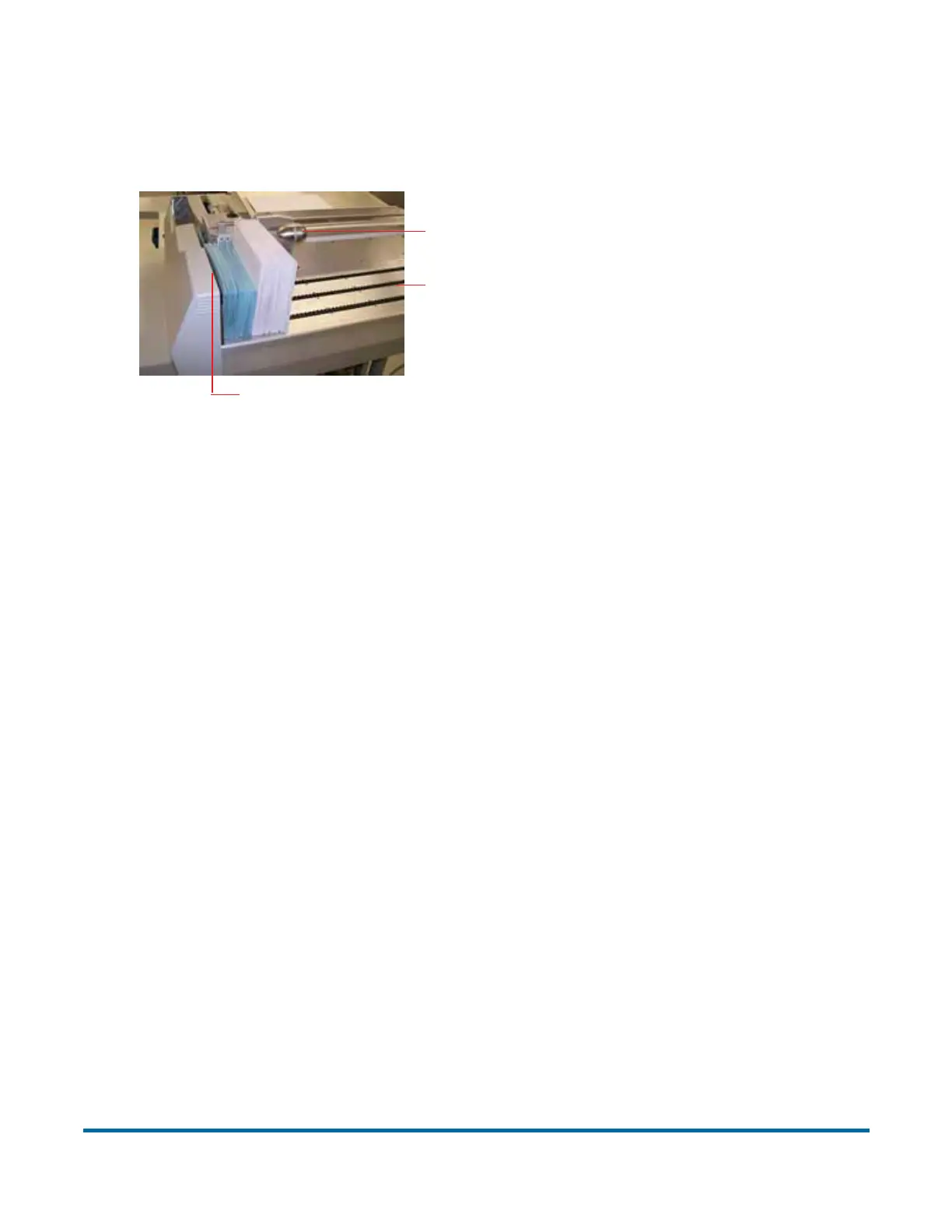
Load mail on the Model 72 as shown in Figure 6.
Figure 6: Feeder section
Procedure to load envelopes:
1 Align the envelopes so that they all face the same direction, right side up.
The Model 72 does not require the mail to be justified to the left edge when
loading. This is especially helpful when running white mail. It is still
important to load the mail so that the bottom of the envelope touches the
conveyor.
2 Slide the Mail Pusher to its most forward position. Load a handful of mail
behind the pusher, using the side of the pusher as your guide. Loading in
this manner will ensure that each envelope will feed smoothly into the
machine.
3 Lift the Mail Pusher, slide it back and lower it into place behind the last
envelope. The first envelope should be right in front of the feeder belts.
4 Continue to load the mail, placing each handful behind the pusher until the
conveyor is full.
5 Lift the Pusher, slide it back, and place it behind the last envelope. You will
find that it is easier to load in this manner than to try to load all of the mail in
front of the Pusher.
Conveyor - Capacity is about 22½ inches.
Feed Belts (behind cover)
Mail Pusher - Supports and advances
envelopes. Lifts and slides back to allow
envelopes to be loaded.
Feed Sensors (not shown) - Detect if mail
is present. Controls advance movement of
the unopened envelopes



 To Next Page