69
Falcon User Manual - Remittance Processing - OPEX Corporation
is not selected, the item will be assigned the default page sub-type. If no
default page sub-type has been assigned, the item will be rejected.
Override feed control The override feed control function allows you to disable
multifeed detection for thicker pieces that may not pass through normally.
About the Multi-Slot IDAssist
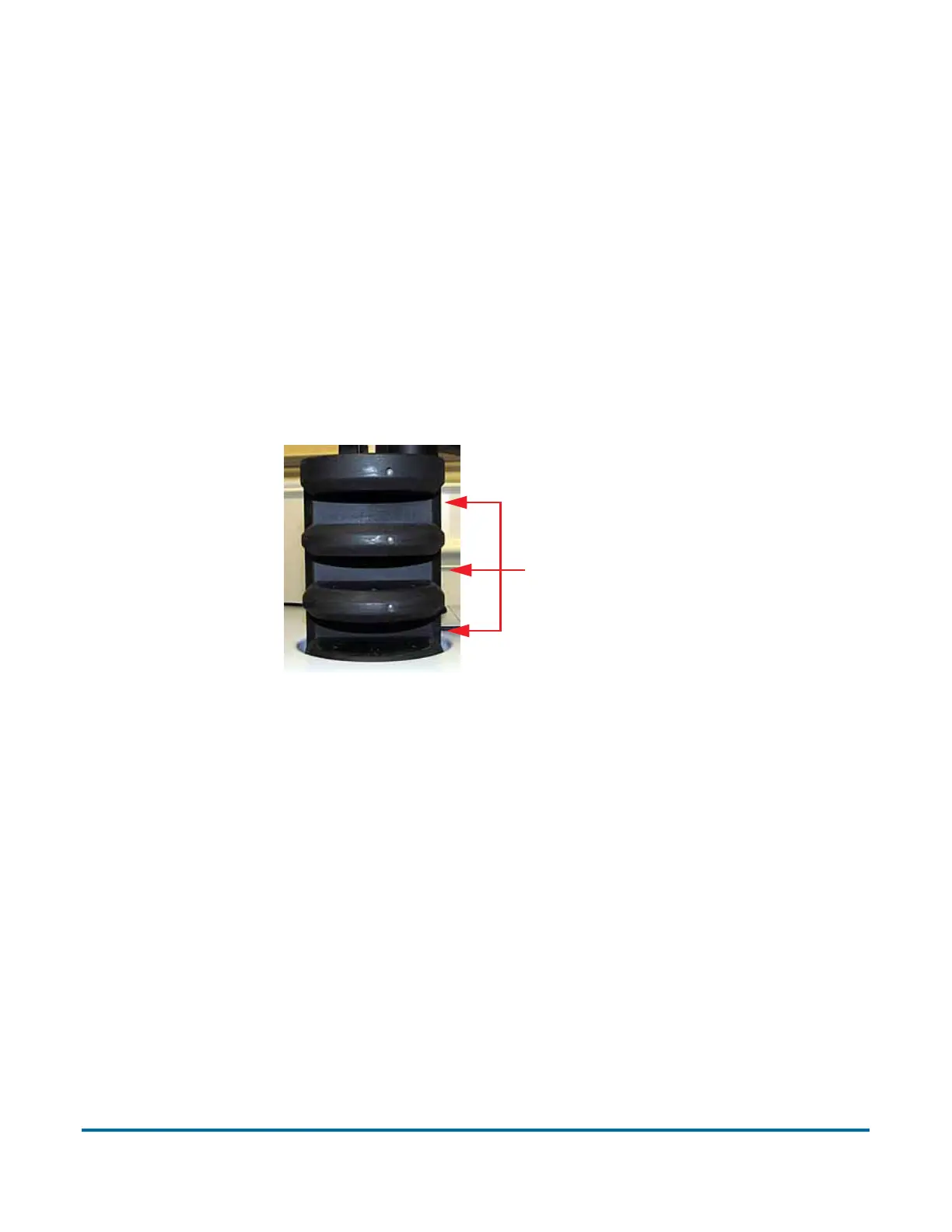
The functionality of the optional Multi-slot IDAssist is identical to IDAssist, but
offers up to nine different preassigned functions per job. Note that when Multi-
slot IDAssist usage is defined in a job, IDAssist is disabled since the two
systems use different operator/piece tracking methods.
Figure 19: Multi-Slot IDAssist
The Multi-slot IDAssist has three slots, each offering three different function
selections. Depending on how the item is moved in these slots will trigger the
predefined function. The three methods to select specific functions per slot are:
• Slide the item from left to right in the slot
• Slide the item from right to left in the slot
• Insert the item straight in and pull straight out
If you are using this optional feature, your Administrator should provide you
with information on its assigned functionality per job.
Three slots



 To Next Page