82
Falcon User Manual - Remittance Processing - OPEX Corporation
3 In Printer Diagnostics, select Replace Ink Cartridge to reset the ink drop
count to zero.
Adjusting the printer carriage position
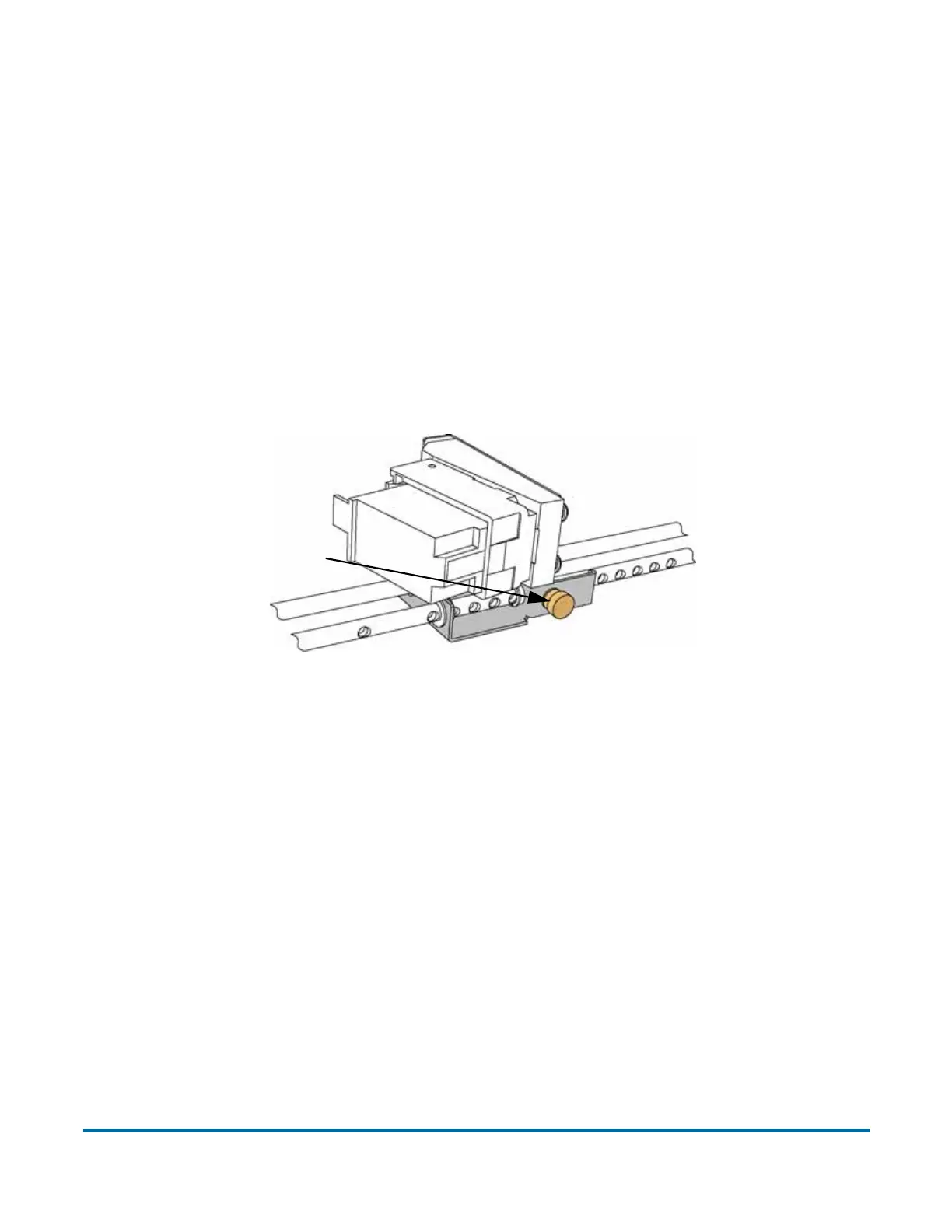
You can adjust the vertical print position on items by moving the printer
carriage. The printer carriage is fixed to a shaft with detents that position the
printer so it sprays ink through the holes in the paper guide. A thumb screw
holds the printer in the detents. If you do not position the printer in a detent, the
thumb screw sticks out, preventing you from closing the paper guide.
To adjust the carriage position, loosen the thumb screw, slide the carriage to a
new detented position on the shaft, and then retighten the thumb screw.
Loosen thumb screw to
move carriage along
detent shaft



 To Next Page