6
INSTALLATION
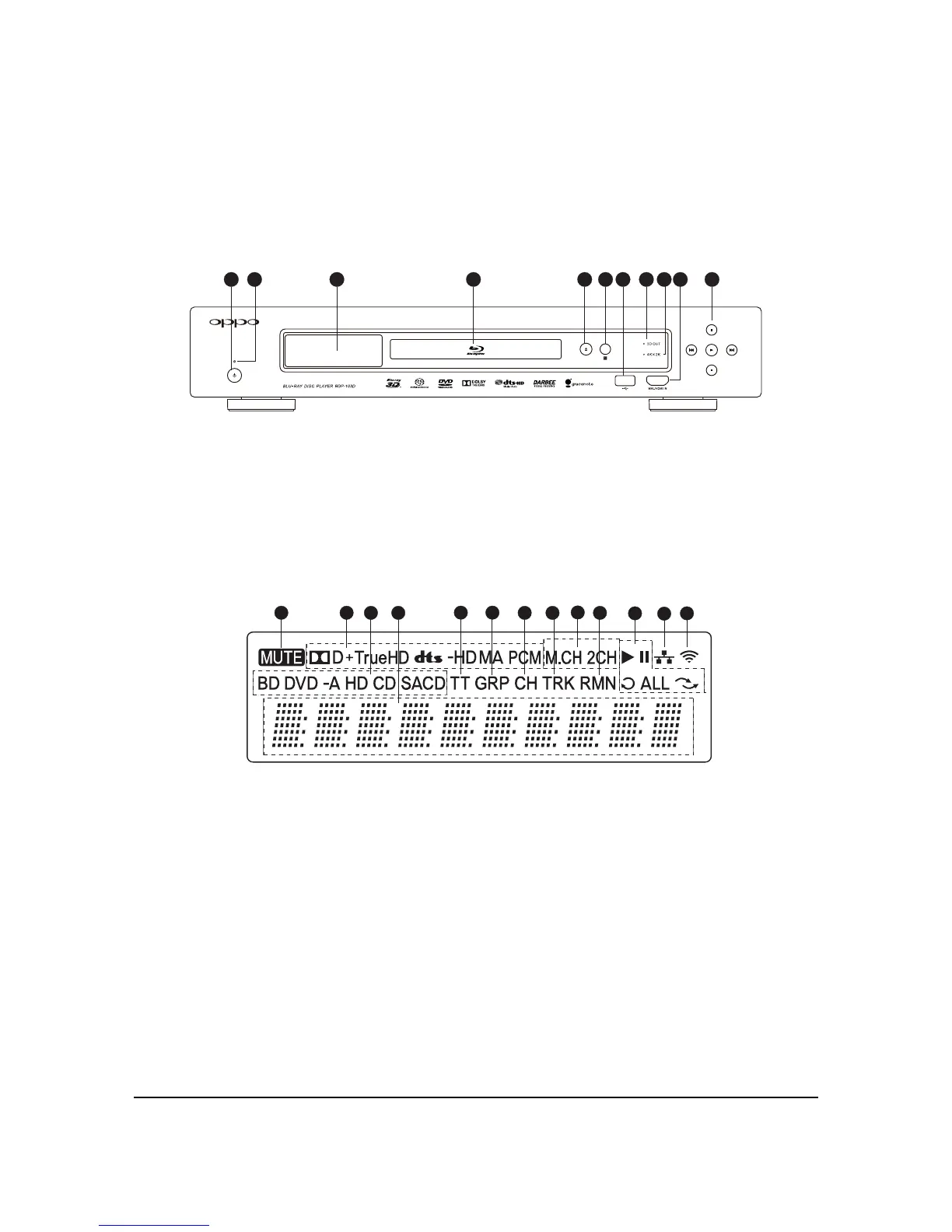
Front Panel Controls
1 32 4 5 6 7 8 10 119
1. POWER Button
2. POWER Status
Indicator
3. Front Panel Display
Window
4. Disc Tray
5. OPEN/CLOSE Tray
Button (with backlight)
6. IR Sensor Window
7. USB 2.0 Input
8. 3D Output Active
Indicator
9. 4K x 2K Output
Active Indicator
10. MHL-Compatible
HDMI Input
11. Playback Control
and Navigation
Buttons
Front Panel Display Windows
3
5 6
7 8
9
13
12
10
11
21
13
4
1. Mute Icon – Indicates that the audio is muted
2. Audio Type Indication – Indicates the type of audio
tracks being played
3. Disc Type Indication – Indicates the currently
playing disc type
4. Main Display – Text messages and numeric display
5. Title – When illuminated, the displayed time applies to
a title
6. Group – When illuminated, the displayed time applies
to a group
7. Chapter – When illuminated, the displayed time
applies to a chapter
8. Track – When illuminated, the displayed time applies to
a track
9. Audio Channel Indication – Indicates whether the audio
being played is 2ch stereo or multi-channel surround
10. Remaining – When illuminated, the displayed time is
the remaining play time
11. Playback Status – Indicates playback status such as
Play, Pause, Repeat, Repeat All, and Random Mode
12. Ethernet – Indicates that an active Ethernet cable is
attached
13. Wireless – Indicates that the player
is connected to a
wireless network



 To Next Page