MEDIA FILE PLAYBACK
46
Viewing Photo Files
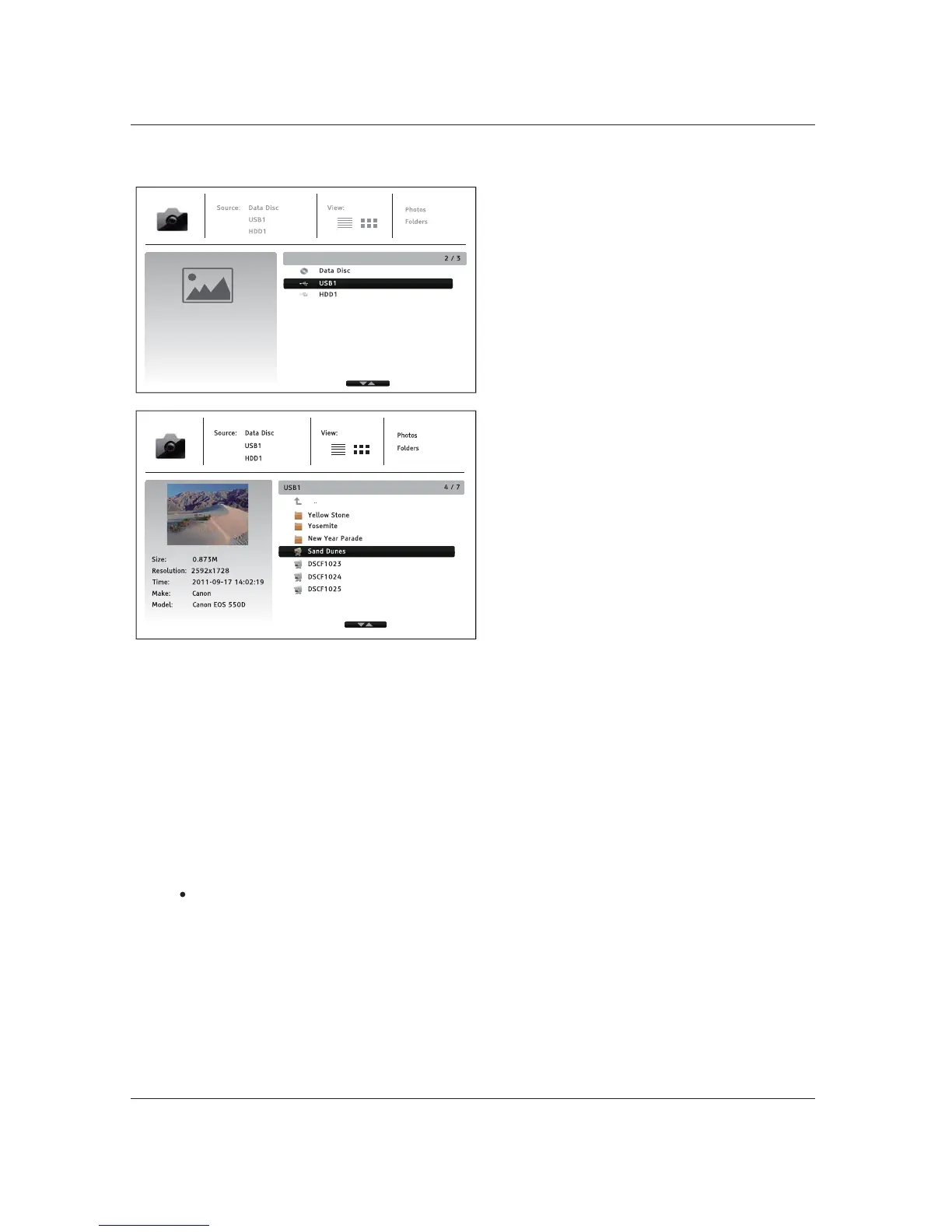
To view digital photo files stored on an optical
disc or USB drive, select Photo from the Home
Menu. A file browser will appear to assist you in
navigate the files and folders.
The first step is to select the Data Disc or USB
device that contains the photo files. The player
will take a moment to read the media and list
the folders and photo files.
In the photo browser, you can perform the
following operations:
x When a photo file is highlighted by the cursor, press the ENTER or PLAY button to play back
the photos as a full screen slideshow.
The following operations are available during the photo slideshow:
x Display the help
screen: INFO
x Normal playback controls: PLAY, STOP, PAUSE, and PREV/NEXT
x Adjust slideshow speed: REV and FWD
x Zoom: ZOOM. Once zoomed in, the ARROW buttons can be used to pan around the ph
oto.
x Reflect (flips the photo horizontally to make it upside-down): UP ARROW
x Mirror (flips the photo vertically to make it a mirror image): DOWN ARROW
x Rotate left (counterclockwise): LEFT ARROW
x Rotate right (clockwise): RIGHT ARROW
x Repeat: REPEAT
x Show EXIF information: GREEN
x Play in random sequence: BLUE
x Change slideshow transition effect: YELLOW
x Press the OPTION button to access to features like Image Zooming and Image Rotation.
Details can be found on page 24.
color button.
color button.
color button.
x Press the UP/DOWN ARROW or PAGE
UP/DOWN buttons to move the cursor and
select photo files.
x Press the TOP MENU button to move the
cursor to the category menu in the top of
the screen.
Switch between view modes: Red color button



 To Next Page