INSTALLATION
7
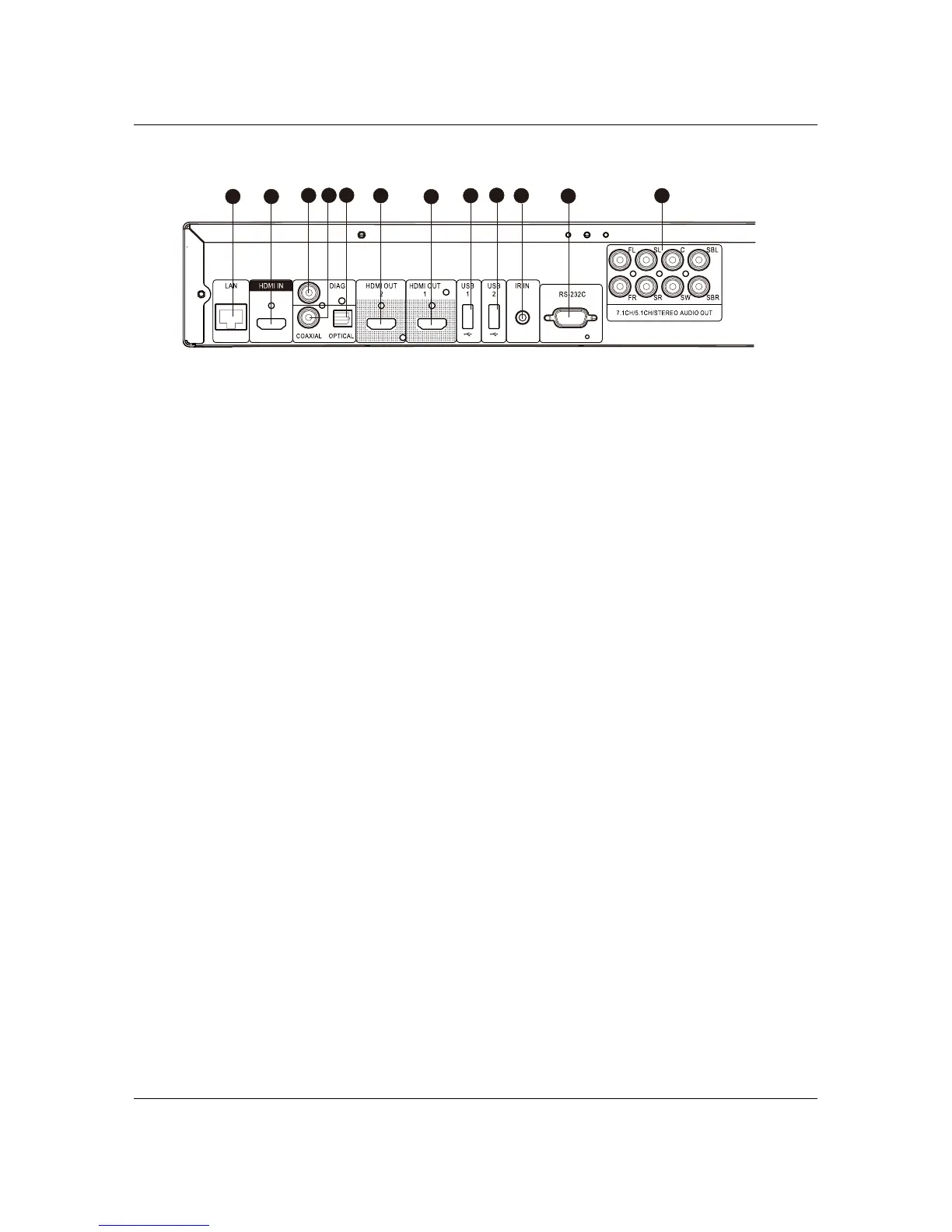
Rear Panel Connectors
1
3
2
4
5
6
7
8 10
12
9
11
1. Ethernet LAN Port
2. HDMI Input (Back)
3. Diagnostic Video Output
4. Coaxial Digital Audio Output
5. Optical Digital Audio Output
6. HDMI 2 Output (3D Compatible)
7. HDMI 1 Output (3D Compatible)
8. USB 2.0 Input
9. USB 2.0 Input
10. IR (Infrared) Signal Input
11. RS-232C Serial Control Port
12. 7.1CH / 5.1CH / Stereo Analogue
Audio Outputs
In addition to the above connectors, the AC power inlet is also located on the rear panel. The inlet is the IEC60-
320 C14 type. Only the included AC power cord or an approved power cord with an IEC60-320 C14 type plug
should be used.



 To Next Page