SETUP MENU OPTIONS
51
Playback Setup
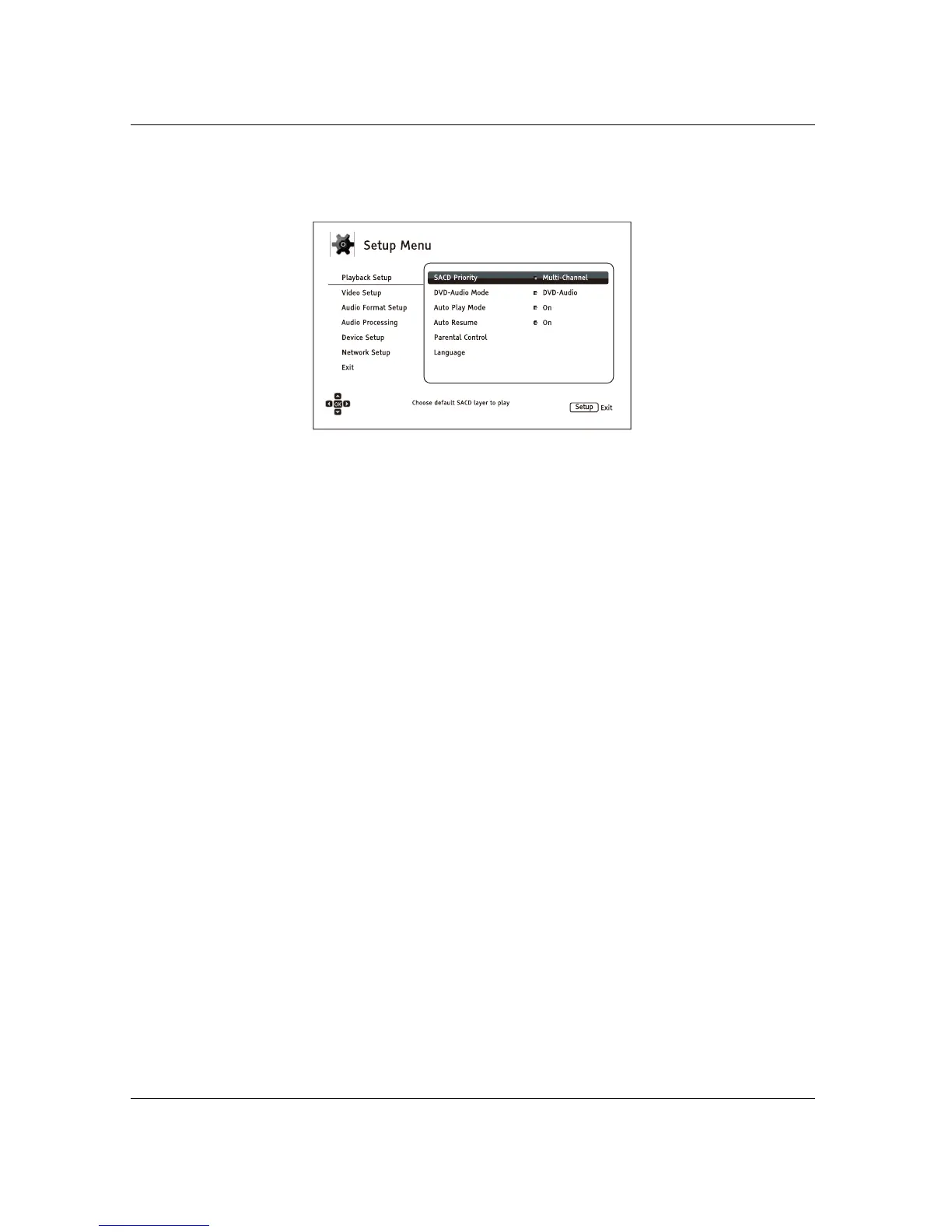
The Playback Setup section is designed to configure playback preferences. The setup items in this section are:
1. SACD Priority: Select which audio layer to play for SACD (Super Audio CD).
x Multi-Channel – Play the high resolution multi-channel surround audio layer
x Stereo – Play the high resolution 2-channel stereo audio layer
x CD Mode – Play the CD layer of a hybrid SACD disc
2. DVD-Audio Mode: Select which portion of a DVD-Audio disc to play.
x DVD-Audio – Play the DVD-Audio portion of the disc with high-resolution audio
x DVD-Video – Play the DVD-Video portion of the disc with Dolby Digital or DTS audio
3. Auto Play Mode: Select whether the player will st
art playing an audio CD or SACD
automatically.
x On – The disc starts playing upon insertion into the player.
x Off – The player waits for the user to start playback by pressing the PLAY button.
4. Auto Resume: Select whether disc playback will start from the previously saved point or not.
This setting applies to CDs, SACDs, DVDs and certain Blu-ray Discs.
x On – Playback automatically starts from the previously saved point.
x Off – Playback starts from the beginning.
5. Parental Control: Sets parental co
ntrol ratings in order to prevent minors from watching
inappropriate content. This function depends on whether the disc has been properly rated and
encoded.
x Press the ENTER button to bring up the rating selection menu.
x Adjust the parental control settings by entering the current parental control password. If you
have not yet set a parental control password, default the password is “0000”.
x The Parental Control Menu contains the following sub-items:
x BD Ratings – Press the UP/DOWN ARROW buttons to select th
e rating allowed for Blu-
ray Discs. Off means no ratings control and all discs are allowed to play. Numbers 1 to
21 corresponds to the age limit. Discs encoded with an age limit that is less than the
selected age will be allowed, and any rating equal to or above the selected age will be
blocked.
x DVD Ratings – Press the UP/DOWN ARROW buttons to select the rating to allow for
DVDs. The available ratings are Kid, G, PG, PG-13, PGR, R, NC-17, Adult and Off. The



 To Next Page