BASIC OPERATIONS
25
Within Photo File playback:
x Zoom: Displays the image at different zoom levels.
x Rotate – Left / Right / Mirror / Flip: Rotates the image on the screen.
Within HDMI INPUT playback:
x 3D: Enable 2D->3D conversion or bring the 3D adjustment menu. See details on page 54.
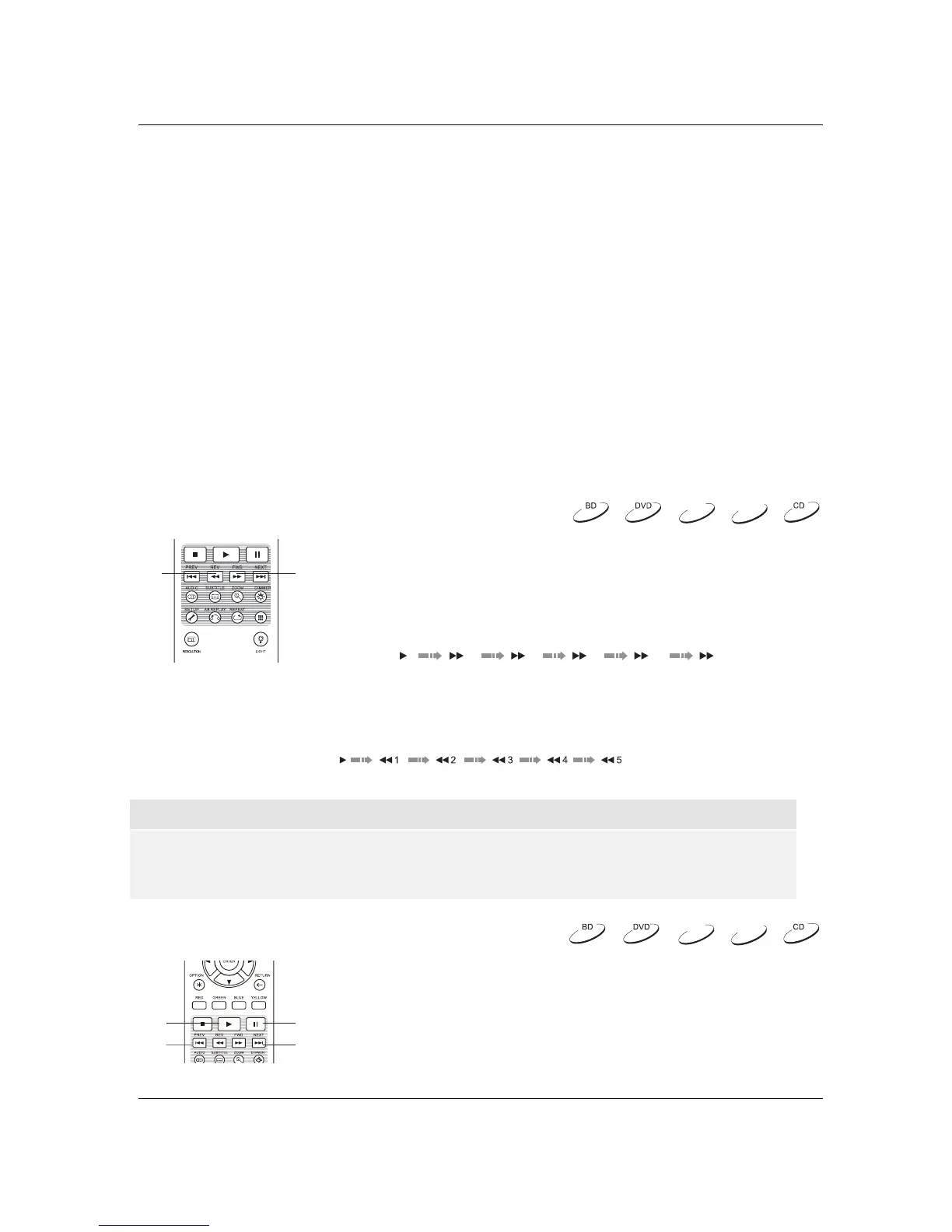
Fast Playback
You may fast forward or reverse during playback.
1. Pressing the FWD button on the remote control to start fast
forwarding playback. Each press of the FWD button increases
the playback speed in the following increments:
2. Pressing the REV button on the remote control starts fast reverse playback. Each press of the REV
button reverses the playback speed in the following i
ncrements:
NOTE
x Certain Blu-ray Discs utilizing BD-Java technology may have their own fast forwarding and
reversing control. The actual speed varies by disc, and a progress scale may be displayed by
the disc.
Pause and Frame-by-Frame
1. During playback, pressing the PAUSE button temporarily pauses
the program. In this mode, a PAUSE icon will appear on the TV
screen.
2. While a DVD or Blu-ray Disc is paused, pressing the PREV or
NEXT button reverses or advances the video frame-by-frame.
3. Pressing the PLAY button resumes normal playback.
DVD-A
SACD
DVD-A
SACD
123 4 5
Within Video Discs (DVD, BD) and Video File Playback:
x
x 3D: Enable 2D->3D conversion or bring the 3D adjustment menu. See details on page 54.
x Zoom: Opens the image zoom level menu. See details on page 32.
x Angle: Changes the viewing angle. This function is only available when the DVD/BD is recorded
with multiple angles.
Subtitle Adjustment: Set the subtitle display options.
Color: Set subtitle text color (only available on external subtitle files).
Outline color: Set the outline color for subtitle text (only available on external subtitle files).
Size: Set subtitle text size (only available on external subtitle file).
Position: Set subtitle display position.
Defaults: Reset all subtitle options to their default values.
o
o
o
o
o
REV FWD
DARBEE
ESUAPYALP
PREV
NEXT



 To Next Page