SETUP MENU OPTIONS
80
Manual – Allows you to manually enter the information for a wireless network. You
need to use the remote control to input the SSID, select the Security Mode and
input the Security Key. The player will then test the connection and display the
results.
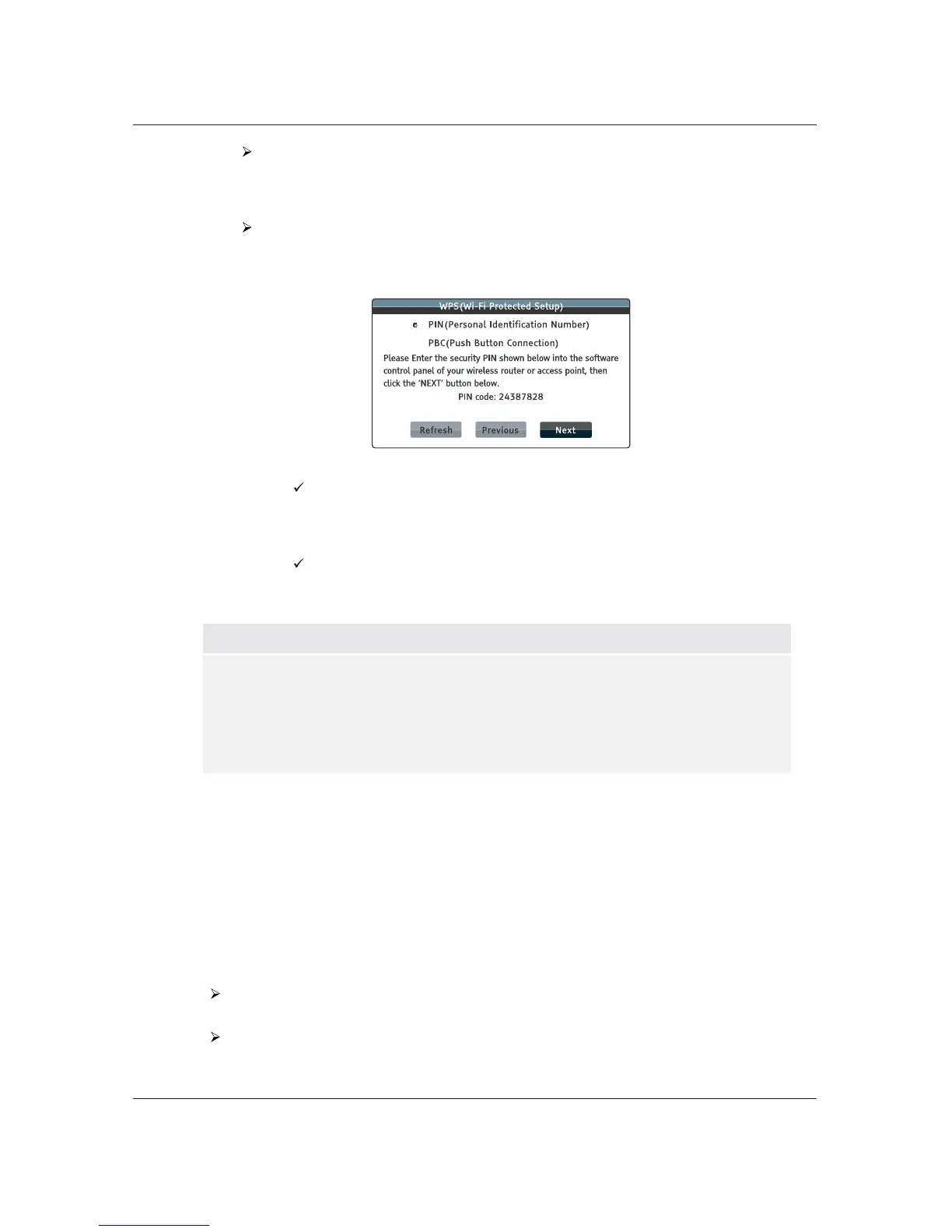
WPS – Starts the Wi-Fi Protected Setup. The BDP-103D supports the WPS
standard to provide an easy and secure establishment of a wireless home network.
You may choose from the following setup options:
PIN – Configures the WPS using a Personal Identification Number. The
BDP-103D will generate a PIN code and you will need to input it into
the software control panel of your wireless router or access point. Please
follow the on-screen instructions.
PBC – Configures the WPS using Push Button Control. You need to push a
PBC button on your wireless router or access point to initiate the wireless
connection. Please follow the on-screen instructions.
NOTE
SSID is short for Service Set Identifier. It is an identifier for each wireless router or
access point, and is also referred as a network name.
WPS is short for Wi-Fi Protected Setup (WPS). It is the latest standard for easy and
secure wireless home network configuration. It is also named Wi-Fi Simple Config.To
use WPS, a WPS compatible router or access point is required.
8. IP Setting: Determines how the player obtains its IP address.
x Auto (DHCP) – The player automatically obtains its IP address information using DHCP
(Dynamic Host Configuration Protocol). This is the default setting. In most cases, automatic
IP configuration should be used.
x Manual – Allows you to manually enter the numeric IP address. Set the IP configuration
manually only when the router has no DHCP server functions or when the router’s DHCP
server function is disabled. For more information on how to manually configure the Internet
connection and
what values to use, please consult your broadband router/modem instruction
manuals or call your Internet service provider.
Internet Connection – Depending on the setting in Internet Connection, this can be
either “Wireless” or “Ethernet”.
IP Address – The Internet Protocol address of the player. When IP Setting is set to Auto
(DHCP) , the value displayed here is obtained using DHCP and cannot be changed.



 To Next Page