Wiring
- 20 -
optek-Manual--1004-1022-02--156-US-2017-12-11
www.optek.com
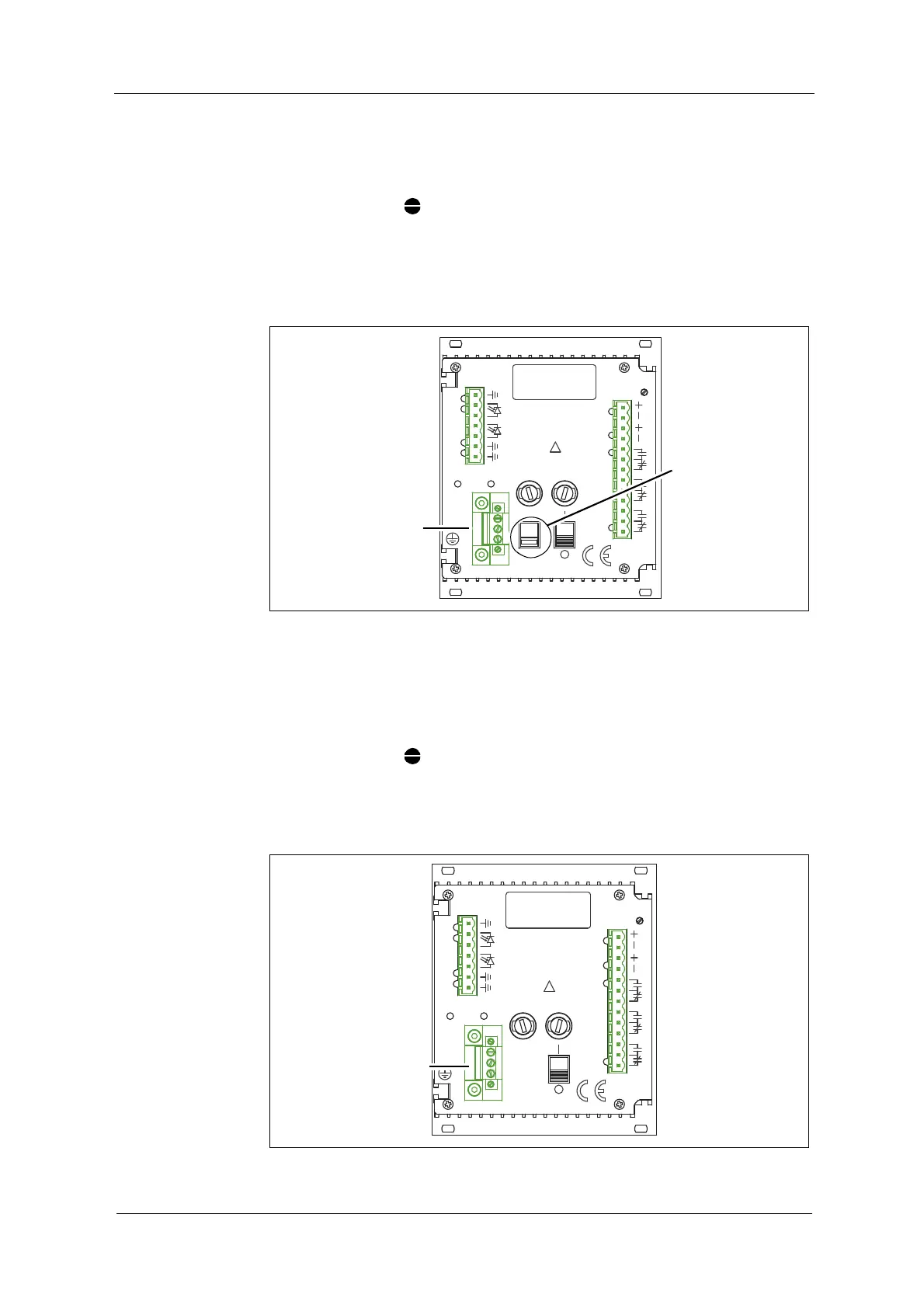
8.2 Connecting the voltage supply 115 or 230 V AC
Tool • Screw driver
1. Flip the selector switch (23) to the provided voltage supply (115 or
230 V AC).
2. Connect the power supply to the power supply socket (24).
Fig. 11 Connecting the power supply 115 or 230 V AC
8.3 Connecting the voltage supply 24 V AC / DC (option)
Tool • Screw driver
1. Check if the voltage is 24 V AC / DC .
2. Connect the power supply to the power supply socket (24).
Fig. 12 Connecting the power supply 24 V AC / DC
ALARM II
14
MADE IN GERMANY
OPTEK-DANULAT
N
PE
L
230V
LAMP AL
17
18
15
16
3
DETECTORINPUTS
5
5
4
50/60Hz, 30VA
230VAC, T0,315A
115VAC, T0,630A
115/230V
!
5
1
2
8
ALARM I
11
13
12
10
9
mA
VOLTAGE
6
7
LAMP
LAMP -
212019
ALARM II
14
OPTEK-DANULAT
MADE IN GERMANY
N
PE
L
LAMP AL
17
18
15
16
1
2
5
5
4
5
3
DETECTORINPUTS
8
!
24V DC
50/60Hz, 30VA
24V, T1,25A
ALARM I
11
12
13
9
10
mA
VOLTAGE
6
7
LAMP
LAMP -
212019



 To Next Page