74
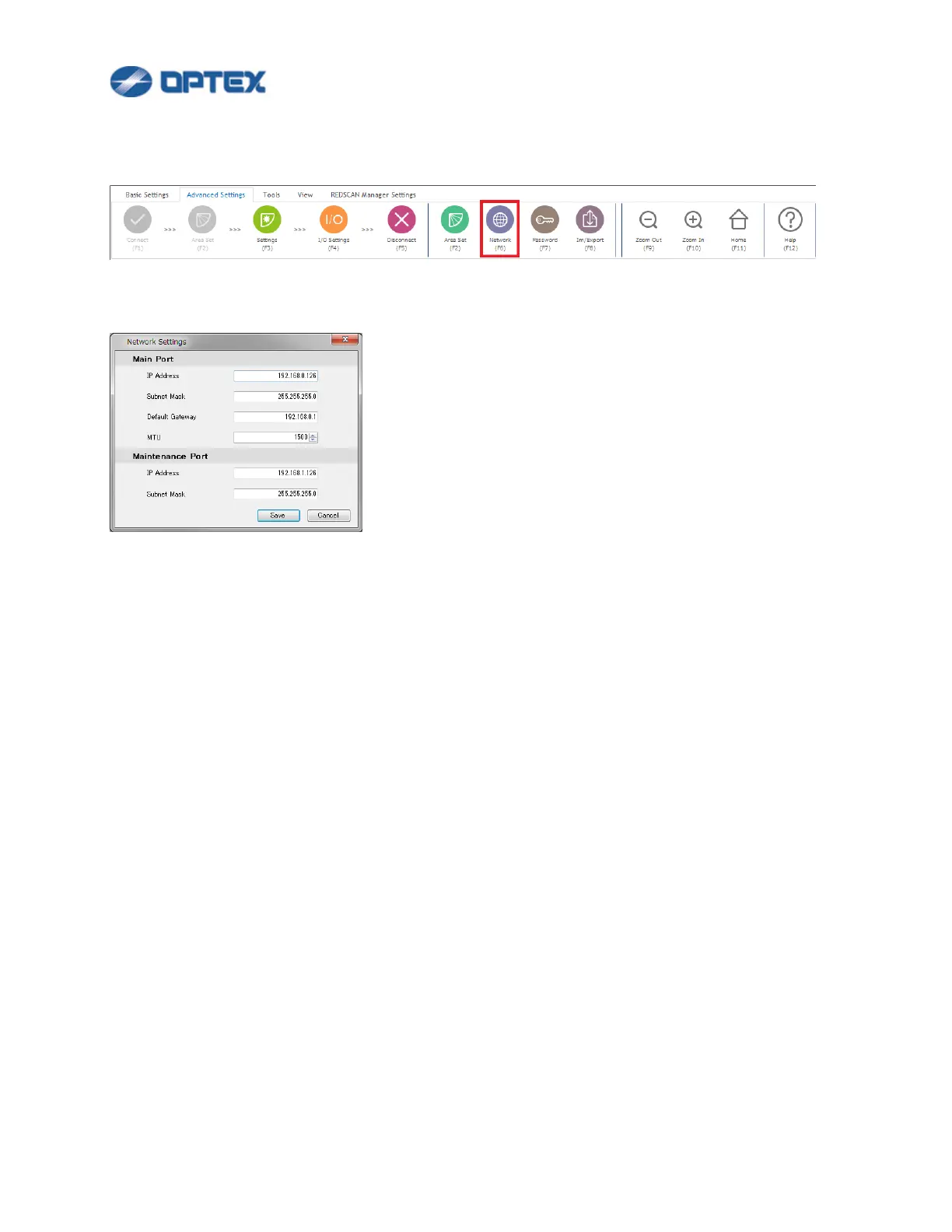
[Network Settings]
1. Select Advanced Settings and click Network button (the 7th button).
2. Dialog box will appear.
⚫ Enter preferable settings.
Caution: IP addresses of Main Port and Maintenance Port must be in different network segment. For
example, to set 192.168.1.* to Main port, change IP address of Maintenance Port to another network
segment.
3. Save the changes.
⚫ Click Save button. The unit is restarted.
Note: Change network settings of the PC for connecting to new IP address.



 To Next Page
 Loading...









