48
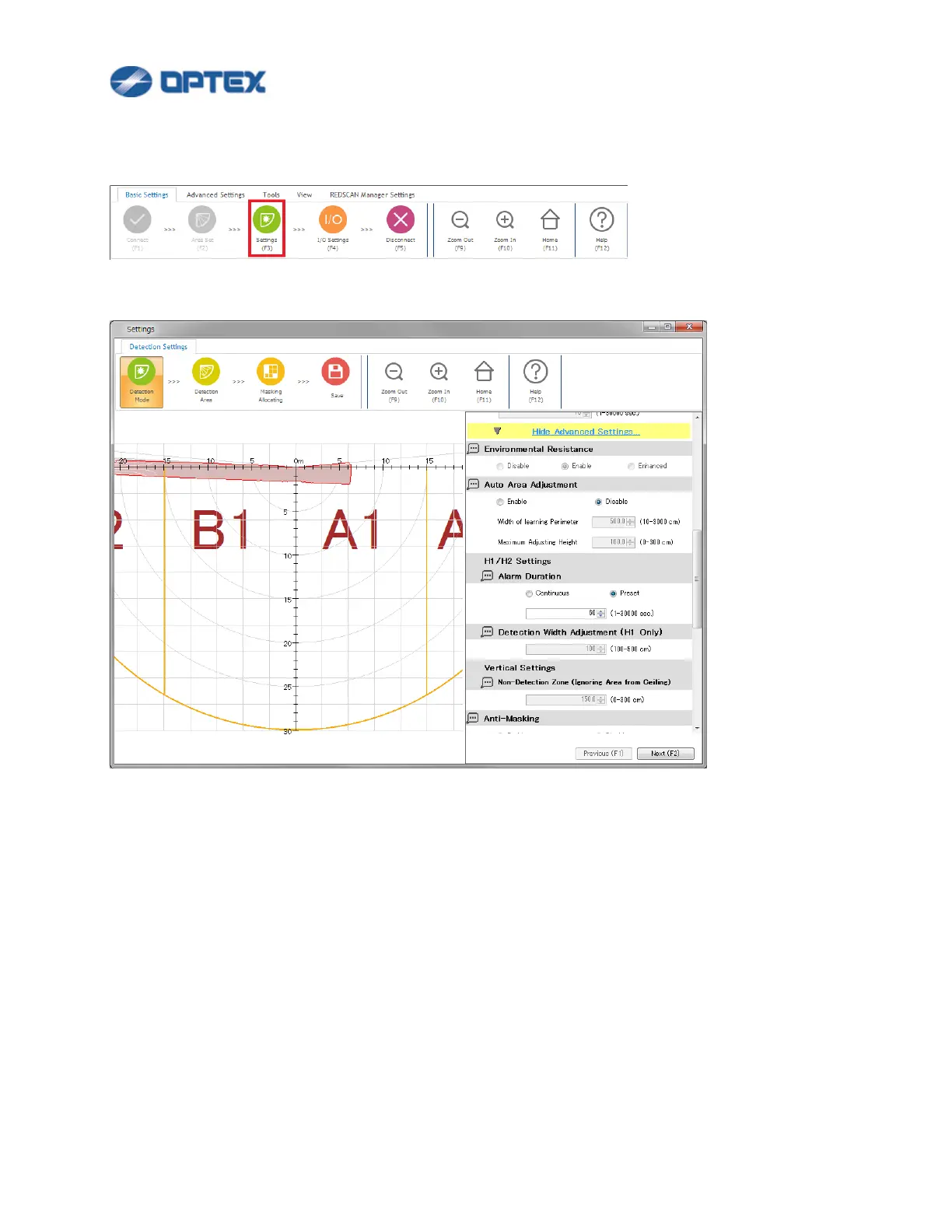
[Detection Mode: Advanced Settings] (RLS-3060SH)
1. Click Setting button (the 3rd button).
2. Dialog box will appear. Click Show Advanced Settings. Select preferable settings.
[Environmental Resistance]
This function is to reduce false alarms in harsh environments, e.g. fog, snow, etc., can work in Outdoor
Fence / Wall top protection and Outdoor Loitering detection.
⚫ Disable: Select it for applications to control PTZ camera. Response time of alarm is minimum but false
alarm can increase in harsh environment such as a fog or snow.
⚫ Enable: False alarm can be reduced by balanced detection ability.
⚫ Enhanced: False alarm due to fog or snow is reduced, but response time is long and some objects
may not be detected.


 To Next Page
 Loading...










