13
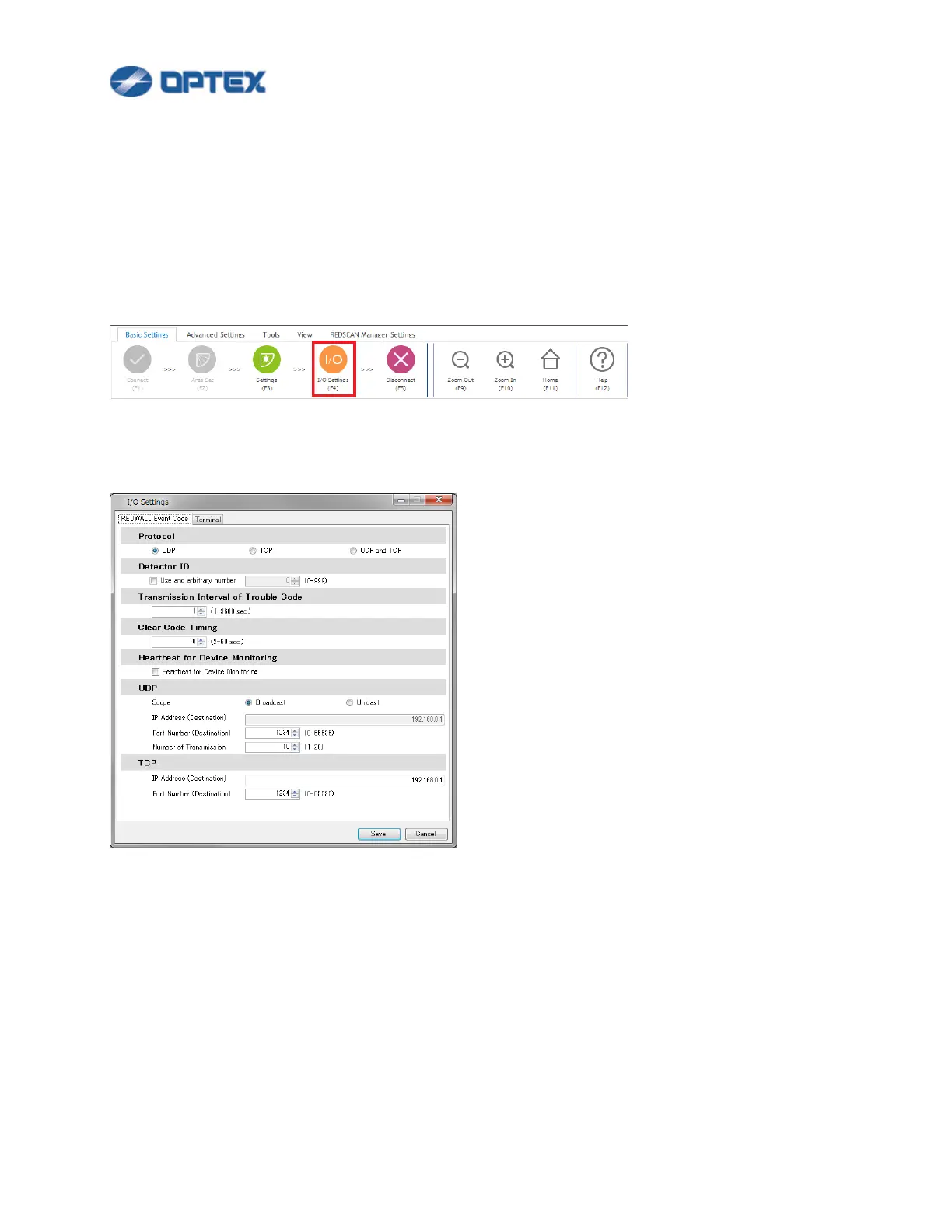
[REDWALL Event Code Settings]
Configure REDWALL Event Code (R.E.C.) settings. R.E.C. is stored in UDP or TCP payload and sent from
REDSCAN as alarm.
Refer INSTALLTION INSTRUCTIONS or REDWALL Event Code specifications for details of the code.
If you do not use R.E.C., skip this page.
1. Click I/O Settings button (the 4th button).
2. Dialog box will appear.
Note: Terminal tab of RLS-3060 can used for Version 8.0.0 or later.
Select preferable settings.
Default settings are:
⚫ Protocol: UDP
⚫ Detector ID: The last byte of IP address of the REDSCAN. (Example: 126 of 192.168.0.126)
⚫ UDP: Broadcast, Destination Port Number 1234


 To Next Page
 Loading...










