76
[Export/Import]
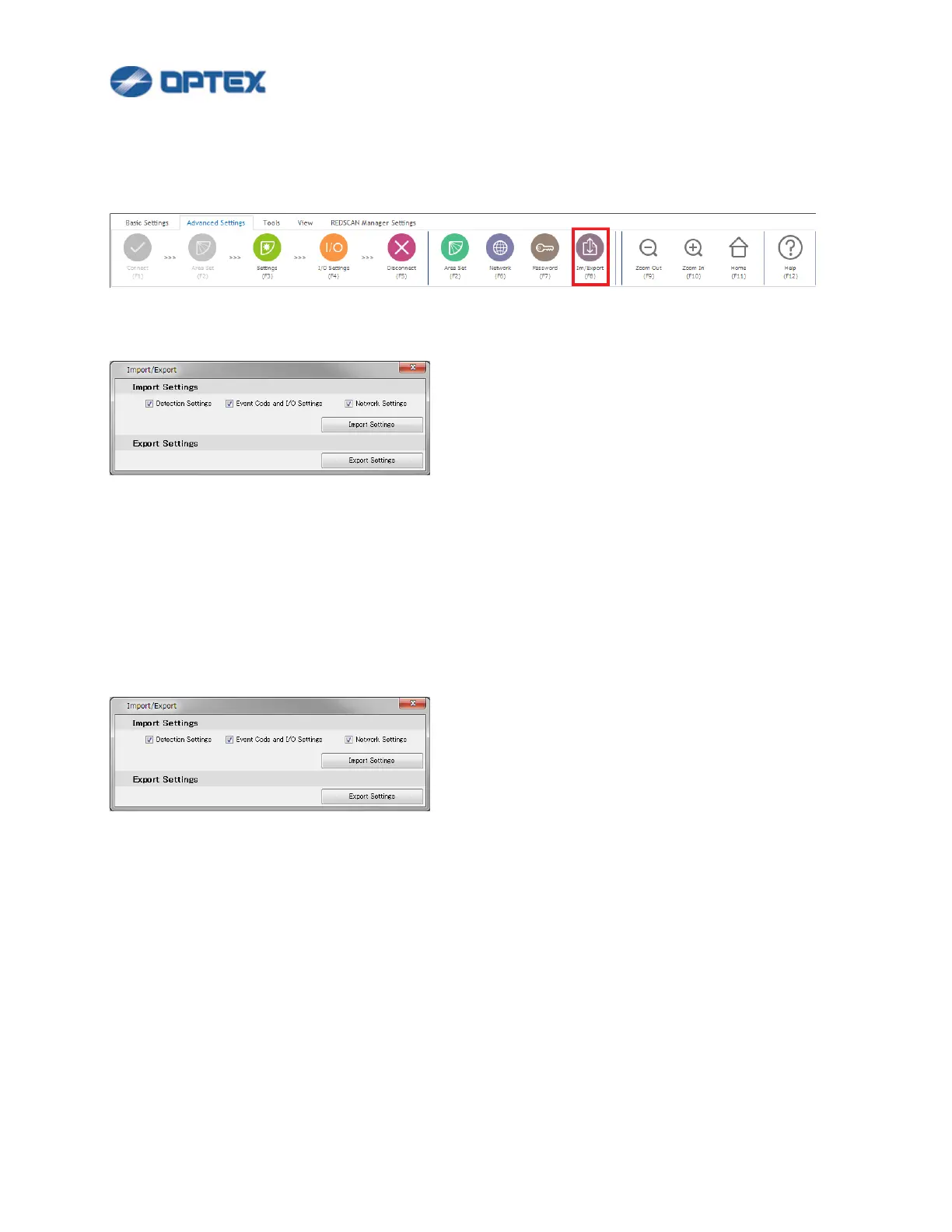
Detector settings can be exported to xml file. Exported file can be imported by Import function.
1. Select Advanced Settings and click Import/Export button (the 9th button).
2. Dialog box will appear.
3. Export
To export settings, Click Export Setting button. Settings are exported to xml file.
4. Import
To import settings, select Detection Settings, Event Code and I/O Settings, and/or Network Settings. Click
Import Setting button and select xml file.
The settings are imported to the detector.



 To Next Page