79
[Recording]
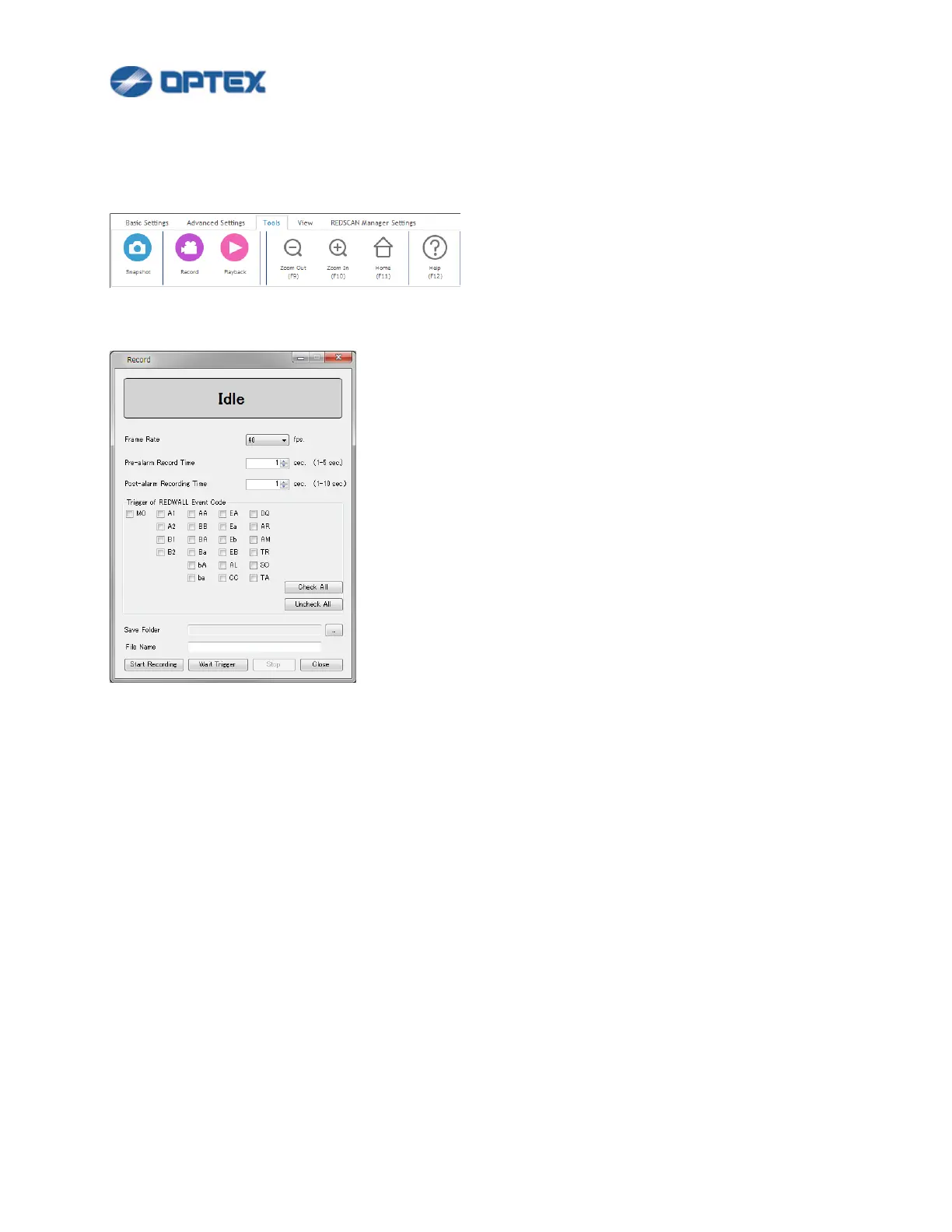
This function enables recording GUI of REDSCAN Manager as moving picture.
1. Click Tools menu.
2. Click Record button.
⚫ Frame Rate: Select preferable frame rate.
⚫ Pre-alarm Recording Time: Select preferable time.
⚫ Post-alarm Recording Time: Select preferable time.
⚫ Trigger of REDWALL Event Code: Select conditions to trigger recording.
⚫ Refer INSTALLTION INSTRUCTIONS or REDWALL Event Code specifications for details of the code.
⚫ Save Folder: Select a folder in which recorded file is saved.
⚫ File Name: Select base name of recorded file.
3. Start and stop recording.
⚫ Click the immediate recording button, recording of data starts immediately.
⚫ Click the record start button, it enters the standby state, and records the data when receiving the
trigger.
⚫ Click the stop button, the standby state is canceled.



 To Next Page