28
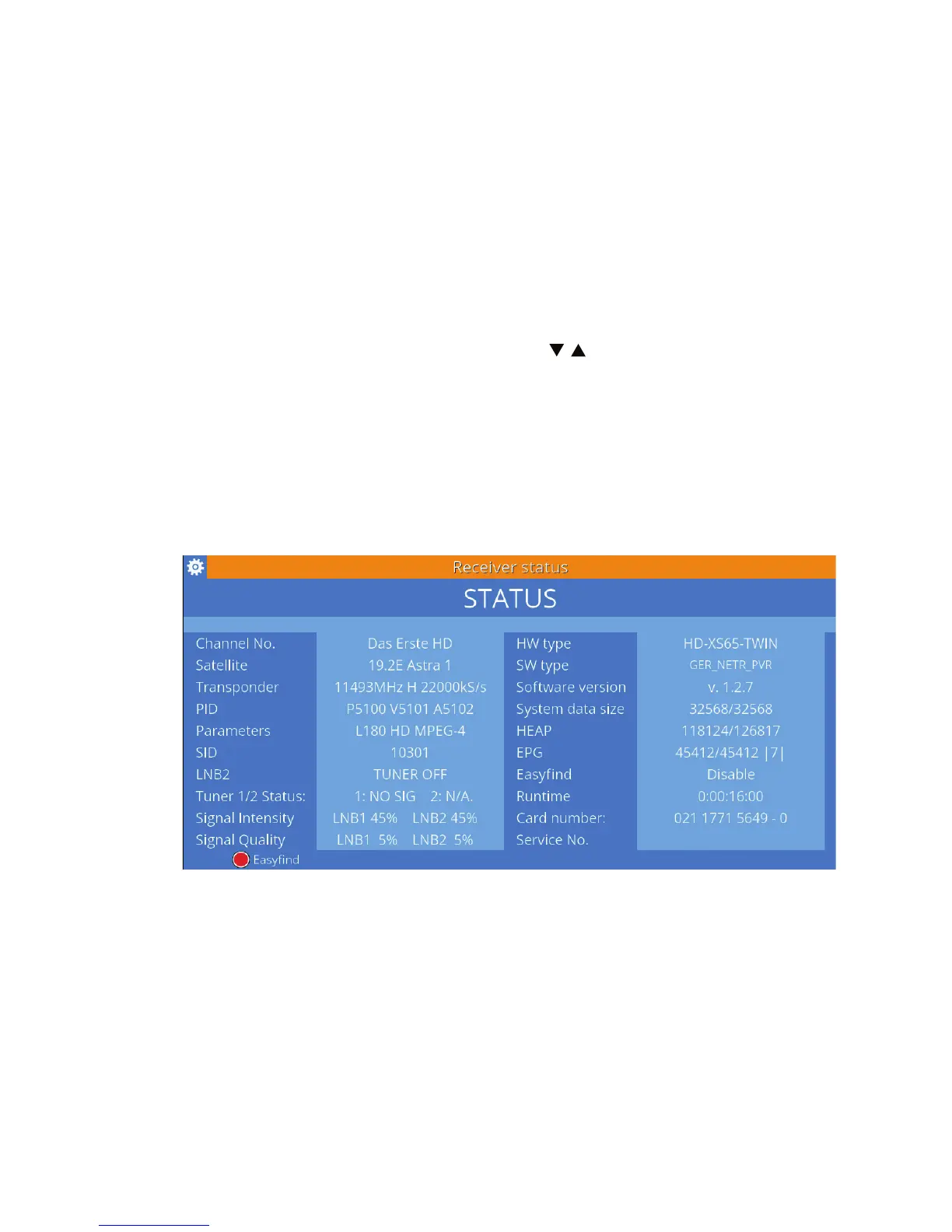
In this window, you can see which channel and which satellite and transpon-
der is being read. There are also information about the both possible tuners:
status, signal strength and quality.
In the receiver status there is also available the EasyFind function. Press the
red button to turn it on or o.
3.13 AUDIO
Some channels provide transmission in several audio formats and in die-
rent languages. To select a dierent audio track, press AUDIO. The list of ava-
ilable audio tracks will be displayed. Use / , to select the desired audio
track and conrm your choice with OK.
3.14 Teletext
Some satellite channels provide a teletext. Teletext is a service that oers
a variety of textual information, usually on the news from the world, sport,
weather and TV program. Access to teletext can be obtained via the TEXT



 To Next Page