8
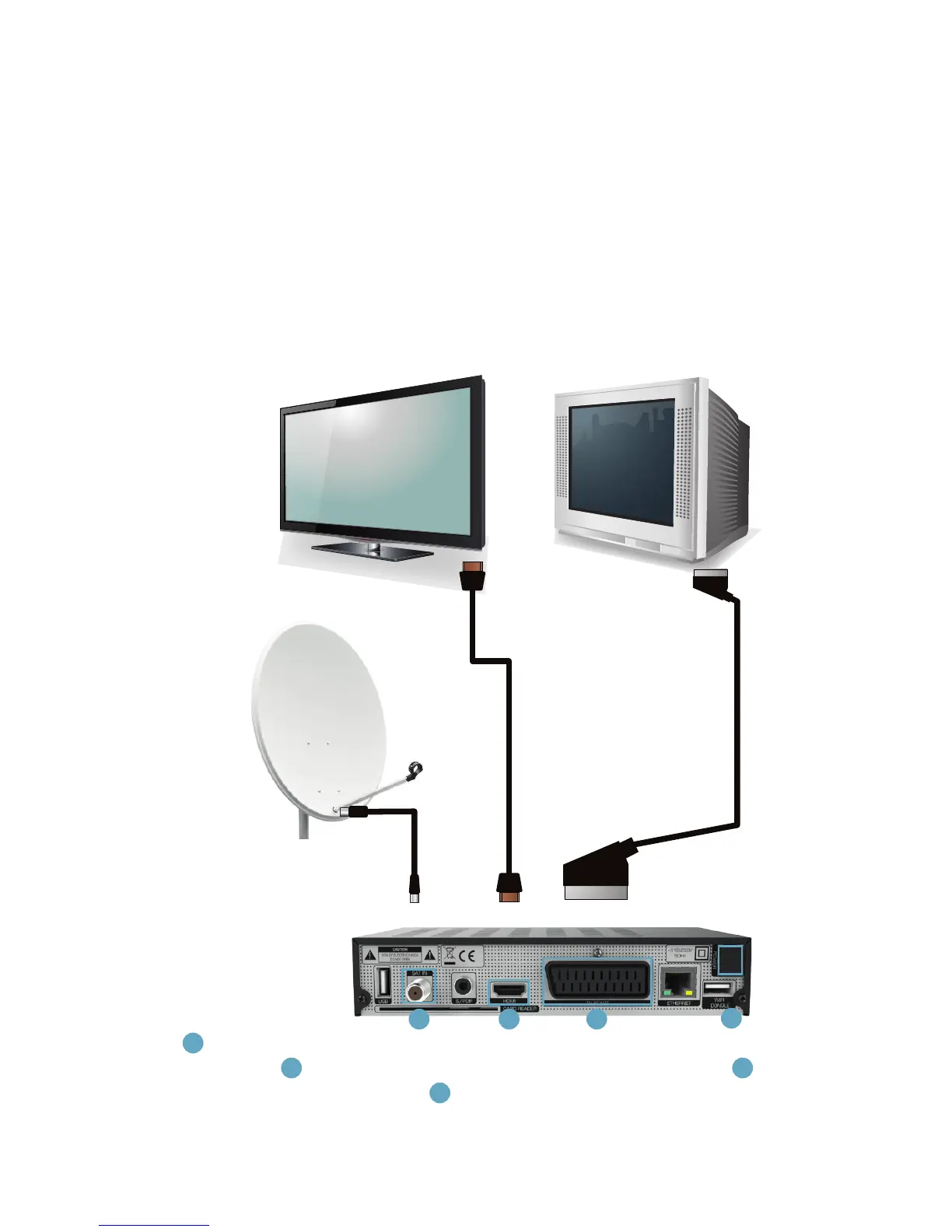
1
Connect the antenna to the input according to the installation guide on
the screen.
2
Connect the at screen TV with an HDMI cable or
3
connect
CRT TV using a SCART cable.
4
Plug the power cord into an electrical
outlet.
Installation
2
Read this chapter to nd out:
1. how to connect the receiver to your TV,
2. how to install the antenna,
3. how to congure the receiver,
4. and how to use the USB drives with the receiver.
2.1 Connection
3
4
21



 To Next Page