EX540/EX542/EX612/EX615/EX762/EX540I/EX542I/ES523ST/EW533ST
Condential 2-4
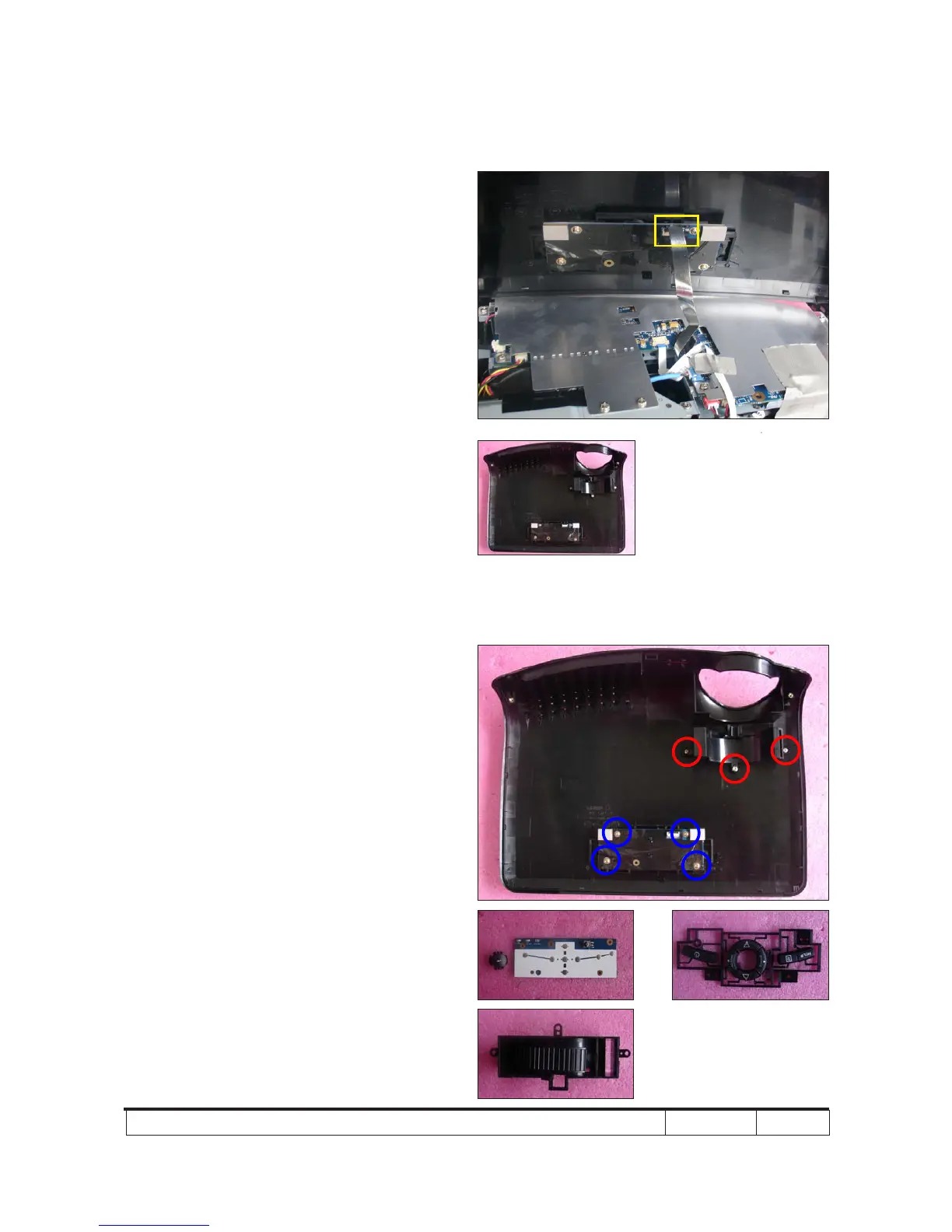
Note: - When you remove the Top Cover,
take care the connector (as yellow
square) of FPC cable which connect
Main Board and Keypad Board Module,
then unplug it from Keypad Board
Module.
- Avoid damaging by pulling keypad FPC
cable.
- Make sure the FPC cable plug into the
correct ports when assembling it.
2-6 Disassemble Keypad
Board Module and Zoom
Ring
1. Unscrew 4 screws (as blue circle) to
disassemble the Keypad Board Module
from the Top Cover Module.
2. Separate the Keypad from the Top
Cover Module.
3. Unscrew 3 screws (as red circle) to
disassemble the Zoom Ring.
Zoom Ring
Keypad
Keypad Board



 To Next Page