EX540/EX542/EX612/EX615/EX762/EX540I/EX542I/ES523ST/EW533ST
Condential
5-21
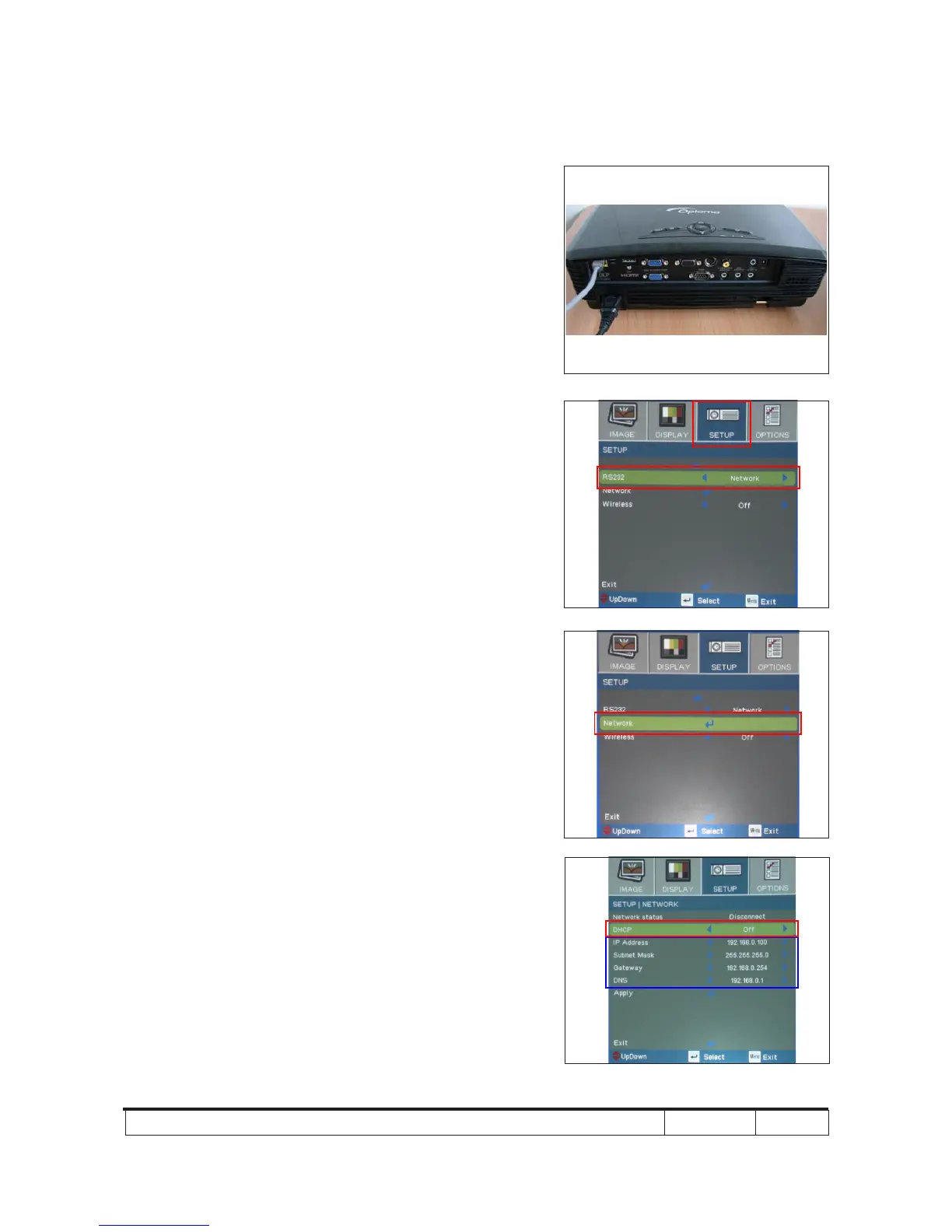
5-4-2 Write Down Projector IP
1. Plug in power cord to the projector and
plug in LAN cable to the PC.
2. Turn on the projector, then press "Menu"
button to get into OSD menu.
- Use "right" button to select "SETUP".
- Use "down" button to remove the light
mark to "RS232", then press "Enter"
button to select "Network", press "Enter"
button.
3. Select "Network", press "Enter" button.
4. Remove the light mark to "DHCP", then
press "Enter" button to select "Off", press
"Enter" button.
- The IP address will be shown on screen.
- Write down the IP address: 192.168.0.100.
- Ensure the IP address, Subnet Mask,
Gateway and DNS are right as the the
picture 4 shown.
2
3
4



 To Next Page