Condential
4-15
EX540/EX542/EX612/EX615/EX762/EX540I/EX542I/ES523ST/EW533ST
4-11 Network Function Test
For EX540/EX542/EX615/EX762/EX540I/EX542I
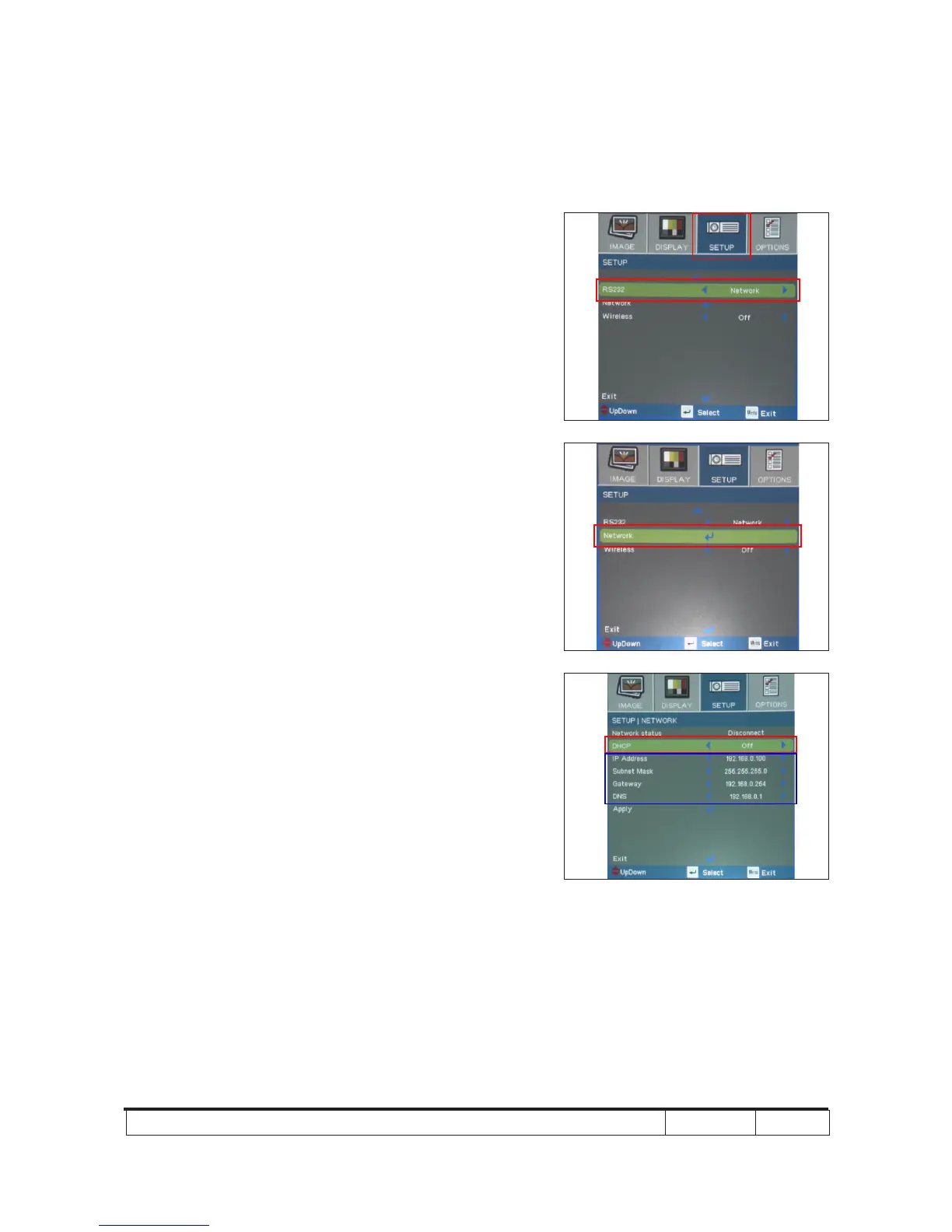
1. Write Down Projector IP
(1) Turn on the Projector, then press "Menu" button to
get into OSD Mode.
- Use "right" button to select "SETUP".
- Use "down" button to remove the light
mark to "RS232", then press "Enter" button to select
"Network", press "Enter" button.
(2) Select "Network", press "Enter" button.
(3) Remove the light mark to "DHCP", then press "Enter"
button to select "Off", press "Enter" button.
- The IP address will be shown on screen.
- Write down the IP address: 192.168.0.100.
- Ensure the IP address, Subnet Mask, Gateway
and DNS are right as the the picture shown.



 To Next Page