EX540/EX542/EX612/EX615/EX762/EX540I/EX542I/ES523ST/EW533ST
Condential
5-7
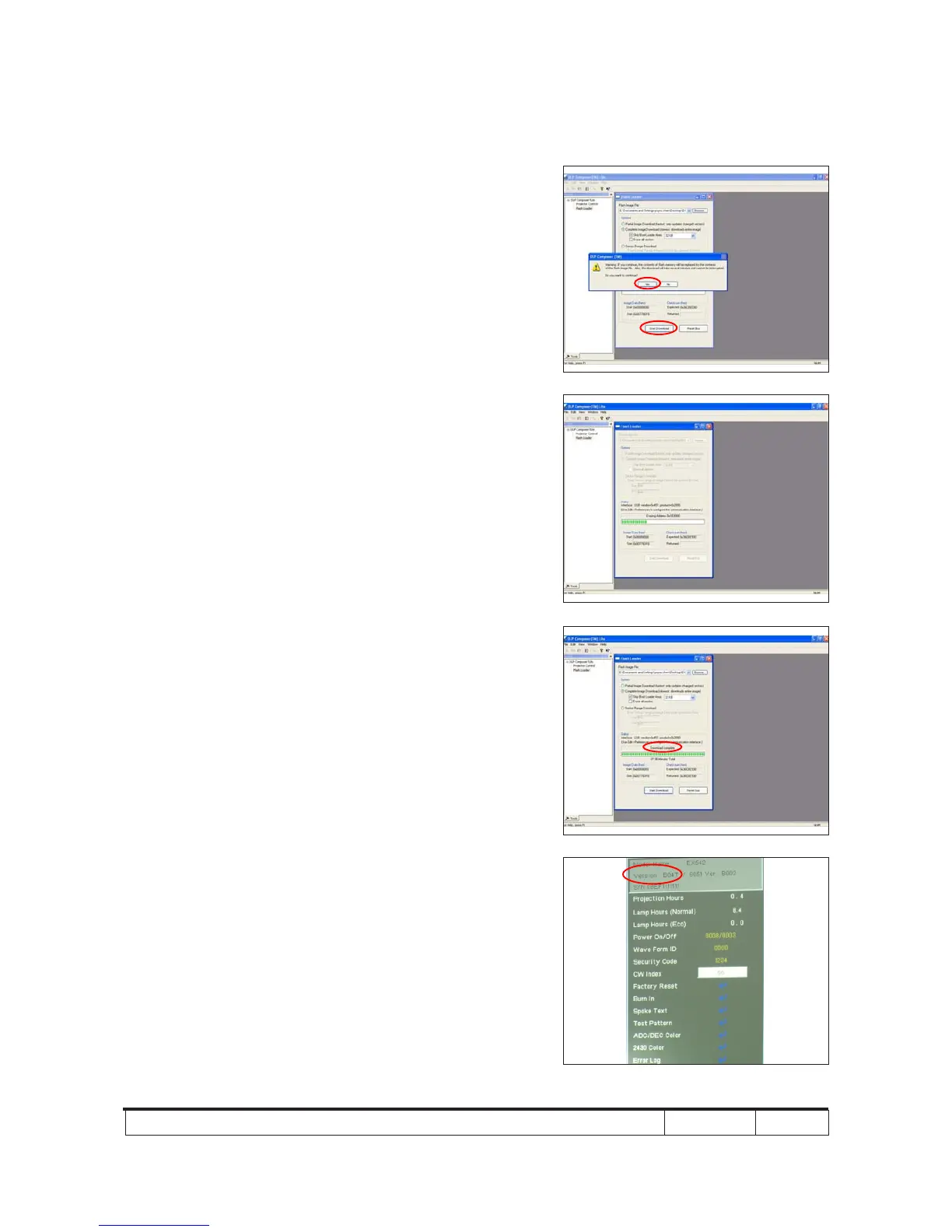
7. If the FW is ready, click "Start Download" to
execute the rmware upgrade.
- Click "Yes".
8. Proceeding Picture.
9. It takes about several minutes, the
rmware upgrade process is nished,
"Download completed" will appear on the
screen.
- The projector will automatically turn on.
- Unplug USB cable.
10. Check FW version.
- Get into the service mode to check the
rmware version.
(To get into service mode, please press
"Power", "Left", "Left" and "Menu" buttons
sequentially.)



 To Next Page