EX540/EX542/EX612/EX615/EX762/EX540I/EX542I/ES523ST/EW533ST
Condential
5-10
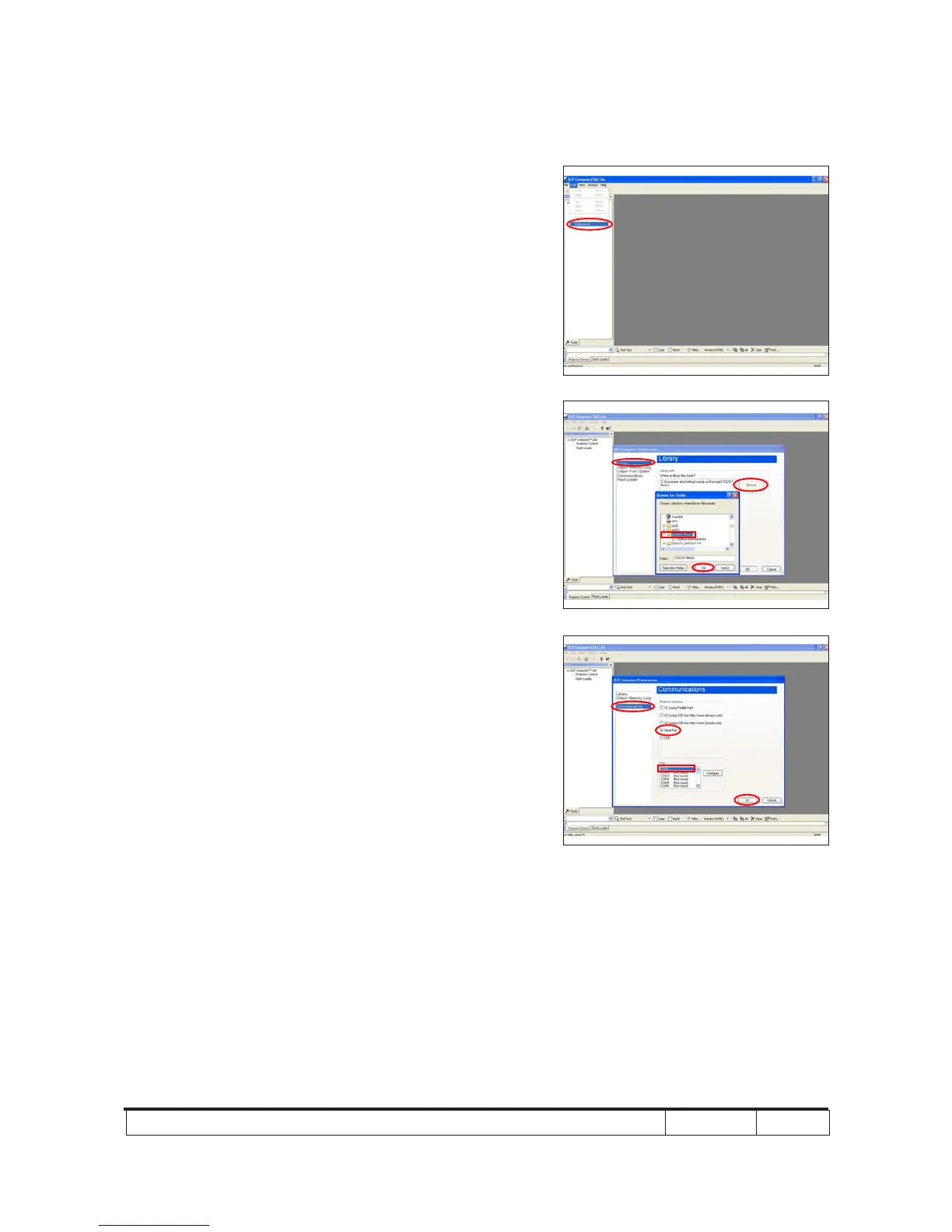
2. Click "Edit" and "Perferences".
3. Click "Library".
- Click the "Browse" and navigate to the directory
where you put the DLP Composer installation les
in.
- Click "ES523ST Library" folder.
- Click "OK".
4. Click "Communications".
- Select "Serial Port".
- Choose "COM1".
- Click "OK".
5. “Serial Port Conguration” picture will appear on the
screen.
- Make sure the settings are as below:
(1) In “Baud Rate” item, select “115200”.
(2) In “Data Bits” item, select “8”.
(3) In “Stop Bits” item, select “1”.



 To Next Page