EX540/EX542/EX612/EX615/EX762/EX540I/EX542I/ES523ST/EW533ST
Condential
5-17
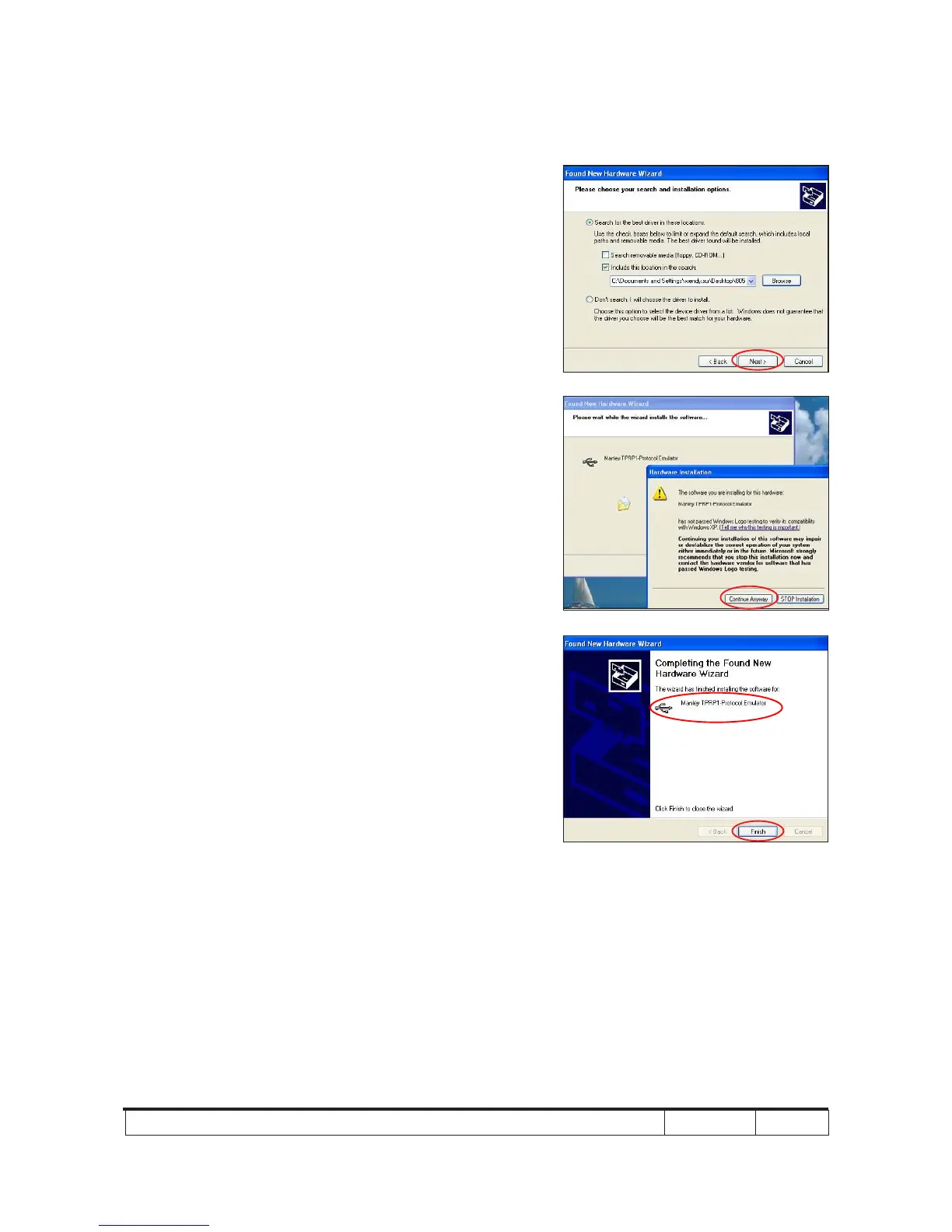
(7) Click "Next".
(8) Click "Continue Anyway".
(9) Click "Finish".
- "Manley TPRP1-Protocol Emulator"
will appear on the picture.
- Complete the USB Driver Upgrade
Procedure.
Note: - If "Found New Hardware Wiszard" picture
appear again, repeat step 2 to install USB
Drivier.
(7)
(8)
(9)



 To Next Page