EX765/EW766/EX765W/EW766W
Condential 2-22
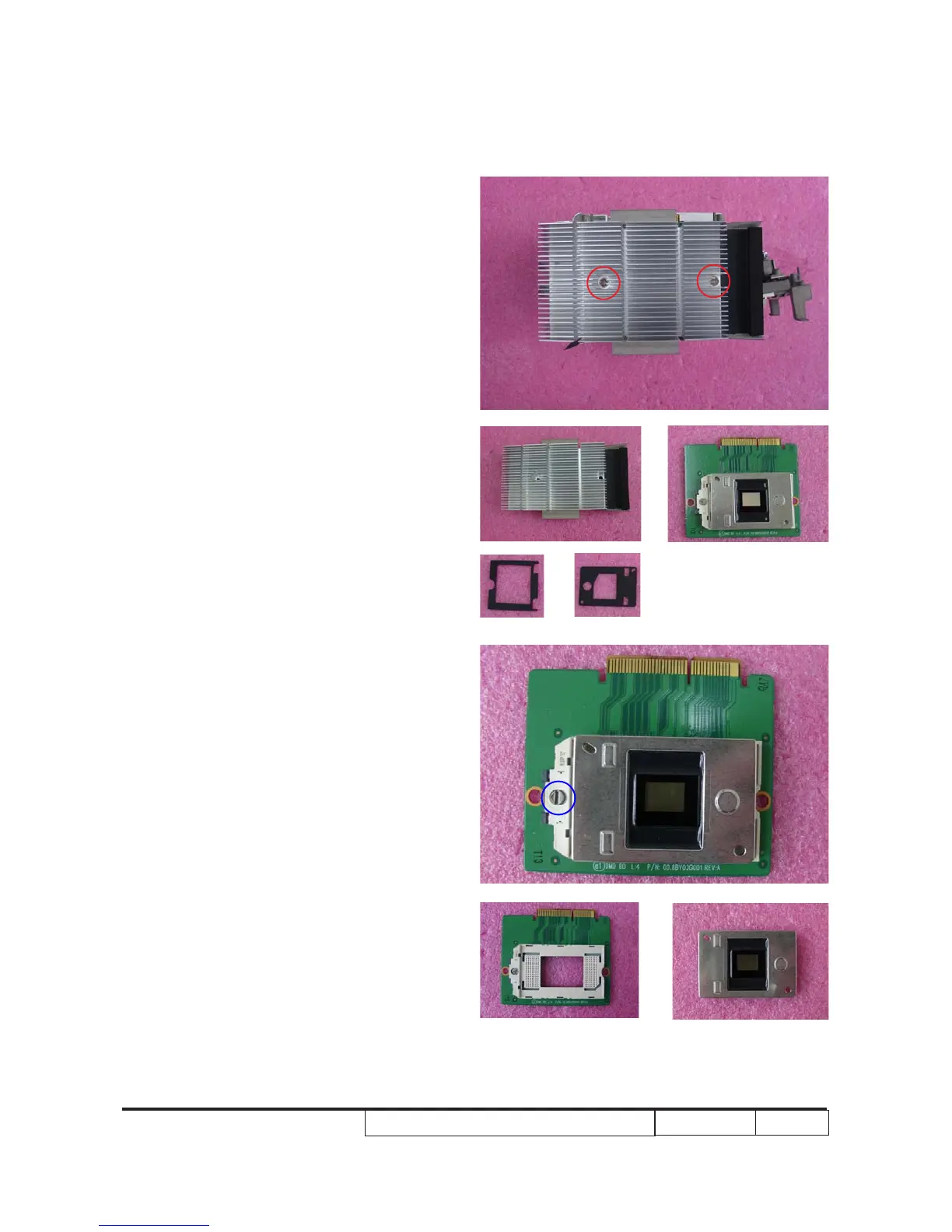
8. Unscrew 2 screws (as red circle), t�en
take off t�e following parts:
(a). Heat sink
(b). DMD module
(c). DMD rubber
(d). DMD mask
9. Unlock t�e lock�ole (as blue circle) by
a screw driver.
10. Separate DMD board and DMD c�ip.
Note: - The mirror part of a DMD chip should
be faced up.
- The locked and unlocked position of the
lockhole is marked aside.
a
b
c
d



 To Next Page