EX765/EW766/EX765W/EW766W
Condential
6-7
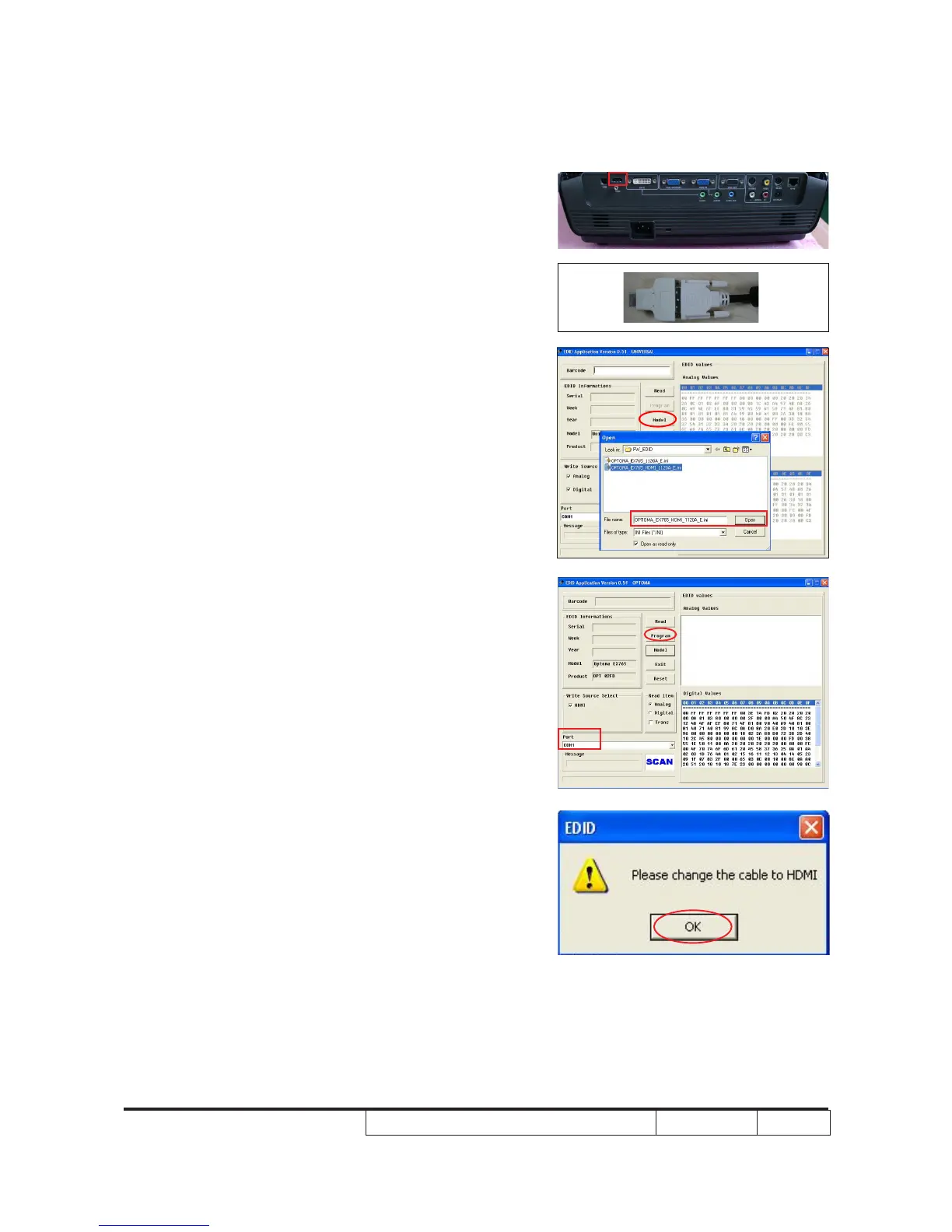
6-5 DDC Key-In Procedure
(HDMI Interface)
1.
Unplug DVI cable from projector, then
replug it in DVI-HDMI adapter then plug in
HDMI port of the projector.
2. Choose model
- Click "Model."
- Choose the EDID le(*.ini) and open it.
3. Programming
- Check whether the port is the one
you're using.
- Click "Program" button.
4. When the message “Please change the
cable to HDMI” is shown on the screen,
click “OK” button.
5. “Run” message will appear on the screen.
2
HDMI Port



 To Next Page