Menus
The has basically three types of menu. Use
the Select control to step through and select options.
A scroll bar on the right of the screen shows if there
are further options above or below those visible.
A 2696
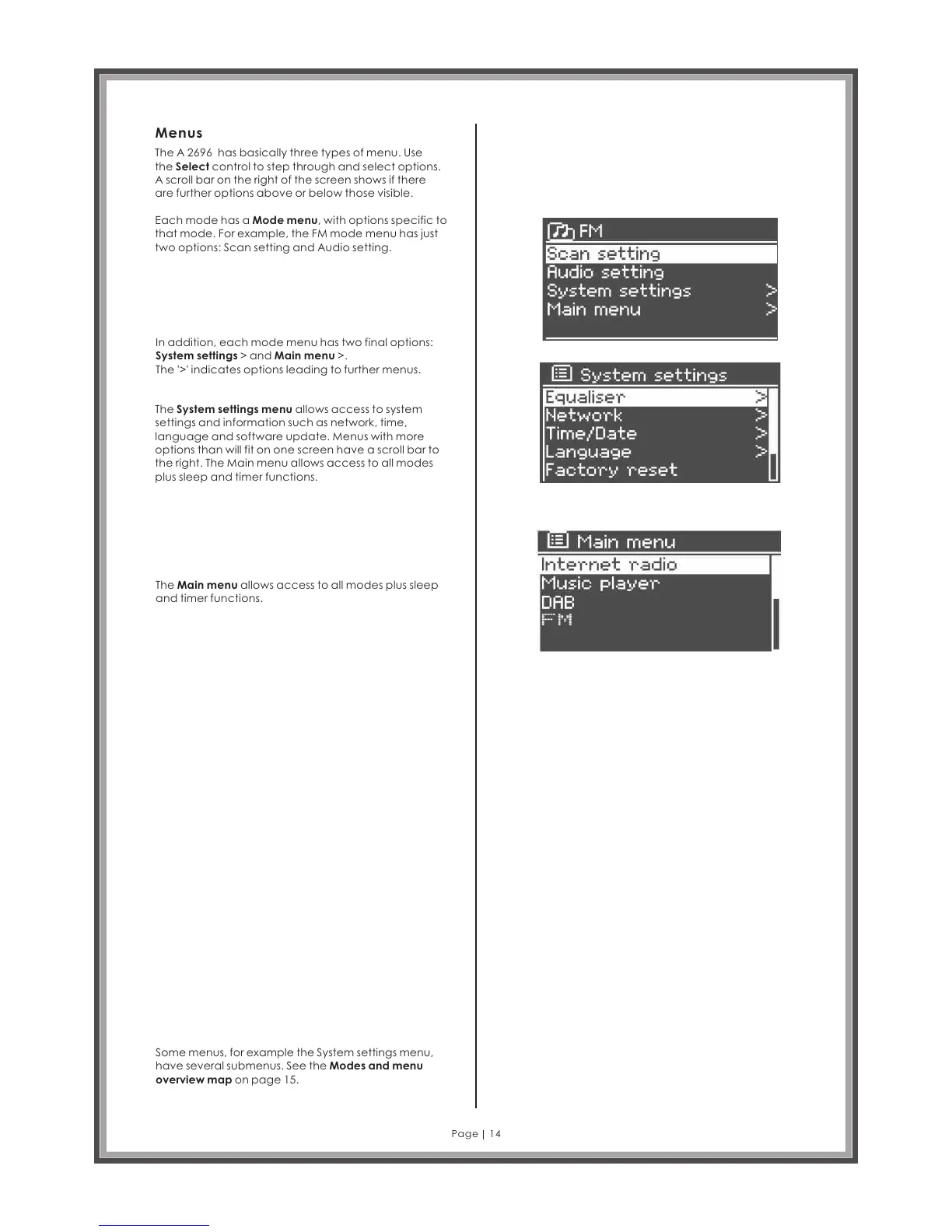
Each mode has a Mode menu, with options specific to
that mode. For example, the FM mode menu has just
two options: Scan setting and Audio setting.
In addition, each mode menu has two final options:
System settings > and Main menu >.
The '>' indicates options leading to further menus.
The System settings menu allows access to system
settings and information such as network, time,
language and software update. Menus with more
options than will fit on one screen have a scroll bar to
the right. The Main menu allows access to all modes
plus sleep and timer functions.
The Main menu allows access to all modes plus sleep
and timer functions.
Some menus, for example the System settings menu,
have several submenus. See the Modes and menu
overview map on page 15.
Page 14



 To Next Page