Playing from the Music player
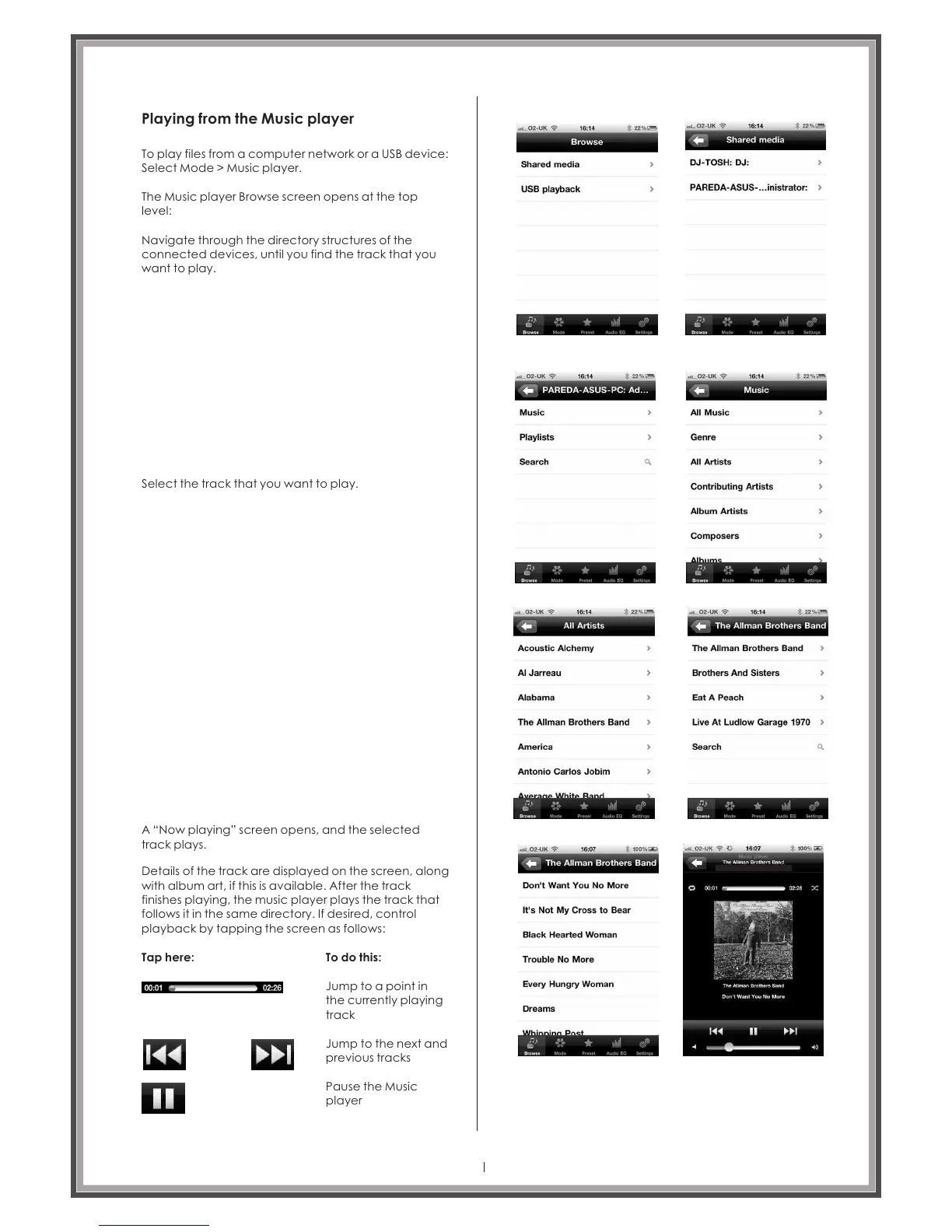
To play files from a computer network or a USB device:
Select Mode > Music player.
The Music player Browse screen opens at the top
level:
Navigate through the directory structures of the
connected devices, until you find the track that you
want to play.
Select the track that you want to play.
A “Now playing” screen opens, and the selected
track plays.
Details of the track are displayed on the screen, along
with album art, if this is available. After the track
finishes playing, the music player plays the track that
follows it in the same directory. If desired, control
playback by tapping the screen as follows:
Tap here:
To do this:
Jump to a point in
the currently playing
track
Jump to the next and
previous tracks
Pause the Music
player
Page 38
Opus One A 2696



 To Next Page