Playlists
The holds a queue of up to 500 tracks in the
playlist. Playlist tracks can be mixed from multiple
UPnP servers and USB. To manage the playlist, select
Menu > My playlist.
A 2696
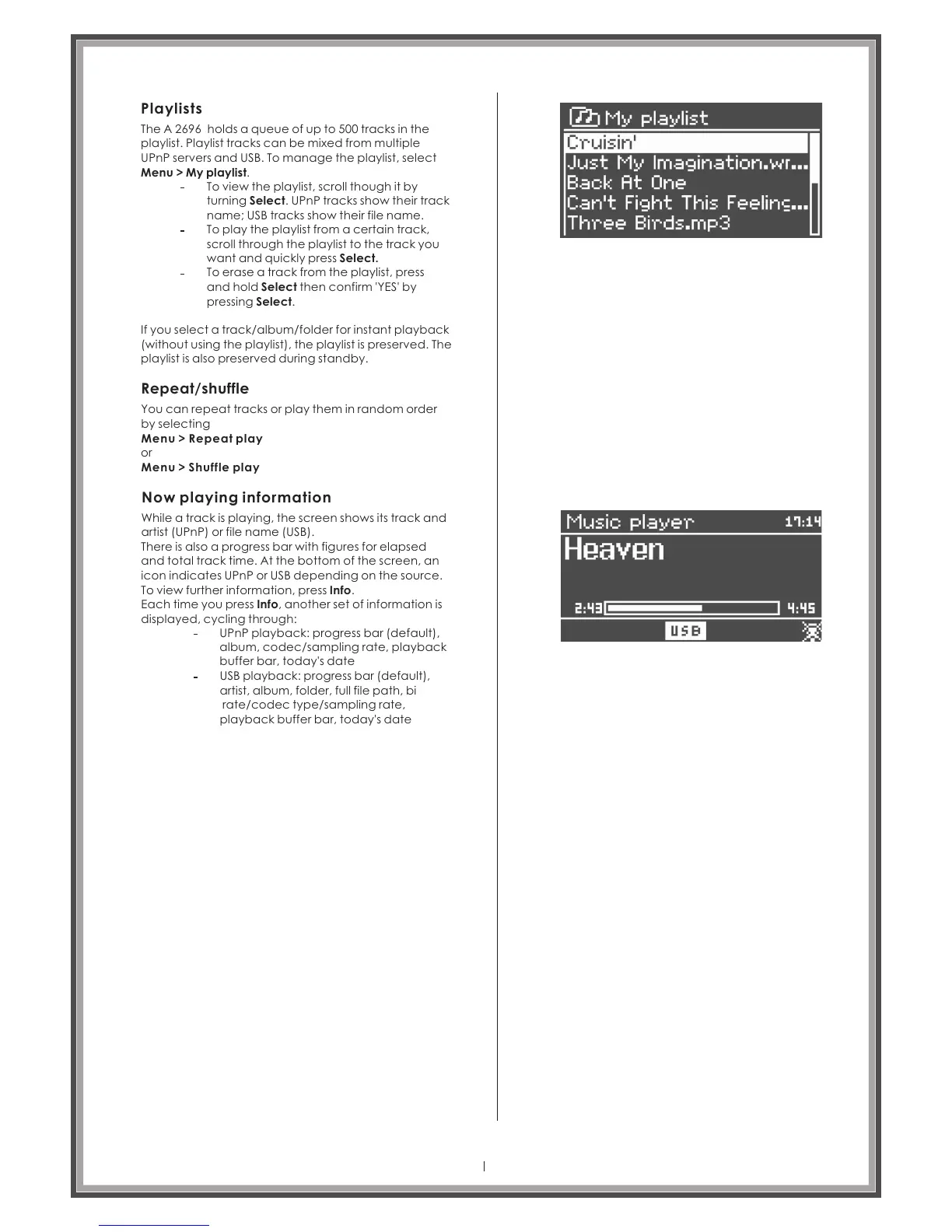
To view the playlist, scroll though it by
turning Select. UPnP tracks show their track
name; USB tracks show their file name.
To play the playlist from a certain track,
scroll through the playlist to the track you
want and quickly press Select.
To erase a track from the playlist, press
and hold Select then confirm 'YES' by
pressing Select.
If you select a track/album/folder for instant playback
(without using the playlist), the playlist is preserved. The
playlist is also preserved during standby.
Repeat/shuffle
You can repeat tracks or play them in random order
by selecting
Menu > Repeat play
or
Menu > Shuffle play
Now playing information
While a track is playing, the screen shows its track and
artist (UPnP) or file name (USB).
There is also a progress bar with figures for elapsed
and total track time. At the bottom of the screen, an
icon indicates UPnP or USB depending on the source.
To view further information, press Info.
Each time you press Info, another set of information is
displayed, cycling through:
UPnP playback: progress bar (default),
album, codec/sampling rate, playback
buffer bar, today's date
USB playback: progress bar (default),
artist, album, folder, full file path, bi
rate/codec type/sampling rate,
playback buffer bar, today's date
Page 29



 To Next Page