© Orbotech 2005 Symbion™ Programmer Guide 39
Draft - Confidential
•
Use any of the available methods to locate the correct component;
Search by Size
o Select the resize tool
in the component picture,
o Drag the handles of the yellow frame to fit the component
o Right click and select Search Similar Packages
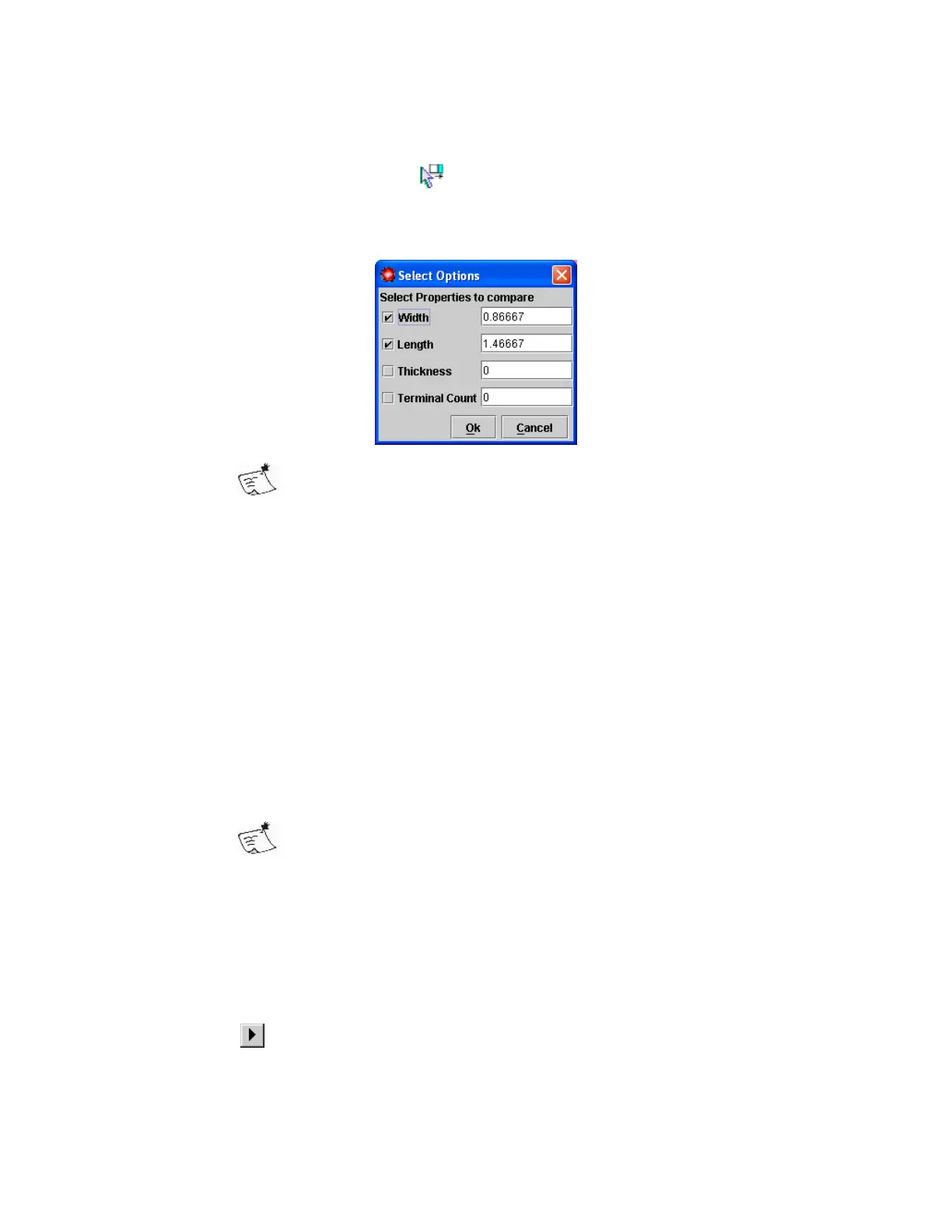
Optionally specify the Thickness of the component and/or
Terminal Count. Be sure to enable each of these additional
parameters used with the check-box.
o Click Ok
Library components matching these parameters will be displayed
Search by Name
o Right click in the component list and select Search CAD Package
Type
o Click OK
Library components with matching names will be displayed
Search by ‘JEDEC’ Parameters
o Select the characteristic to filter from the drop down lists on the left
(for example ‘Material’)
o Select the appropriate value (for example ‘Metal’)
More than one filter can be used, they are used in combination
(as a logical AND)
Library components matching the filter will be displayed
• If a suitable component can be identified right click the Package to be
linked, and select Define New link
• If no suitable component is found, a new component can be created. For
details see Component Definition
• Repeat until all possible Packages have been linked
• Click
to continue to the next step
• Click Yes to confirm saving the Package links



 To Next Page