56 Symbion™ Programmer Guide © Orbotech 2005
Draft - Confidential
Search Tool
A powerful search tool is provided to assist the editing of Inspection recipes,
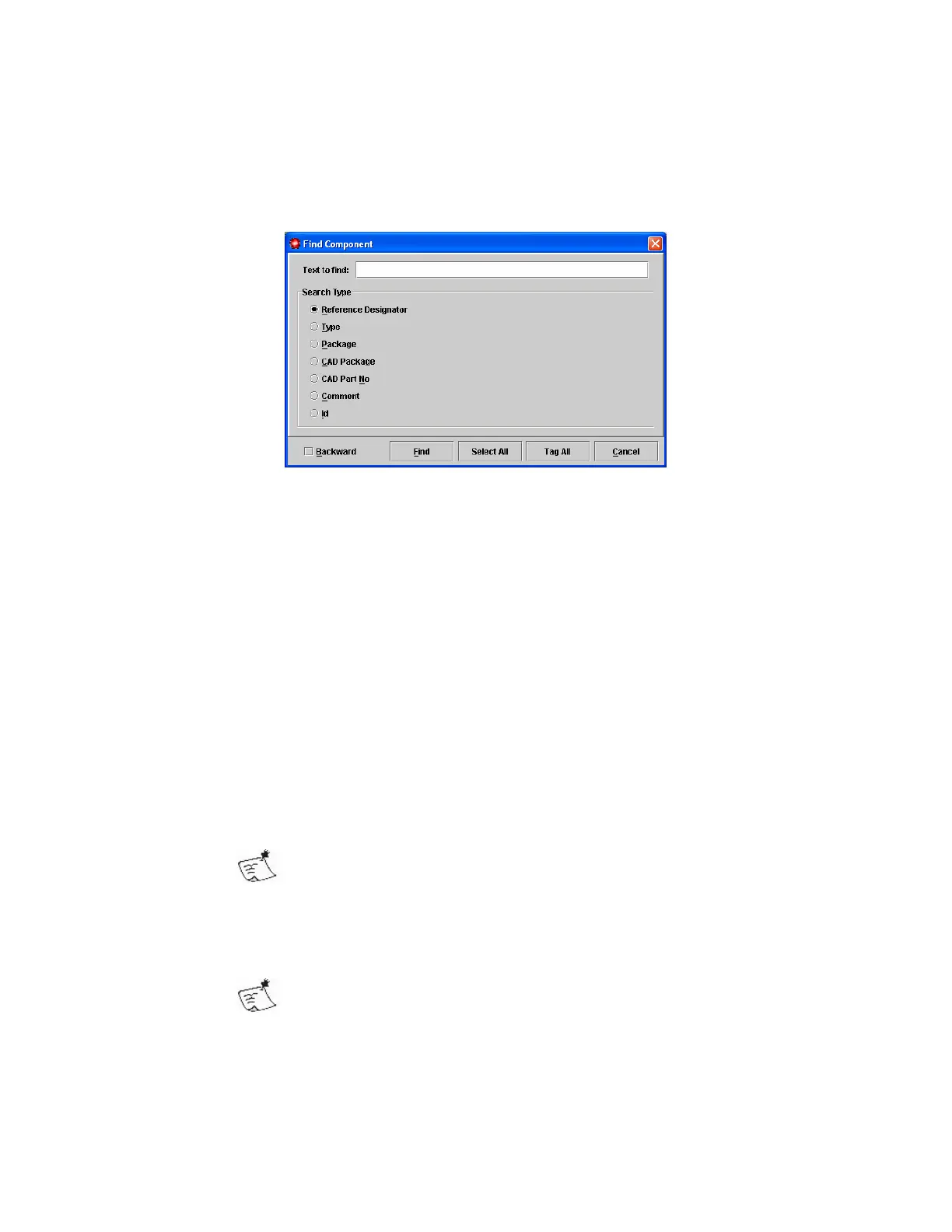
the Find Component dialog is accessed either through the menu
Search > Find Component or by keyboard shortcut, Ctrl + F.
The tool searches for the specified text in one of the following areas;
• Reference Designator, searches in the component name
• Type, searches for components with an Inspection Type matching the
specified text
• Package, searches for components where the Library Package used
matches the specified text
• CAD Package, searches for components where the Package specified in
the CAD source matches the specified text
• CAD Part No, searches for components where the Part information
specified in the CAD source matches the specified text
• Comment, searches for components where the Comment matches the
specified text
• Id, searches for components with a specific ID
A wildcard (*) is supported in the Search Text
The default action of the Tool is Find, the first match found is selected and the
tool closes. The tool can also Select All or Tag All components matching the
search text.
Once a search has been performed the keyboard shortcuts F3
and Shift + F3 can be used to find the next match, or
previous match.



 To Next Page