© Orbotech 2005 Symbion™ Programmer Guide 73
Draft - Confidential
OCR
Overview
The Symbion Optical Character Recognition (OCR) Engine has excellent
initial detection capabilities.
In cases where the text cannot be read directly by the OCR engine unknown
characters are Trained, and Fonts may be created for use with particular
vendor or device types.
A comprehensive easy to use configuration panel is provided for setup of the
OCR.
A
dding OCR
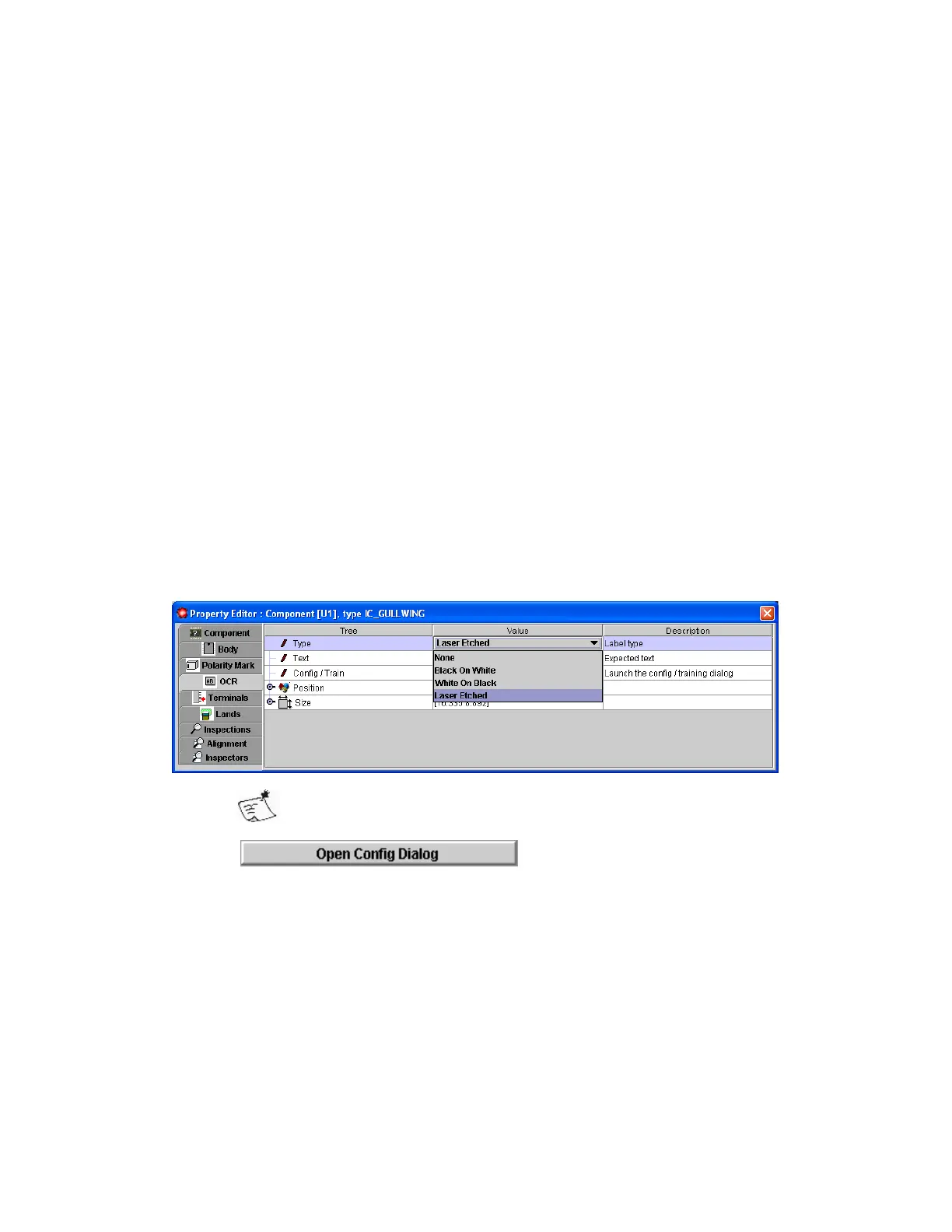
To add OCR to a component;
• Select the component on which the macro should be set up
• In the Property Editor click the OCR tab
• Double click None in the Type field and select from Black on White,
White on Black or Laser Etched
The system automatically defines the OCR inspection area as
approximately 90% of the body size, centered on the component
centroid
• Click
The OCR Config / Train Dialog Opens;
• Configure the OCR (see Configuration Dialog)
• Click OK when complete



 To Next Page