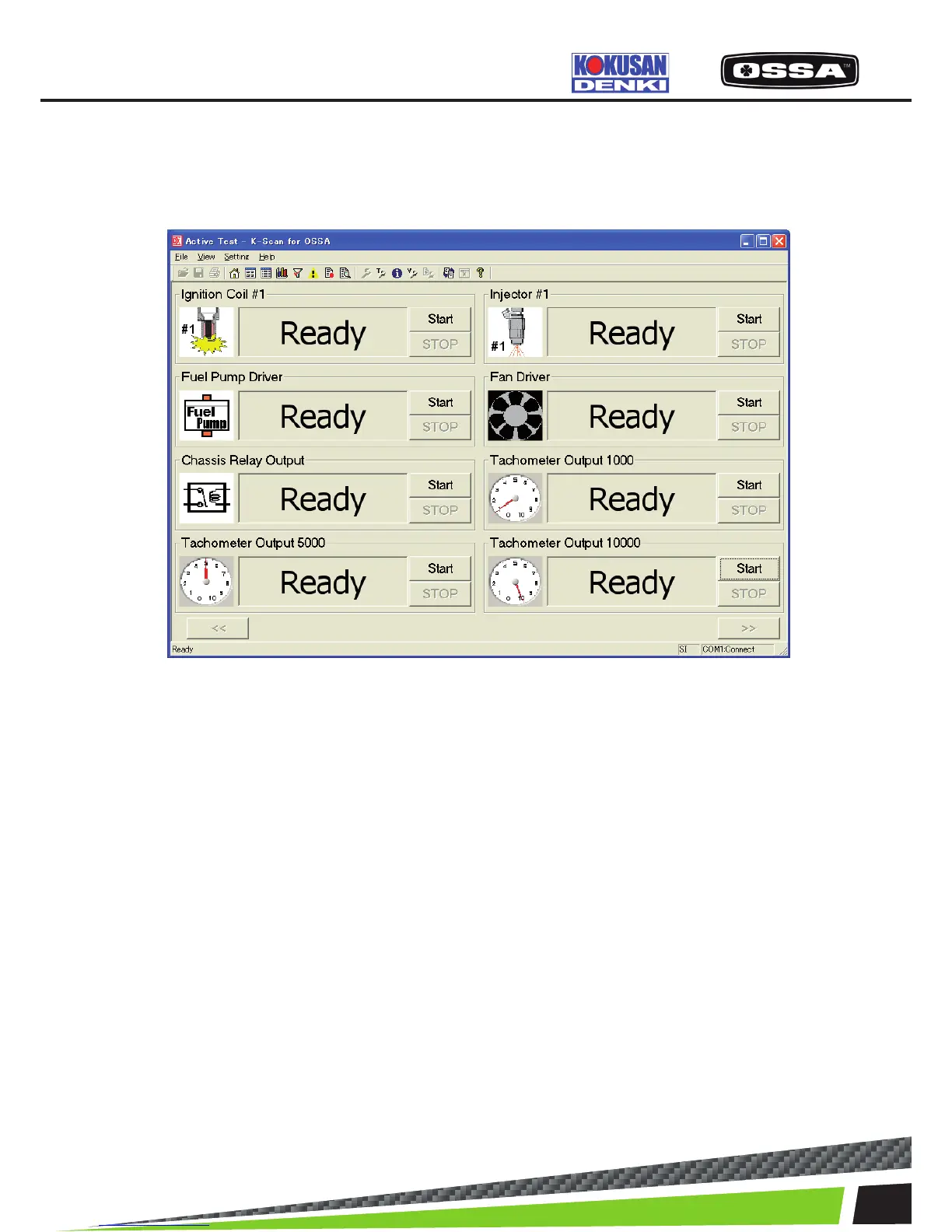
ACTIVE TEST
This function is to execute Active Test items. There are 8 Data Items in one page, and you can scroll
page by clicking [<<] and [>>] buttons. You cannot click any button during Active Test, except [Stop]
button.
Figure 9 Active Test Screen
1 Active Test Item There are 8 Data Items in one page, and you can scroll
page to display all test items by clicking ‘<<’ and ‘>>’
buttons.
2 Icon Display Active Test image.
3 State text box Display operational information.
-’Ready’- Active Test has not been done.
-‘Finish’- Active Test has already been done.
-‘Running…’ or ‘XXX Sec’ -Active Test is running now.
4 When Active Test Error is occurred If failed to connect to the ECU while running ActiveTest, the
message 7 will be shown and Active Test state becomes
‘Ready’.
5 [Start] button Start Active Test.
6 [Stop] button Stop Active Test.
7 [<<] button Move to previous page.
8 [>>] button Move to next page.
9 When this screen is displayed When the ECU is not connected, the ECU connectionwill be
started. If failed to connect to the ECU, themessage 7 will be
shown.
KSCAN



 To Next Page