56
ELECTRICAL PARTS
QUICK SOFTWARE UPDATING
1.First of all disconnect the Capacitor Unit wires (under the headlight mask) and connect to a 12V
Battery.
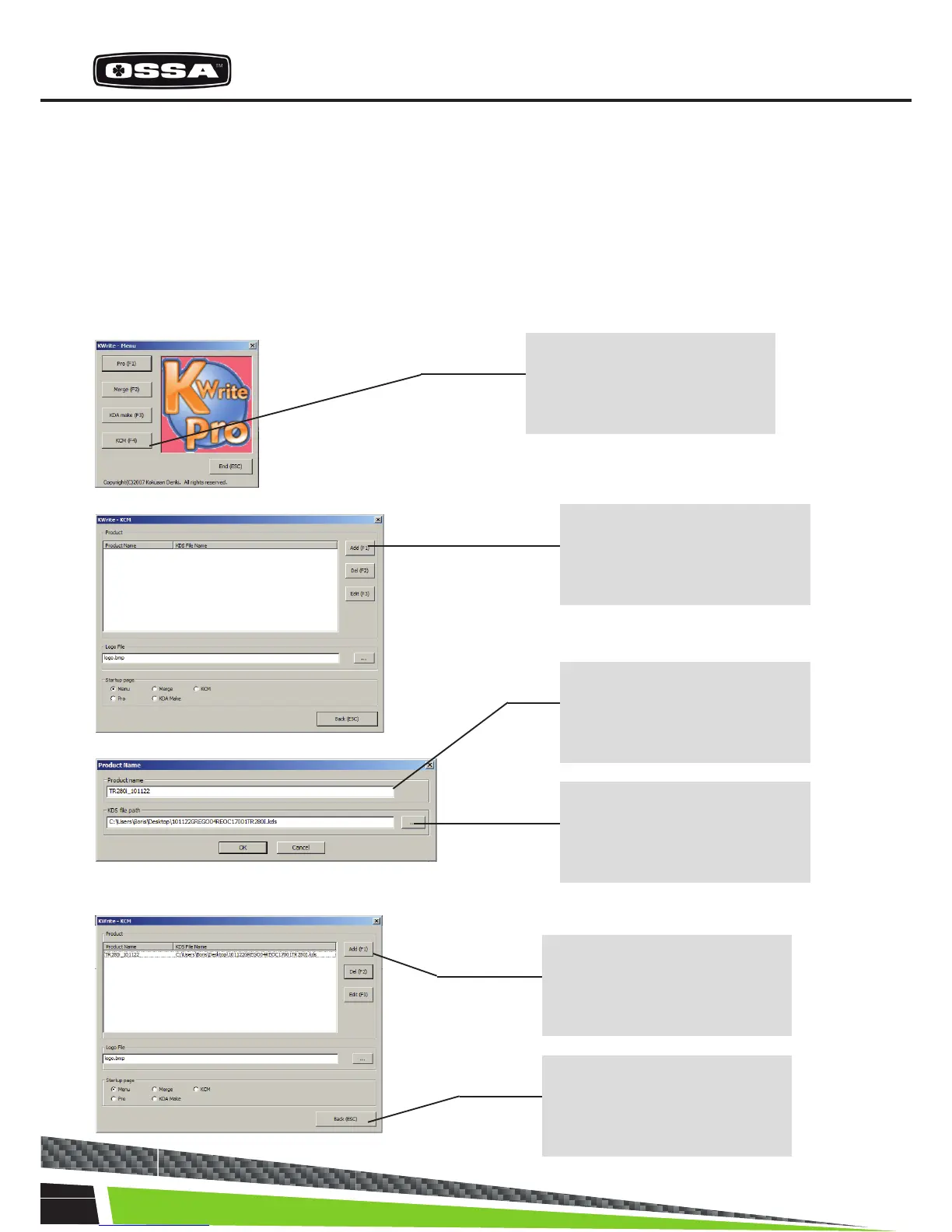
2.Execute the [Kwrite Pro] software.
3.Register the “kds le” in [Kwrite Pro].
Note: this process is necessary to execute only once for each update version.
Step 1
Start [Kwrite Pro] and click on
“KCM”
Step 2
Click on “Add”, and set up the
information path of the kds le.
Step 3
Input the information on the
le (i.e. Update date)
Step 4
Click here and select the .kds
le.
The registration of the .kds le
was completed by the above-
mentioned operation
Step 5
Click on “Back”



 To Next Page