18
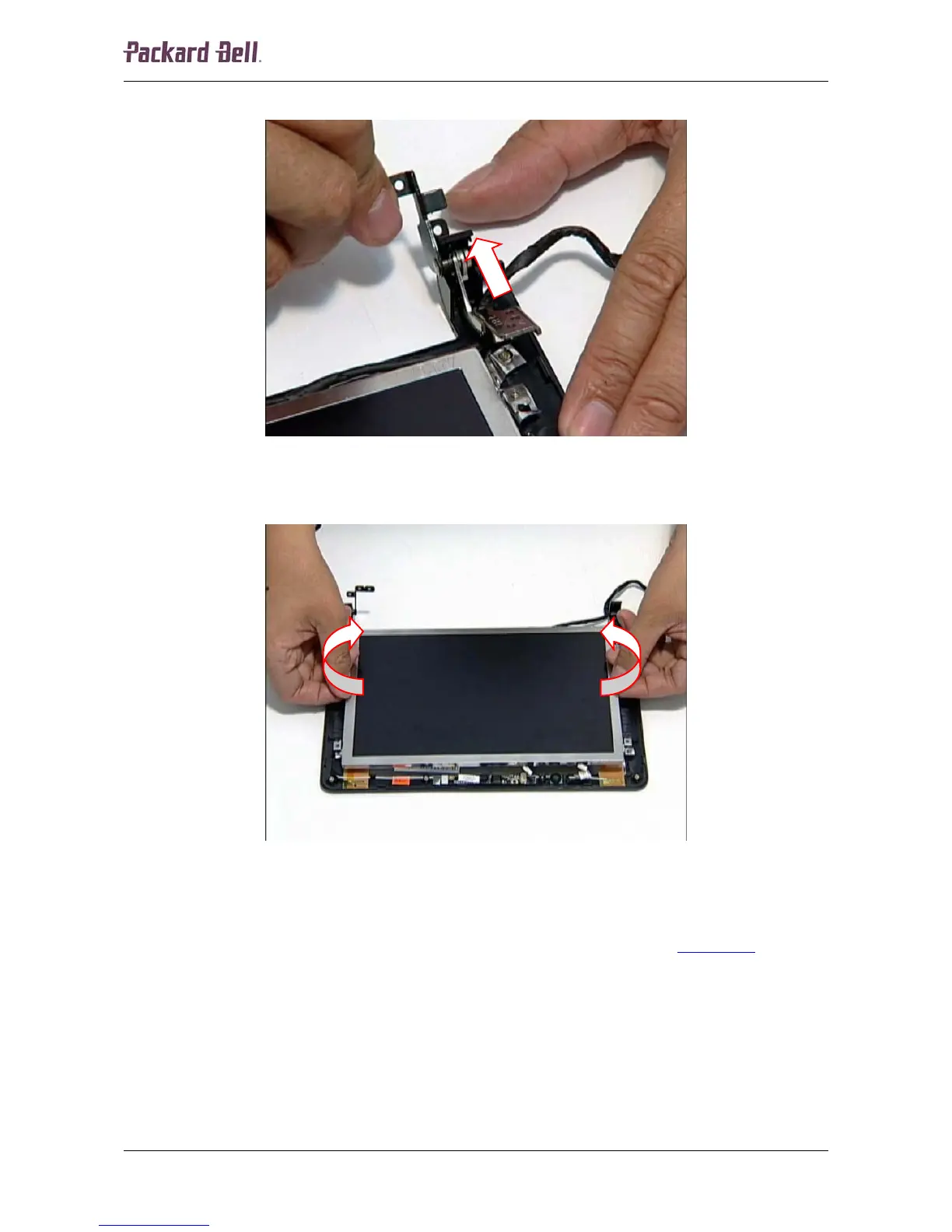
2. Pivot the left hinge down and then pull it up and remove it from the housing.
Fig. 29 Left hinge.
3. Hold the LCD panel by the sides, lift out the panel and remove it from the unit.
Fig. 30 Removing the LCD panel.
LCD Brackets and LCD Cable
To remove the LCD brackets and the LCD cable, remove the LCD panel (see LCD Panel on page
17) and then perform the following steps:
1. Turn the LCD panel upside down on an even surface.
Packard Bell dot Disassembly Manual













 To Next Page